Title: WP Advanced PDF
Author: cedcommerce
Published: 2 Abriil, 2016
Last modified: 15 Juunyo, 2022
---
Raadi kaabayaal
This plugin **hasn’t been tested with the latest 3 major releases of WordPress**.
It may no longer be maintained or supported and may have compatibility issues when
used with more recent versions of WordPress.

# WP Advanced PDF
Qore [cedcommerce](https://profiles.wordpress.org/cedcommerce/)
[Soo Rog](https://downloads.wordpress.org/plugin/wp-advanced-pdf.zip)
* [Faahfaahin](https://so.wordpress.org/plugins/wp-advanced-pdf/#description)
* [Dibu-eegisyo](https://so.wordpress.org/plugins/wp-advanced-pdf/#reviews)
* [Rakibaad](https://so.wordpress.org/plugins/wp-advanced-pdf/#installation)
* [Horumarinta](https://so.wordpress.org/plugins/wp-advanced-pdf/#developers)
[Taageero](https://wordpress.org/support/plugin/wp-advanced-pdf/)
## Sharraxaad
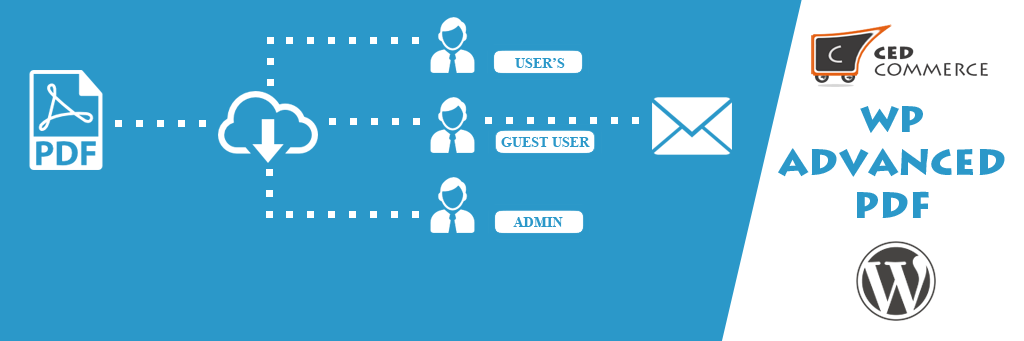
WP Advanced PDF is a pdf generator for posts to pages. This plugin enables your
blog readers to create pdf of posts of your blog. WP Advanced PDF relies on the
TCPDF class to render PDF.
This makes WP Advanced PDF a completely self contained
PDF generating plugin. This plugin has possibility to limit access to pdfs to registered
users or present links to all visitors.
#### Main features
* **Feature to set Custom fonts for PDF**
* **Feature to set Stretching and Spacing for PDF**
* **Gives a pdf extract link into your blog and you blog reader can easily extract
the blog on one click only**
* You can include header logo to pdf.
* **Can set custom bullet style**.
* **Can add watermark text and images to look PDF wonderful**.
* **Can customize fonts of header and content**.
* **Can easily change margins, alignment, and pages for your pdf**.
* Can set file name for pdf. Default file name of plugin is Post Id.
* Have ability to generate pdf from cache to reduce load from server and can schedule
backup of cache if Your blog is not updating too frequently and many more options.
* Can add custom style to post contents
* Can set default blog title for pdf
* Easy to use and install
* Easy to configure
### Premium Feature Now In Free
#### Enhanced Custom Font Support
* Now fonts will be saved on wordpress upload directory instead of plugin’s directory
keeping plugin size fix and safe.
#### WP ADVANCED PDF PRO FEATURES
* To get premium plugin click [here](http://cedcommerce.com/wordpress-plugins/wp-advanced-pdf-pro)
With all your support and help we have successfully launched **premium version**
of this plugin with lots of useful and handy features. Along with the features of
WP Advanced PDF following are the main features included in premium version:
#### Compatible with ACF
* Advanced Custom Fields Plugin for WordPress
#### META FIELD SUPPORT
* Ability to choose meta fields for each post types to be display on PDF.
* Ability to provide name of the meta fields to overwrite default name.
* Ability to include custom meta fields per post wise into PDF. Which will then
also be present on general pdf setting page for all posts of particular post
type.
#### CUSTOM SETTING
* Created a **Default setting** to go live as soon as activating plugin, excluding
the headache of doing those settings first.
* Apart from default setting you can also make your **Custom Settings** as much
as you can. This way you will play with those settings easily.
* Admin can apply custom setting and can remove them as well.
* Admin can get preview PDF of selected setting configuration’s.
#### SHORTCODE FEATURE
* Made a shortcode for PDF export button so that admin can place wherever he/she
want. **[ptpdf]**
* If shortcode feature is activated then admin must have to use shortcode to show
PDF export button.
#### PDF EXPORT LOG
* You can view log of exported PDFs.
* Can select what field to display in log like export date, post type etc through
screen options.
* Can remove single log entry as well as can delete in bulk.
* Pagination is provided and log entries are listed by latest at top.
#### MINOR CHANGES
* Change layout of setting page for easy access.
* Changed icon of menu link
#### DEMO LINKS
* FrontEnd: click [here](http://demo.cedcommerce.com/wordpress/advanced-pdf/)
* BackEnd: click [here](http://demo.cedcommerce.com/wordpress/advanced-pdf/wp-admin/)
#### Support
If you need support or have any question then kindly use our online chat window
[here](http://cedcommerce.com) or send us email at [support@cedcommerce.com](https://so.wordpress.org/plugins/wp-advanced-pdf/support@cedcommerce.com?output_format=md)
#### Follow Us
* **Our Official Website** – [http://cedcommerce.com/](http://cedcommerce.com/)
* **Our Facebook Page** – [https://www.facebook.com/CedCommerce](https://www.facebook.com/CedCommerce)
* **Our Google+ Account** – [https://plus.google.com/u/0/118378364994508690262](https://plus.google.com/u/0/118378364994508690262)
* **Our Twitter Account** – [https://twitter.com/cedcommerce](https://twitter.com/cedcommerce)
* **Our LinkedIn Account** – [https://www.linkedin.com/company/cedcommerce](https://www.linkedin.com/company/cedcommerce)
## Sawir-shaashado
* [[
* Setting page
* [[
* Export In post edit screen
* [[
* Admin bulk export
* [[
* Export option on front end
* [[
* Popup for guest user
## Rakibaad
#### Automatic installation
Automatic installation is the easiest option as WordPress handles the file transfers
itself and you don’t need to leave your web browser. To do an automatic install
of WP Advanced PDF, log in to your WordPress dashboard, navigate to the Plugins
menu and click Add New.
In the search field type **WP Advanced PDF** and click Search Plugins. Once you’ve
found our WP Advanced PDF plugin you can view details about it such as the point
release, rating and description. Most importantly of course, you can install it
by simply clicking “Install Now”.
#### Manual installation
The manual installation method involves downloading our Product Auto Share plugin
and uploading it to your webserver via your favourite FTP application. The WordPress
codex contains [instructions on how to do this here](https://codex.wordpress.org/Managing_Plugins#Manual_Plugin_Installation).
## SBI
### How to change position buttons in content
Go to the Settings page and change value for the ‘Position of buttons in the content’
field.
### Buttons for content do not appear on page
Go to the Settings page and change value for the ‘Display Options’ or ‘Availability’
fields.
### Buttons for certain post type do not appear on page
Go to the Settings page and Check options ‘Allowed Post Types’ field.
### How can I change the content pdf document ?
In order to change main content of pdf/print document you can use following filter:
```
add_filter( 'the_post_export_content', {your_function} );
```
For example, add the following code to the ‘functions.php’ file of your theme:
```
add_filter( 'the_post_export_content', custom_function );
function custom_function( $post_content ){
$my_content = 'Adipisci ipsam quod odit eius et et voluptas corporis.
';
$more_content = ' Velit repudiandae earum ducimus odit excepturi cum laboriosam.
';
return $my_content . $more_content;
}
```
### How I add different styles to pdf
To add style in pdfs, Go to Body Section, check Custom CSS and enter the required
styles in textarea.
## Dibu-eegisyo

### [Not compatible with PHP 8.0 or higher and no support](https://wordpress.org/support/topic/not-compatible-with-php-8-0-or-higher-and-no-support/)
[Jos Klever](https://profiles.wordpress.org/josklever/) 11 Janaayo, 2023
This plugin has multiple issues with PHP 8.0 and higher causing the error logs to
fill up with warnings, but these will become critical errors in higher versions.
These errors are not difficult to fix (I’ve edited the files to keep it working
until we move to a replacement), but there’s no response from support for a very
long time now. UPDATE: When using the plugin to create a PDF from a post, it does
give a critical error, that doesn’t even make it to the error log, so it makes the
plugin useless already.

### [WTF](https://wordpress.org/support/topic/wtf-60/)
[afx237v8](https://profiles.wordpress.org/afx237v8/) 3 Janaayo, 2022
just don’t waste your time with this

### [It does what it is supposed to.](https://wordpress.org/support/topic/it-does-what-it-is-supposed-to-3/)
[Nico Visagie](https://profiles.wordpress.org/nvisagie/) 16 Oktoobar, 2021
This is not the best plugin of this type out there, but it does what is says it
does. I have been using it for several months and it worked for me. The only reason
I switched to another plugin is because this one is not compatible with PHP8 and
that is a requirement as my ISP is upgrading.

### [No Words](https://wordpress.org/support/topic/no-words-15/)
[Claudio Reis](https://profiles.wordpress.org/clubedophotoshop/) 29 Sebteembar,
2021
No Words

### [Renders shortcodes from Divi pagebuilder](https://wordpress.org/support/topic/renders-shortcodes-from-divi-pagebuilder/)
[Martin Sauter](https://profiles.wordpress.org/martinsauter/) 6 Janaayo, 2021
While I like the many configuration options of this plugin, there is one major disadvantage
that makes it useless for many websites: If the page contains shortcodes from a
pagebuilder like Divi, these shortcodes will be visible in the resulting PDF, which
is definitely not what you want.

### [FULL](https://wordpress.org/support/topic/impresionante-18/)
[FRANCISCO JAVIER GONZÁLEZ GARCÍA](https://profiles.wordpress.org/franciscojav/)
26 Diseembar, 2019
Un complemento INÚTIL. Calificación 0%.
[ Akhri dhammaan 18 dibu-eegis ](https://wordpress.org/support/plugin/wp-advanced-pdf/reviews/)
## Ka-qaybgalayaasha & Horumariyayaasha
“WP Advanced PDF” waa softiweer il furan. Dadka soo socda ayaa wax ku biiriyay kaabahan.
Ka-qaybgalayaasha
* [ cedcommerce ](https://profiles.wordpress.org/cedcommerce/)
[Ku tarjun “WP Advanced PDF” luqaddaada.](https://translate.wordpress.org/projects/wp-plugins/wp-advanced-pdf)
### Ma xiisaynaysaa horumarinta?
[Baadh koodka](https://plugins.trac.wordpress.org/browser/wp-advanced-pdf/), fiiri
[bakhaarka SVN](https://plugins.svn.wordpress.org/wp-advanced-pdf/), ama iska qor
[diiwaanka horumarinta](https://plugins.trac.wordpress.org/log/wp-advanced-pdf/)
adigoo adeegsanaya [RSS](https://plugins.trac.wordpress.org/log/wp-advanced-pdf/?limit=100&mode=stop_on_copy&format=rss).
## Isbeddellada
#### 1.1.7
* Bug fix and design fix
#### 1.1.6
* Bug fix
#### 1.1.5
* Bug fix
#### 1.1.4
* Fixed Bulk action export pdf issue.
#### 1.1.3
* Added feature to send pdf in mail to users for selected user role whenever a
post is published.
#### 1.1.2
* Fixed the issue of using deprecated way of defining constructor
#### 1.1.1
* Provide premium feature of font uploads in uploads directory wordpress
* Provide new settings for header to choose the content of header from options
like logo, Site name, Site description, Site URL
#### 1.1.0
* Fixed the issue of notice on admin page
#### 1.0.9
* Removed the Empty div on frontend when frontend is not selected from admin
* Fixed the issue of notice on 404 page
#### 1.0.8
* Fixed issue with edit or view links on pages in admin panel
#### 1.0.7
* Fixed issue with uploads directory permission
* Fixed error on plugin activation
#### 1.0.6
* Launched WP Advanced PDF PRO
#### 1.0.5
* fixed issue with style and script in https enabled site.
* Added RTL support
#### 1.0.4
* Updated tcpdf library to 6.2.12.
**Added feature to set Custom fonts for PDF**
Added feature to set Stretching and Spacing for PDF
#### 1.0.3
* Made Important changes.
#### 1.0.2
* Added body wrapper to post contents to be printed.
* Can now remove footer from pdf if you want
#### 1.0.1
* Fixed minor bugs related to admin settings(Javascript issue).
#### 1.0.0
* This is initial version
## Meta
* Version **1.1.7**
* Last updated **4 sano kahor**
* Active installations **800+**
* WordPress version ** 5.0 ama ka sareeya **
* Tested up to **6.0.11**
* Language
* [English (US)](https://wordpress.org/plugins/wp-advanced-pdf/)
* Tags
* [pdf](https://so.wordpress.org/plugins/tags/pdf/)[post](https://so.wordpress.org/plugins/tags/post/)
* [Aragti Sare](https://so.wordpress.org/plugins/wp-advanced-pdf/advanced/)
## Qiimeynta
2.7 out of 5 stars.
* [ 5 5-star reviews ](https://wordpress.org/support/plugin/wp-advanced-pdf/reviews/?filter=5)
* [ 2 4-star reviews ](https://wordpress.org/support/plugin/wp-advanced-pdf/reviews/?filter=4)
* [ 2 3-star reviews ](https://wordpress.org/support/plugin/wp-advanced-pdf/reviews/?filter=3)
* [ 1 2-star review ](https://wordpress.org/support/plugin/wp-advanced-pdf/reviews/?filter=2)
* [ 8 1-star reviews ](https://wordpress.org/support/plugin/wp-advanced-pdf/reviews/?filter=1)
[Your review](https://wordpress.org/support/plugin/wp-advanced-pdf/reviews/#new-post)
[See all reviews](https://wordpress.org/support/plugin/wp-advanced-pdf/reviews/)
## Ka-qaybgalayaasha
* [ cedcommerce ](https://profiles.wordpress.org/cedcommerce/)
## Taageero
Ma heysaa waxaad dhahdo? Caawimaad ma u baahan tahay?
[Eeg madasha taageerada](https://wordpress.org/support/plugin/wp-advanced-pdf/)
## Ku deeq
Ma jeclaan lahayd inaad taageerto horumarinta kaabahan?
[ Ugu deeq kaabahan ](https://cedcommerce.com)