

Sharraxaad
Essential Shortcodes makes it easy to display user information and date/time data anywhere on your WordPress site using simple shortcodes.
🎯 Free Version Includes:
[essesh_username]– Display current user’s username[essesh_email]– Display current user’s email address[essesh_firstname]– Display current user’s first name[essesh_lastname]– Display current user’s last name[essesh_bio]– Display current user’s biography[essesh_avatar size="96"]– Display current user’s avatar (customizable size)[essesh_date format="F j, Y"]– Display current date (customizable format)[essesh_time format="g:i a"]– Display current time (customizable format)
✨ Key Features:
- Easy-to-use admin interface with copy-to-clipboard functionality
- Responsive design that works with any theme
- Secure code following WordPress best practices
- Lightweight and fast loading
- Translation ready
🚀 Upgrade to Essential Shortcodes Pro
Get access to 40+ professional shortcodes with advanced features:
Pro Categories Include:
* Advanced User Info (8 shortcodes) – User ID, role, registration date, post count, etc.
* Site Information (7 shortcodes) – Site details, WordPress version, theme info, etc.
* Dynamic Content (6 shortcodes) – Random posts, latest content, breadcrumbs, etc.
* Advanced Date/Time (5 shortcodes) – Countdown timers, business hours, seasons, etc.
* Statistics & Analytics (4 shortcodes) – User counts, site age, page views, etc.
* Conditional Content (8 shortcodes) – Show/hide content based on user role, device, dates, etc.
Pro Exclusive Features:
* Visual Shortcode Builder – Create custom shortcodes without coding
* Advanced Analytics Dashboard – Track shortcode usage and performance
* Custom Quotes Manager – Add your own inspirational quotes
* Business Hours Manager – Set and display business hours
* Page View Tracking – Built-in analytics for your content
* Priority Support – Get help when you need it
* Regular Updates – New shortcodes added regularly
👉 Get Essential Shortcodes Pro – $15 USD
Perfect for:
* Membership sites – Display personalized user information
* Business websites – Show contact info, business hours, and stats
* Blogs & News sites – Display dynamic content and user engagement
* E-commerce sites – Show user accounts and personalized content
* Any WordPress site – Add dynamic, personalized content easily
Sawir-shaashado
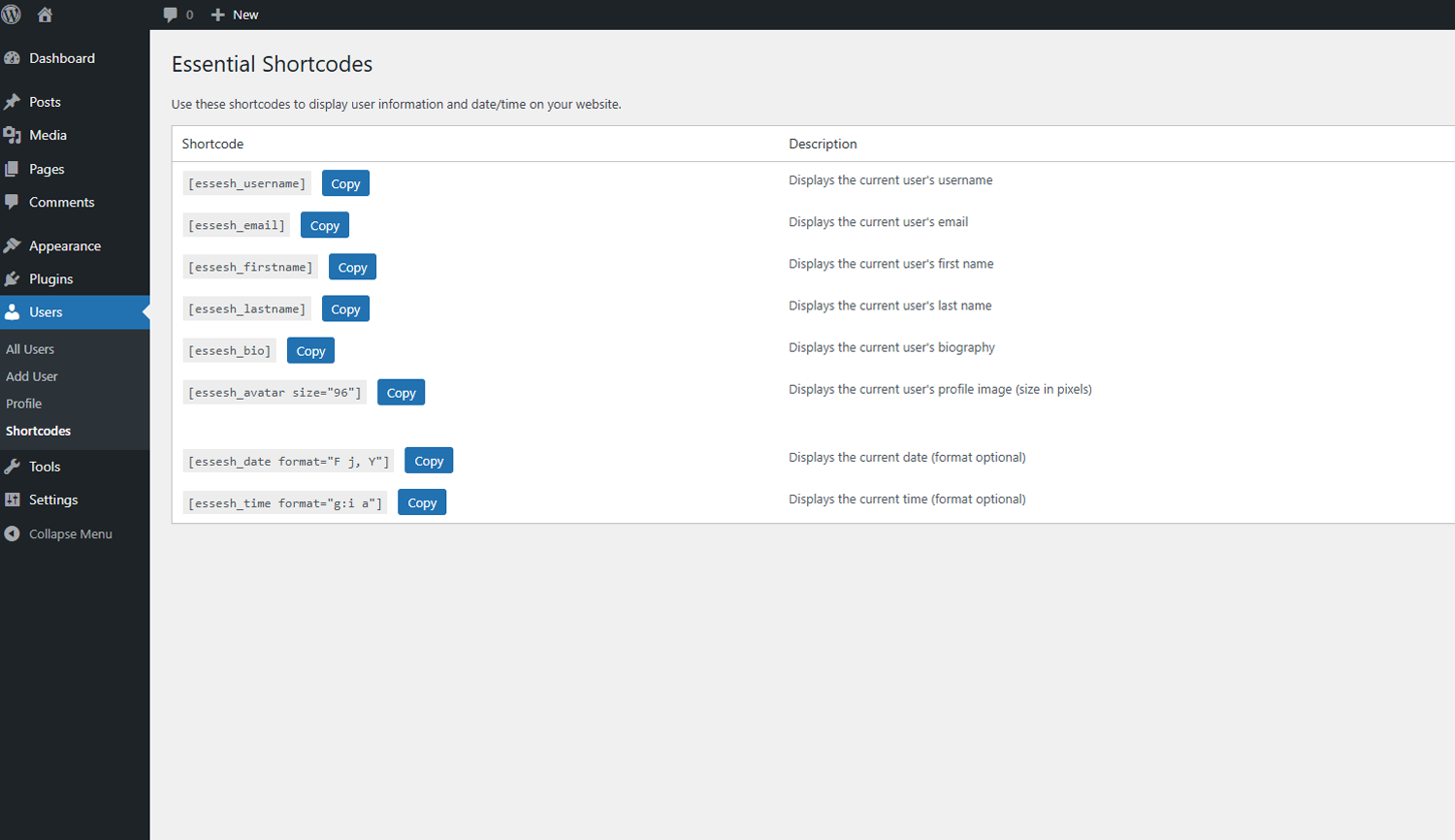
Admin Interface – Clean, organized shortcode management with copy buttons 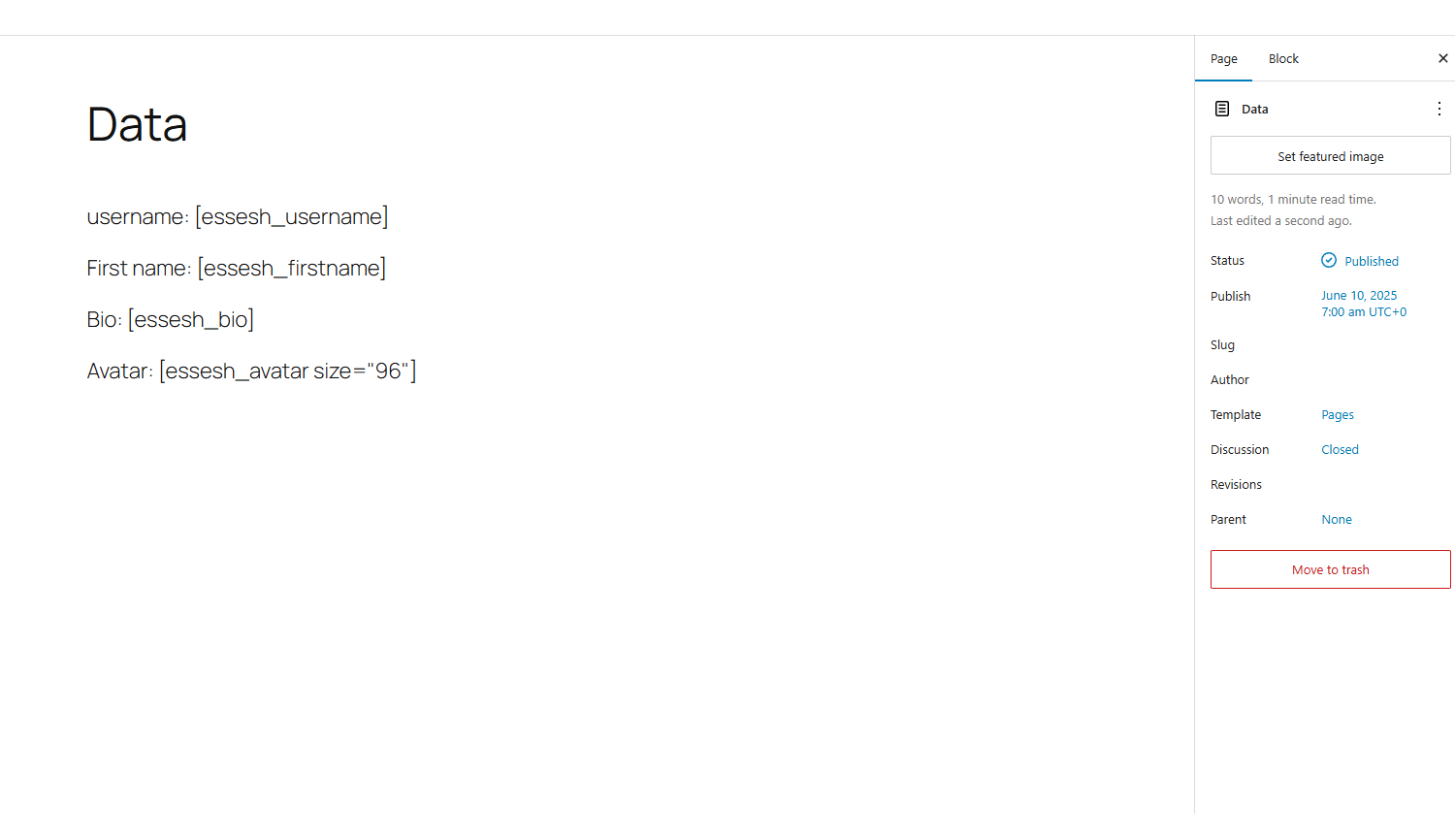
Shortcodes in Action Backend – Examples of shortcodes displayed on the backend 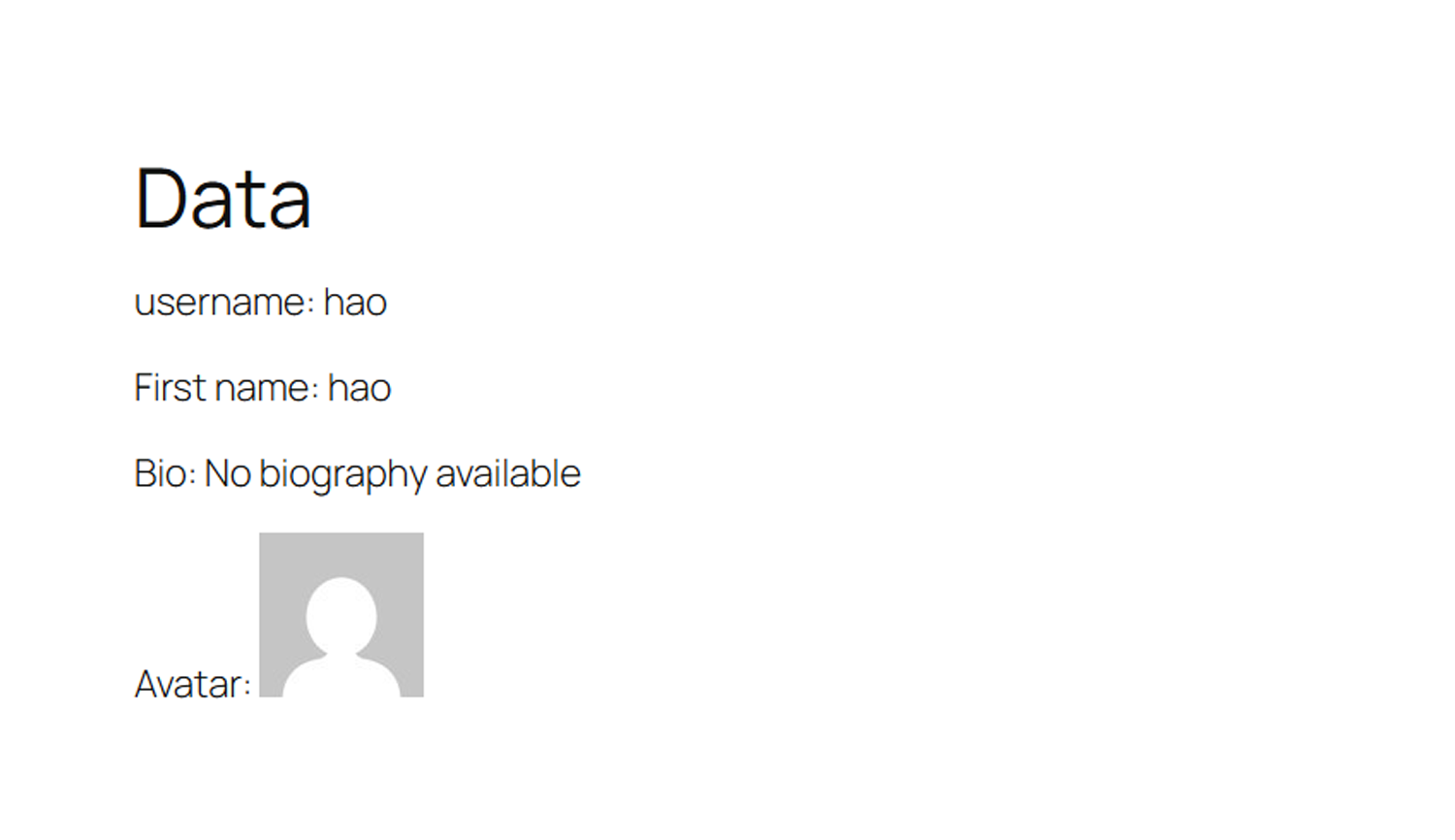
Shortcodes in frontend – Examples of shortcodes displayed on the frontend
Rakibaad
- Upload the plugin files to
/wp-content/plugins/essential-shortcodesdirectory, or install through WordPress plugins screen - Activate the plugin through the ‘Plugins’ screen in WordPress
- Go to Users > Shortcodes to see all available shortcodes with copy buttons
- Use shortcodes anywhere on your site – posts, pages, widgets, etc.
SBI
-
What happens if a user is not logged in?
-
User-related shortcodes will display “Not logged in” for guests. Date and time shortcodes work for all visitors.
-
Can I customize the date and time formats?
-
Yes! Use any PHP date format:
[essesh_date format="Y-m-d"]or[essesh_time format="H:i:s"] -
Can I change the avatar size?
-
Yes! Use the size parameter:
[essesh_avatar size="150"](size in pixels) -
What’s the difference between Free and Pro versions?
-
The free version includes 8 essential shortcodes for basic user info and date/time. The Pro version includes 40+ advanced shortcodes, conditional content, analytics, visual builder, and much more.
-
Do you offer support for the free version?
-
Yes! We provide community support through WordPress.org forums. Pro users get priority email support.
-
Is Essential Shortcodes Pro worth the upgrade?
-
If you need advanced functionality like conditional content, site statistics, dynamic content, or user analytics, then absolutely! Pro saves hours of development time and includes features you won’t find elsewhere.
Dibu-eegisyo
Ma jiraan wax dibu-eegis ah oo ku saabsan kaabahan.
Ka-qaybgalayaasha & Horumariyayaasha
“Essential Shortcodes” waa softiweer il furan. Dadka soo socda ayaa wax ku biiriyay kaabahan.
Ka-qaybgalayaasha
Ku tarjun “Essential Shortcodes” luqaddaada.
Ma xiisaynaysaa horumarinta?
Baadh koodka, fiiri bakhaarka SVN, ama iska qor diiwaanka horumarinta adigoo adeegsanaya RSS.
Isbeddellada
1.1
- Improved admin interface with proper WordPress enqueue system
- Added modern clipboard API support with fallback
- Enhanced security and performance
- Better error handling and user feedback
1.0
- Initial release with 8 essential shortcodes
- Basic admin interface
- Copy-to-clipboard functionality
Ready to take your WordPress site to the next level?
Upgrade to Essential Shortcodes Pro Today!