

Sharraxaad
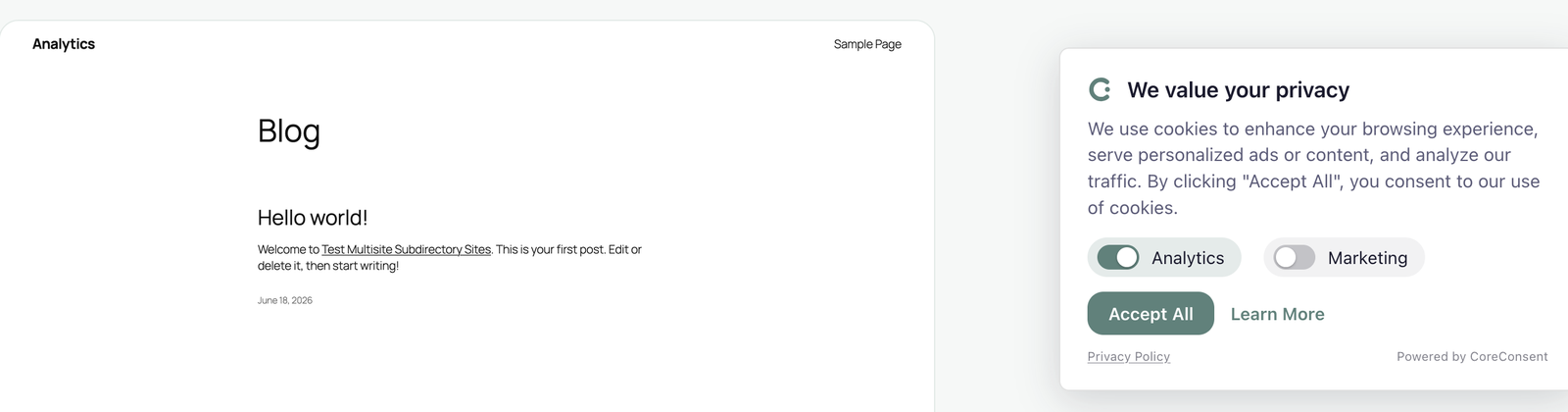
CoreConsent is a lightweight, self-hosted cookie consent plugin. It shows visitors a consent banner, holds your tracking scripts until they choose, and sends Google Consent Mode v2 signals — all handled on your own site, with no calls out to a third-party consent platform.
It’s built to stay out of the way: the banner is plain JavaScript (no jQuery), consent is applied in the visitor’s browser, and your pages cache normally — so adding consent doesn’t slow your site down or break full-page caching.
Free features
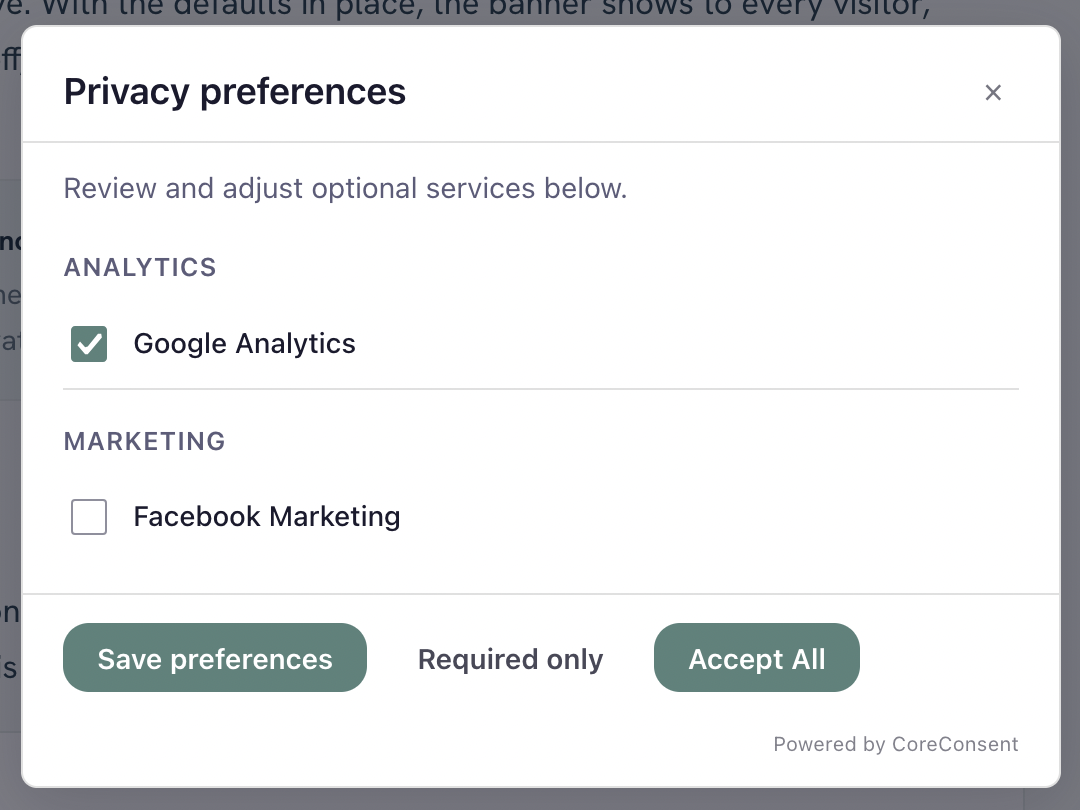
- Customizable consent banner — accept, reject, and per-category preferences.
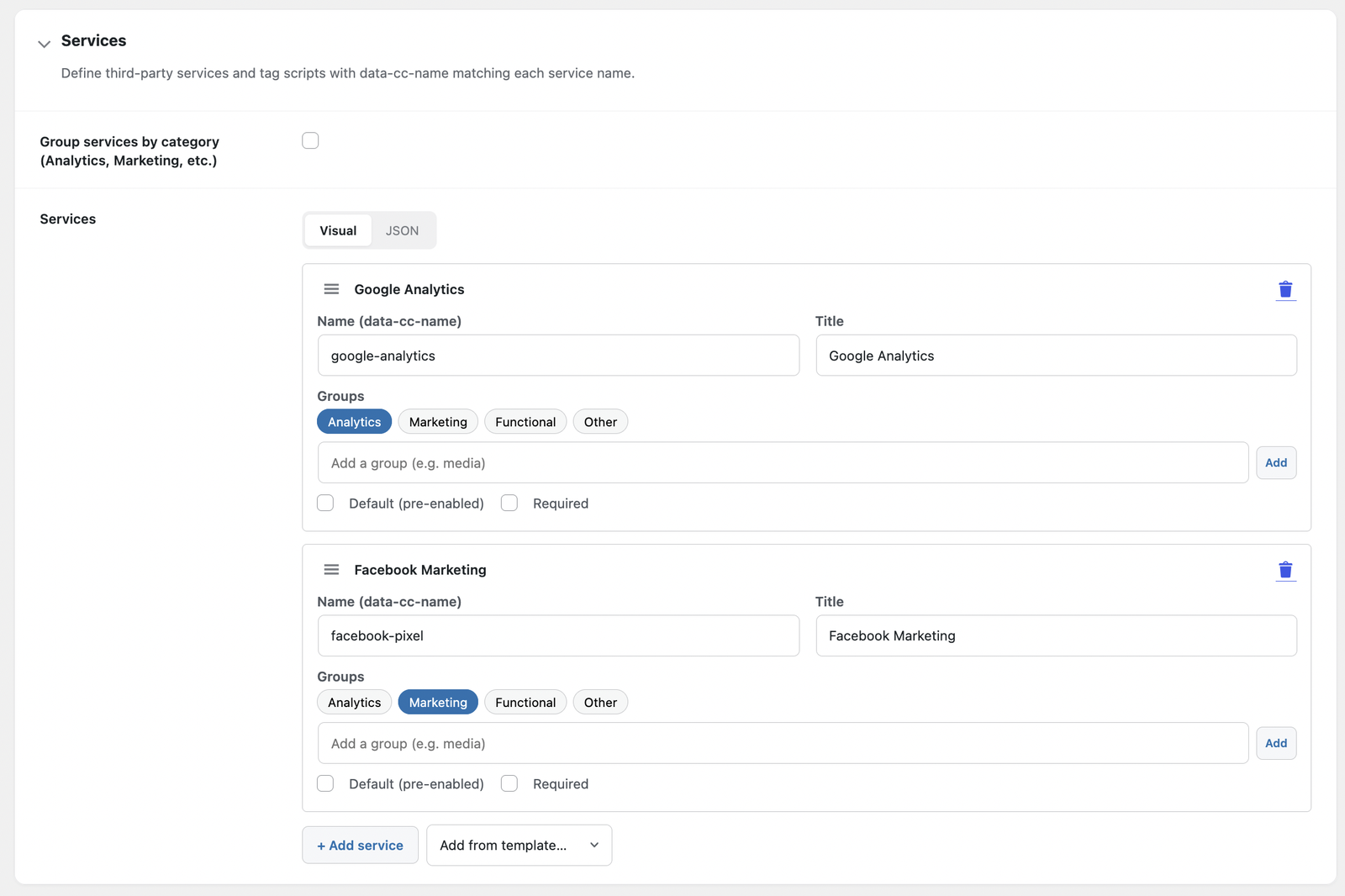
- Unlimited consent services and categories, with a one-click template library for common trackers.
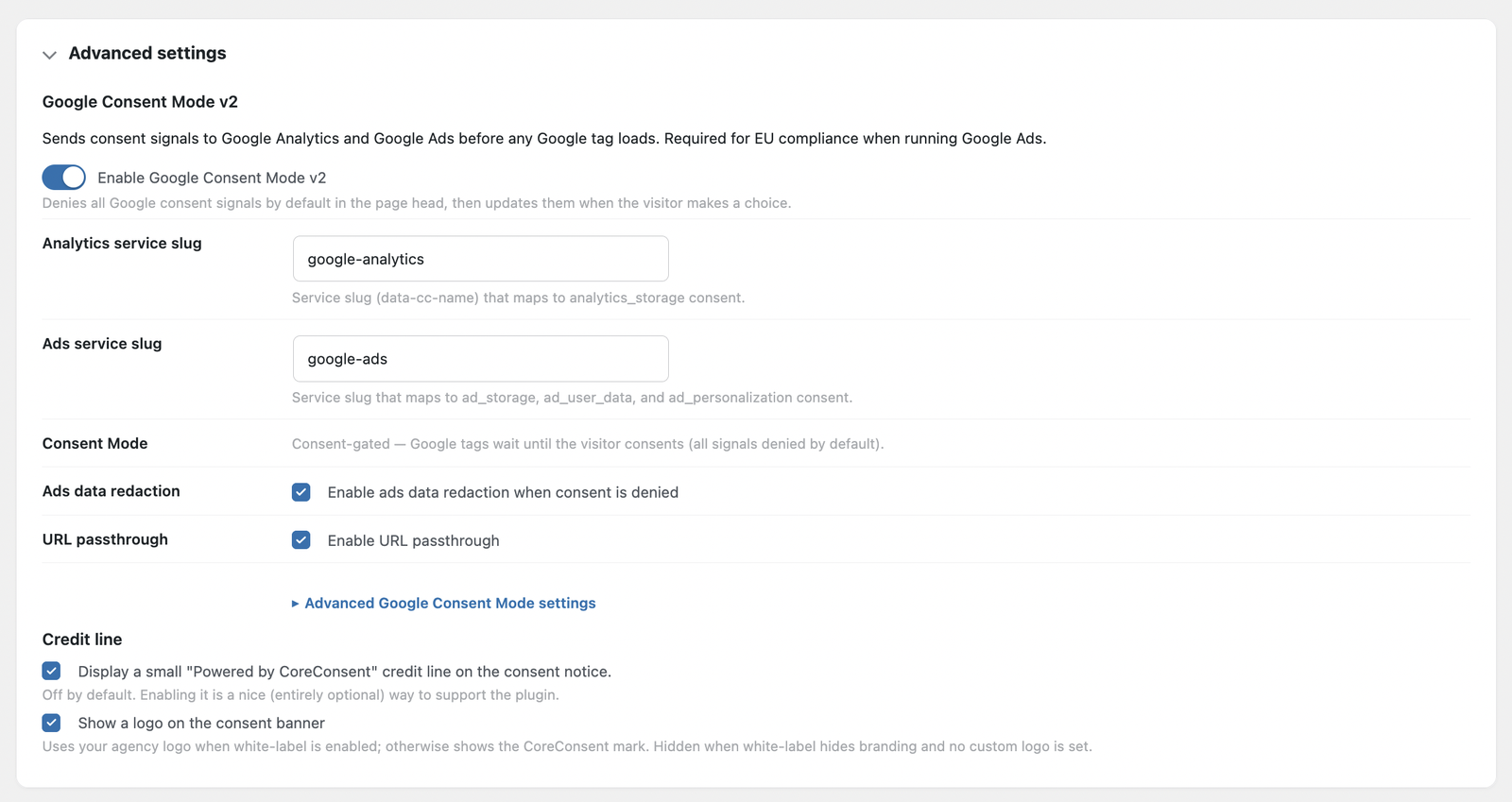
- Google Consent Mode v2 — sends the full set of v2 consent signals (analytics_storage, ad_storage, ad_user_data, ad_personalization, and more), defaulted to denied, and loads your Google tags only after the visitor consents.
- Consent-based script control — automatically holds recognized scripts you’ve added as services, plus any script you tag for consent, and activates them when the visitor agrees.
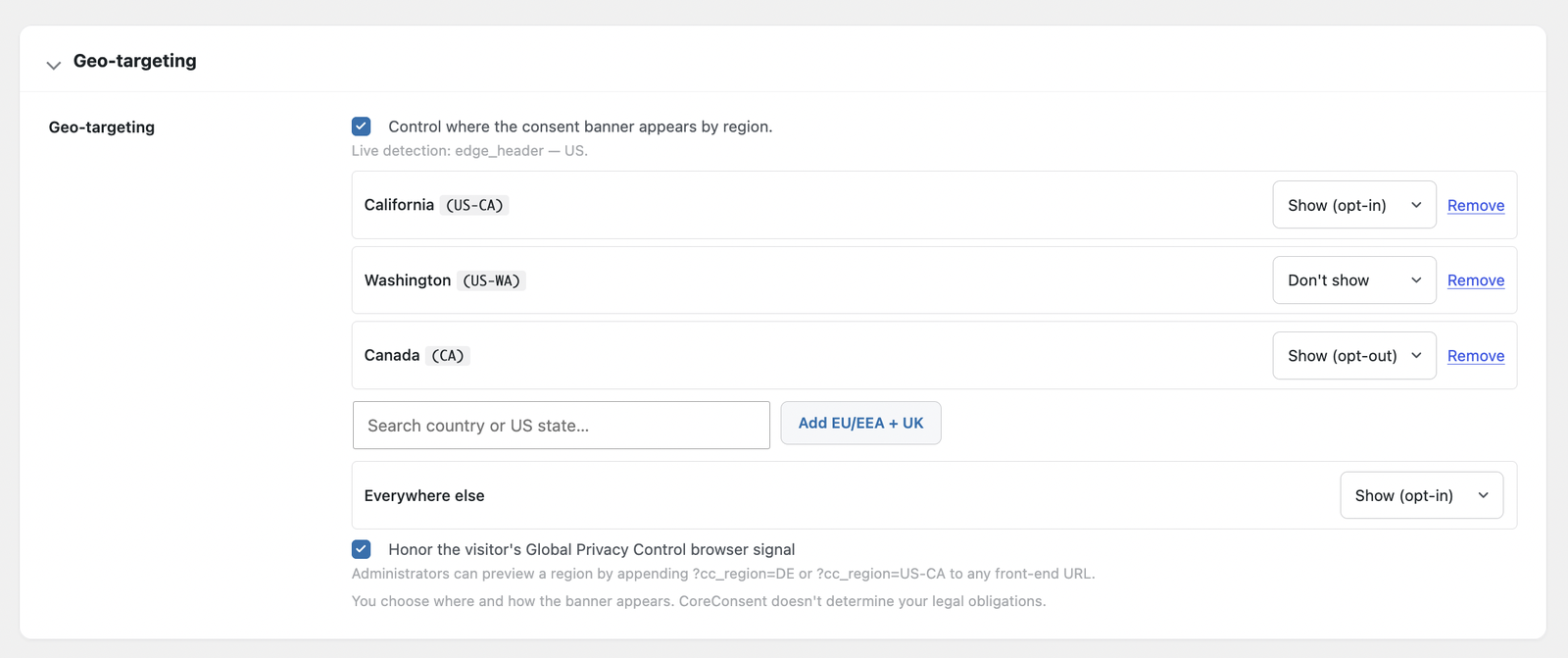
- Region rules — show or adjust the banner based on the visitor’s region. You decide where and how it appears; CoreConsent does not determine your legal obligations.
- Honors Global Privacy Control (GPC).
- No data leaves your site — consent is stored and handled entirely on your own WordPress install.
CoreConsent Pro
- Automatic scanning — find the trackers and cookies actually running on your site, with scheduled re-scans and email digests.
- Automatic blocking — catch hardcoded and inline trackers, not just the ones you’ve tagged.
- Script Manager — hold and manage tags for consent without editing code.
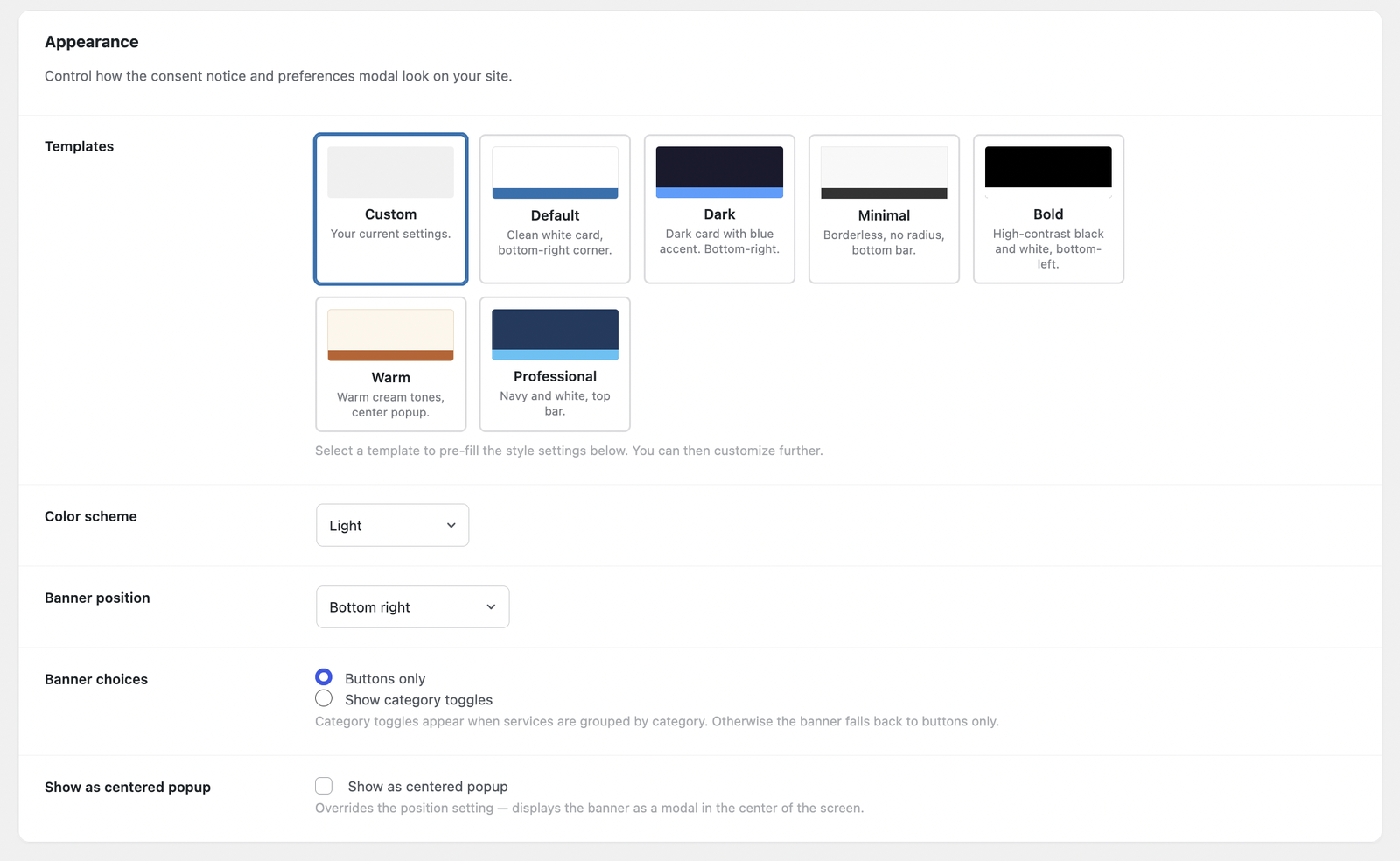
- Custom banner styling.
- Consent logging with CSV export — keep records of the consent your visitors gave.
- Translations for a multilingual banner.
CoreConsent Agency
- White-label the plugin as your own.
- Multisite: scan and push consent settings across every site in your network.
Cookies Set By This Plugin
CoreConsent sets first-party cookies of its own, which you should list in
your site’s cookie/privacy policy:
- coreconsent (name configurable under Developer options) — stores the
visitor’s consent choices so the banner is not shown again and scripts obey
the saved decision. Expiry follows the “Cookie expiration” setting (365
days by default). This is a strictly necessary cookie: it contains only the
consent state, no identifiers or personal data, and storing it does not
itself require consent under GDPR/ePrivacy. - cc_geo — only set when the optional Geo-targeting feature is enabled.
Caches the resolved region behavior for 24 hours so the region lookup does
not repeat on every page view. Contains a region behavior string and a
timestamp, no personal data. When Geo-targeting is disabled, the plugin
removes this cookie from returning visitors automatically.
If “Storage method” is set to localStorage instead of cookies, consent
choices are kept in the browser’s localStorage under the same key and no
consent cookie is set.
External Services
This plugin makes no connections to any third-party service and sends no data
anywhere. The consent banner, visitor choices, consent-gated script loading,
region rules, and Google Consent Mode signals are all handled entirely on your
own WordPress install. No visitor or end-user data ever leaves your site, and
no external scripts, fonts, or stylesheets are loaded.
A separate, optional CoreConsent Pro plugin (sold from our website, not hosted
on WordPress.org) adds automatic scanning, custom styling, and other features.
Two of its optional features involve external services, both disclosed on the
Pro download page: license activation/updates through its licensing service,
and an optional web-font picker served by Bunny Fonts (fonts.bunny.net), a
zero-logging Google Fonts mirror. Neither is part of this plugin.
Sawir-shaashado
Rakibaad
- Upload the
coreconsentfolder to/wp-content/plugins/, or install through Plugins Add New. - Activate the plugin through the Plugins screen.
- Go to Settings CoreConsent.
- Add the services you use (for example Google Analytics), customize the banner text, and save.
- Optional: enable Google Consent Mode v2 under the Consent Mode section.
SBI
-
Does this make my site GDPR or privacy-law compliant?
-
No plugin can do that on its own. CoreConsent gives you the controls — a consent banner, consent-gated script loading, and Google Consent Mode signals — but how you configure them, and what your legal obligations are, is up to you. If you’re unsure, talk to someone qualified in privacy law for your situation.
-
How do I make sure my Google Analytics or Google tag waits for consent?
-
Add it the supported way so CoreConsent controls it: configure it as a service in Settings CoreConsent, or tag the script with
type="text/plain"and adata-cc-nameattribute. CoreConsent then loads it only after the visitor consents. If you paste agtagsnippet directly high in your theme’s<head>, it can run before the consent default is set — so add it through the normal method, or place it after CoreConsent’s output. Pro’s scanning and Script Manager handle this for you. -
Does it support Google Consent Mode v2?
-
Yes, in the free version. CoreConsent sets all v2 consent signals to denied by default and updates them when the visitor makes a choice. Google tags load after consent (consent-gated mode).
-
Will it work with my caching plugin or host cache?
-
Yes. Consent is applied in the visitor’s browser, and the page HTML is the same for everyone, so your pages cache normally. After you change which services are blocked, clear your page cache so the change takes effect right away.
-
Will it slow down my site?
-
It’s designed not to. The banner is lightweight vanilla JavaScript, and because it’s caching-friendly it doesn’t force your pages to load uncached.
-
Does it support multisite?
-
Network-wide scanning and pushing settings across subsites is part of CoreConsent Agency.
Dibu-eegisyo
Ma jiraan wax dibu-eegis ah oo ku saabsan kaabahan.
Ka-qaybgalayaasha & Horumariyayaasha
“CoreConsent” waa softiweer il furan. Dadka soo socda ayaa wax ku biiriyay kaabahan.
Ka-qaybgalayaasha
Ku tarjun “CoreConsent” luqaddaada.
Ma xiisaynaysaa horumarinta?
Baadh koodka, fiiri bakhaarka SVN, ama iska qor diiwaanka horumarinta adigoo adeegsanaya RSS.
Isbeddellada
1.0.0
- Initial release.
- The optional “Powered by CoreConsent” credit line is off by default (strictly opt-in).