

Sharraxaad
Captain Media Shield is a complete, on-server media optimization and storage reclaim suite for WordPress. Automatically convert images to lightweight Next Generation WebP and AVIF formats, compress video uploads with FastStart streaming, and reclaim disk space by safely removing unused media, duplicate files, and leftover thumbnails.
Everything runs 100% on your own hosting server – no external optimization APIs, image credits, or subscriptions.
Official Plugin Page | YouTube Tutorials | Free Support
Key Features
- Next Generation WebP & AVIF Formats: Generate compact WebP and AVIF copies for originals and all thumbnails.
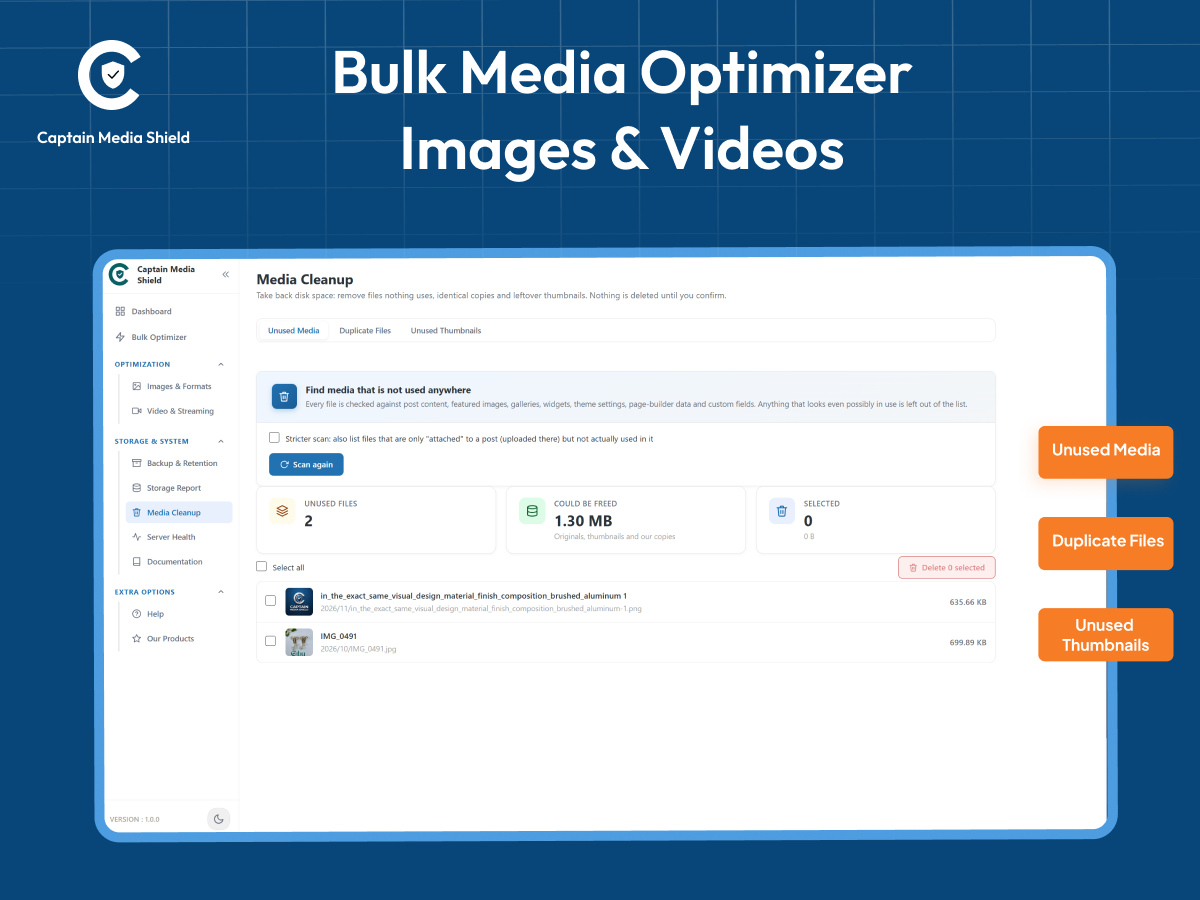
- Deep Media Cleanup: Scan and safely delete unused media, byte-for-byte duplicate files (MD5), and leftover thumbnails.
- Video Optimization (FFmpeg): H.264 FastStart streaming, WebM companions, and animated GIF to video conversion.
- Live Page Media Inspector: Scan and highlight images on front-end pages via WordPress top Admin Bar with 1-click batch optimize.
- In-Browser Upload Rescue: Automatically resize oversized images directly in the browser before upload to prevent server limits.
- Per-Image Quality Override: Adjust compression quality globally or individually in Media Library list view.
- Connect AI Client (MCP): Built-in Model Context Protocol server with 7 media abilities for AI tools (Claude Code, Cursor).
- Safe Backups & 1-Click Restore: Originals preserved in protected backup directory with automated retention cleanup.
- Flexible Delivery: High-speed Apache/LiteSpeed .htaccess rewrites, HTML tag replacement, or Nginx rules.
External services
This plugin processes 100% of your media locally on your server. It connects to external endpoints only upon optional user-initiated feedback:
-
Deactivation Feedback Service:
- Service Provider: Captain Data Feedback API (
https://captain-data-4o8w.onrender.com/api/) - Purpose: Optional survey when deactivating to share feedback.
- Data Sent: Selected reason, feedback message, plugin version, WordPress version, PHP version, and browser name.
- What is NOT sent / stored: Site URL, domain name, credentials, or personal details are never collected. IP addresses are not stored or logged.
- Opt-In / Skip: Clicking Skip & Deactivate sends no data whatsoever.
- Privacy Policy: https://captaininfokit.com/privacy-policy/ | Terms: https://captaininfokit.com/terms/
- Service Provider: Captain Data Feedback API (
-
In-App Rating & Feedback Service:
- Service Provider: Captain Data Feedback API (
https://captain-data-4o8w.onrender.com/api/v1/rating) - Purpose: Optional prompt after 1 day of usage to rate and provide feedback.
- Data Sent: Star rating (1-5) and feedback message.
- Optional Contact & Diagnostics (Consent Checkbox): If and only if you explicitly check the consent checkbox, payload includes administrator email, site URL, WordPress version, and PHP version. If unchecked (default), no email, URL, or server information is sent.
- Opt-Out / Dismiss: Dismissing without selecting a star sends no network request. If a star rating was selected prior to closing, only the numeric rating is sent.
- Privacy Policy: https://captaininfokit.com/privacy-policy/ | Terms: https://captaininfokit.com/terms/
- Service Provider: Captain Data Feedback API (
Sawir-shaashado


Rakibaad
- Upload the plugin files to
/wp-content/plugins/captain-media-shield/or install via WordPress Plugins screen. - Activate the plugin through the ‘Plugins’ menu in WordPress.
- Visit Media -> Captain Media Shield -> Server Health to verify GD/Imagick, WebP, AVIF, and FFmpeg status.
- Configure your formats and compression quality in Image Settings.
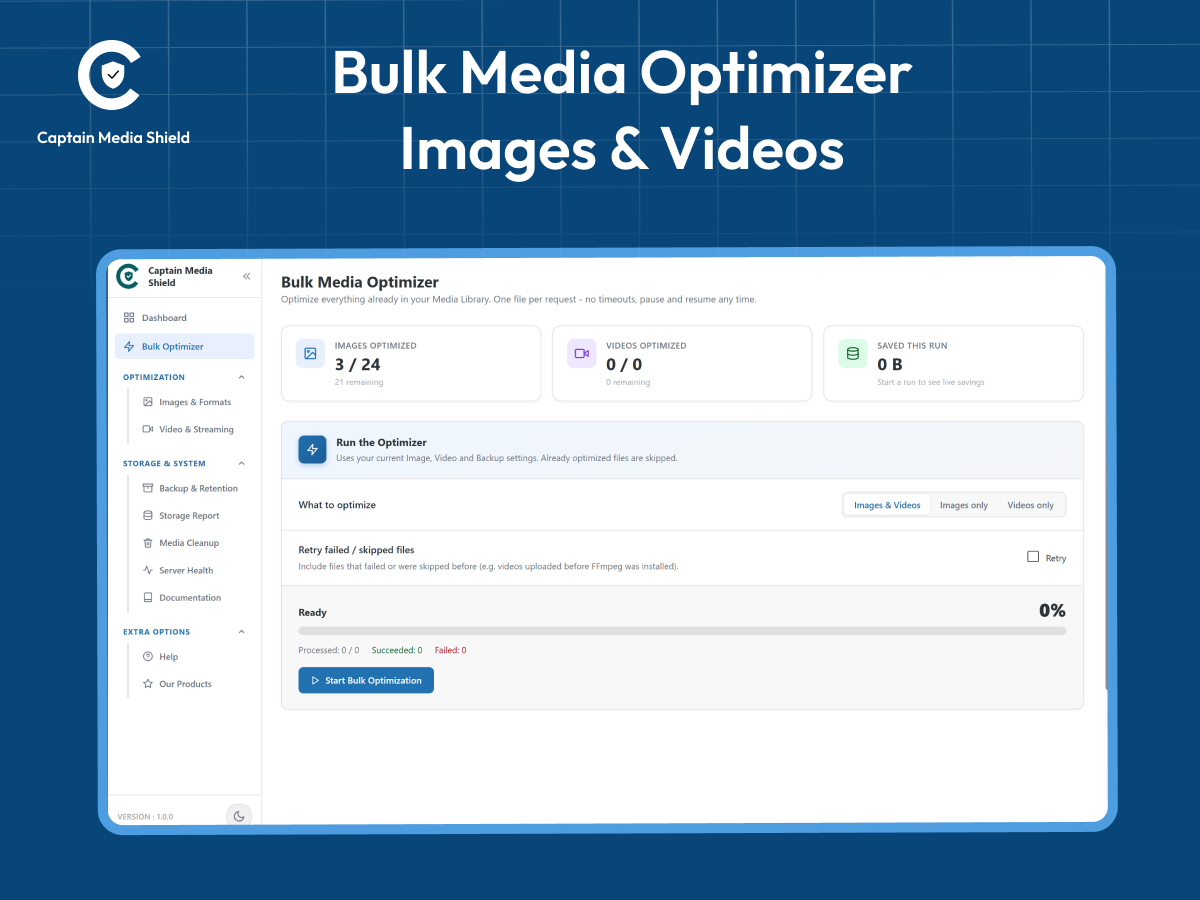
- Use Bulk Optimizer to compress existing uploads, or let new uploads optimize automatically.
SBI
-
Does Captain Media Shield send images to external servers?
-
No. All image/video compression, WebP/AVIF conversions, and cleanup operate 100% locally on your server using PHP (GD/Imagick) and FFmpeg. Your media files never leave your hosting server.
-
Can I override compression quality for individual images?
-
Yes. You can override compression quality for any individual image in the Media Library list view via the Quick Quality button.
-
How does Media Cleanup detect unused media?
-
The scanner checks post/page content, Gutenberg blocks, featured images, WooCommerce galleries, widgets, site logos, and custom post meta.
-
Can I restore my original images?
-
Yes. If backups are enabled, click ‘Restore Original’ in the Media Library list view to revert back to the untouched original anytime.
-
Do I need FFmpeg installed?
-
FFmpeg is only needed for video compression and animated GIF conversion. All image optimization, WebP/AVIF conversion, and cleanup work without FFmpeg.
-
Where do I configure Pro features?
-
If Captain Media Shield Pro is active, navigate to Media -> Captain Media Shield in wp-admin and use Smart Image Tools, Background Removal, and White Label (under Extra Options).

Ka-qaybgalayaasha & Horumariyayaasha
“Captain Media Shield” waa softiweer il furan. Dadka soo socda ayaa wax ku biiriyay kaabahan.
Ka-qaybgalayaasha
“Captain Media Shield” waxaa lagu tarjumay 4 luqadood. Way ku mahadsan yihiin turjumaannada ka-qaybqaadashadooda.
Ku tarjun “Captain Media Shield” luqaddaada.
Ma xiisaynaysaa horumarinta?
Baadh koodka, fiiri bakhaarka SVN, ama iska qor diiwaanka horumarinta adigoo adeegsanaya RSS.
Isbeddellada
1.1.0
- New: Smart Image Tools (Watermark Engine, Smart Canvas, Auto Whitespace Trim, Smart PNG Flattening), AI Background Removal, and White Label integration.
- New: Extension point so the optional Pro add-on appears inside the same dashboard, theme and menu (no separate Pro menu).
- Improve: Shared light / dark theme tokens (assets/css/capms-theme.css).
1.0.4
- New: Connect AI Client (MCP Integration) with 7 media abilities and dedicated dashboard page.
- New: Unified Storage & System Health Center combining Backup & Retention, Storage Report, and Server Health.
- New: General & AI navigation group in admin dashboard.
- New: 1-Day In-App Experience Rating & feedback prompt.
- Fix: Sanitized superglobals, hardened backup directory security, and enhanced uninstall cleanup.
- Fix: Preserved image alignment classes on tags and stabilized video processing locks.
1.0.3
- Fix: Resolved plugin deletion control yield in uninstall.php.
- Fix: Hable tone-mapping for HDR/HEVC video conversion to standard SDR.
- Fix: Quick Quality modal live row synchronization and notice isolation.
- Improve: WP-CLI commands and complete translation POT regeneration.
1.0.2
- New: WP-CLI integration with optimize, restore, stats, and cleanup commands.
- New: Animated GIF to MP4/WebM conversion saving up to 90% disk space.
- New: In-browser upload rescue for oversized camera photos.
1.0.1
- New: Live Page Media Inspector in top WordPress Admin Bar.
- New: 1-Click Page Optimizer and delivery status indicators.
- Improve: Admin Bar design, terminology updates, and header save actions.
1.0.0
- Initial release with Next Generation WebP/AVIF conversion, Deep Media Cleanup, and video optimization.