

Sharraxaad
With this plugin you can send email notification to those users who have saved a draft for more than defined days. You can also discard all user’s draft which is saved before defined period.
Sawir-shaashado


Rakibaad
- Upload the “user-draft-notifier” folder into the “/wp-content/plugins/” directory or Directly download “user-draft-notifier” from WordPress Directory.
- Activate the plugin through the “Plugins” menu in WordPress
- See FAQ for usage
SBI
- How does this works?
-
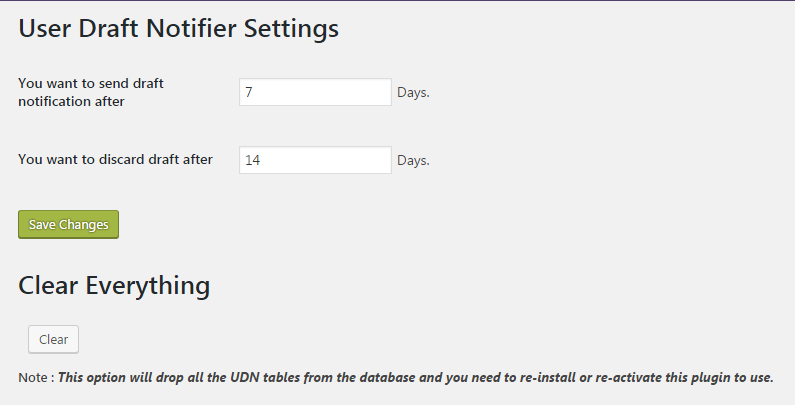
Visit the navigation in admin dashboard, you found a new box “user-draft-notifier”. 1. Click on “User Draft Notifier”->Setttings for the settings page. 2. Keep default values or you can change also.
3. Click on Save Changes. - Do I need to add any shortcode?
-
No, You don’t need to add any shortcode in your Website.
Dibu-eegisyo
Ma jiraan wax dibu-eegis ah oo ku saabsan kaabahan.
Ka-qaybgalayaasha & Horumariyayaasha
“User Draft Notifier” waa softiweer il furan. Dadka soo socda ayaa wax ku biiriyay kaabahan.
Ka-qaybgalayaasha
Ku tarjun “User Draft Notifier” luqaddaada.
Ma xiisaynaysaa horumarinta?
Baadh koodka, fiiri bakhaarka SVN, ama iska qor diiwaanka horumarinta adigoo adeegsanaya RSS.
Isbeddellada
1.0
- 5 Sept 2016
- First release