
Sharraxaad
Flying Pay is an all-in-one payment information gateway designed for Bangladeshi merchants. It provides a clean, modern interface for customers to get payment details and submit transaction information.
Key Features:
- Mobile Banking: Support for bKash, Nagad, and Rocket.
- Multi-Bank Support: Integrated with Al-Arafa Islami Bank, Pubali Bank, Dutch Bangla Bank, and Islami Bank PLC.
- Crypto Support: Built-in Binance Pay and RedotPay options.
- Interactive UI: Modern tab-based design with selection blur effects for better user experience.
- Copy to Clipboard: One-click copy for Account numbers, Routing numbers, and Amounts.
- File Upload: Option for customers to upload payment screenshots/slips for bank transfers.
- Admin Control: Enable or disable any specific method from the WooCommerce settings.
Documentation
For detailed instructions on how to set up and use Flying Pay, please visit our official documentation:
Plugin Documentation
Support & Review
If you find Flying Pay helpful for your business, please consider leaving us a 5-star review! Your feedback helps us to keep improving the plugin and providing better support to the community.
Sawir-shaashado
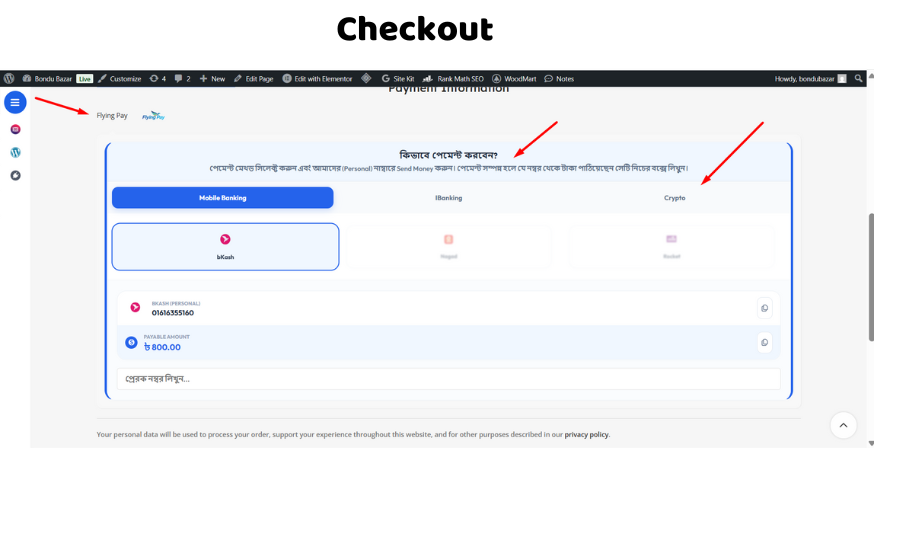
Checkout UI with Tab system showing Mobile, Bank, and Crypto options. 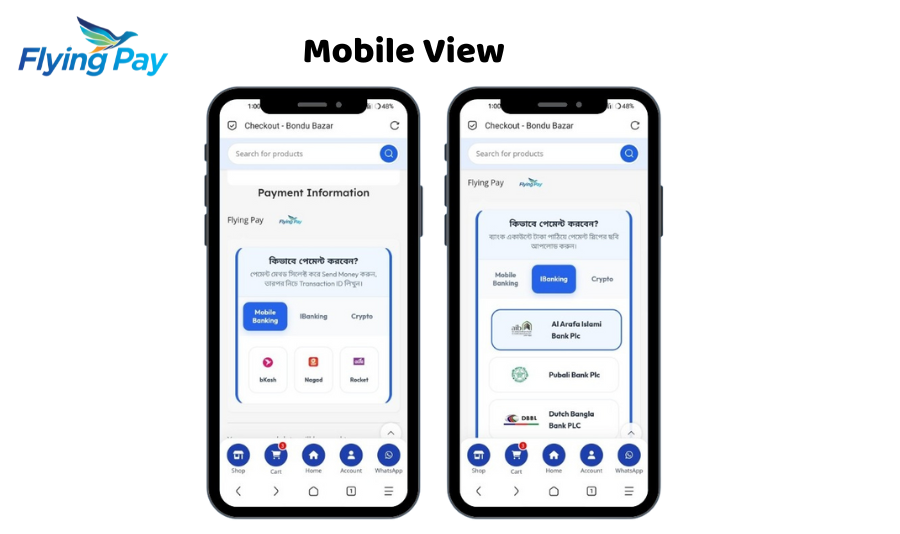
Selection Blur effect highlighting the chosen payment card. 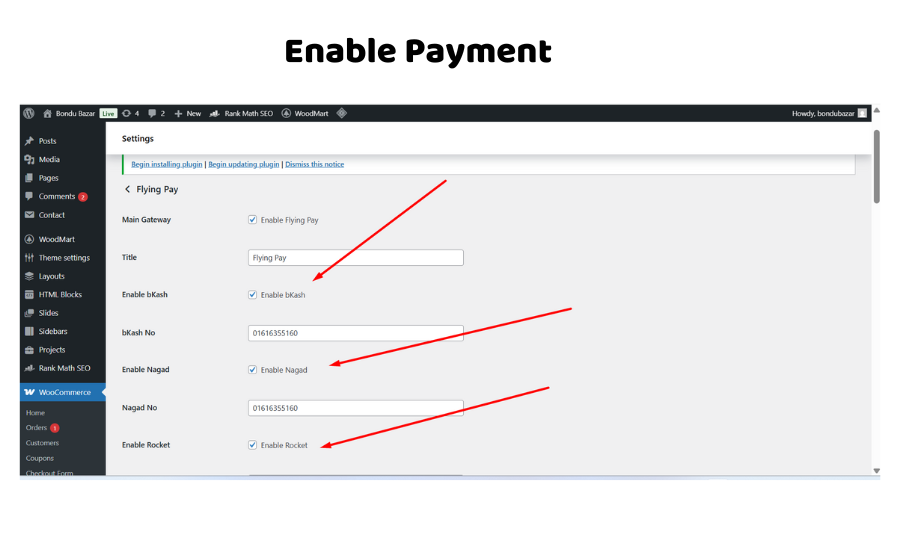
Rakibaad
- Upload the
flying-pay-gatewayfolder to the/wp-content/plugins/directory. - Activate the plugin through the ‘Plugins’ menu in WordPress.
- Go to WooCommerce > Settings > Payments.
- Click on Flying Pay to configure your bank accounts and mobile numbers.
SBI
-
Does this plugin support automatic payments?
-
No, Flying Pay is a manual payment gateway. It shows your payment details (Bank/Mobile/Crypto) to the customer, and they manually send the money and provide transaction info.
-
Can I use it without WooCommerce?
-
No, this plugin is specifically built as an extension for WooCommerce.
-
Which banks are supported?
-
Currently, it supports Al-Arafa Islami Bank (AIBL), Pubali Bank, Dutch Bangla Bank (DBBL), and Islami Bank (IBBL).
-
Is there a limit on how many payment methods I can enable?
-
No, you can enable or disable bKash, Nagad, Rocket, all 4 banks, and Crypto options simultaneously from the settings.
-
Does it support screenshot uploads?
-
Yes, customers can upload their payment slips or screenshots directly from the checkout page for bank transfers.
Dibu-eegisyo

Ka-qaybgalayaasha & Horumariyayaasha
“Flying Pay” waa softiweer il furan. Dadka soo socda ayaa wax ku biiriyay kaabahan.
Ka-qaybgalayaasha
Ku tarjun “Flying Pay” luqaddaada.
Ma xiisaynaysaa horumarinta?
Baadh koodka, fiiri bakhaarka SVN, ama iska qor diiwaanka horumarinta adigoo adeegsanaya RSS.
Isbeddellada
1.0.0
- Initial Public Release on WordPress.org.
- Added support for 4 different banks (AIBL, Pubali, DBBL, IBBL).
- Added Crypto payment support (Binance & RedotPay).
- Modern tab-based UI with selection blur effect.