
Sharraxaad
AinePay for WooCommerce lets your store accept non-custodial stablecoin payments (USDT / USDC) through AinePay.
When a customer chooses AinePay at checkout, the plugin creates an order with AinePay and shows the customer a payment address. Crucially, the plugin verifies locally — without trusting the server — that the address is deterministically derived (via CREATE2) from your own collection address. If verification fails, the address is never shown and the order is marked failed. This protects you from a tampered backend ever diverting funds.
Order status is guaranteed by active AinePay order polling. Signed webhooks speed up updates but are not the only source of truth.
Features
- Non-custodial USDT / USDC payments; funds settle to your own collection address.
- Local CREATE2 address verification before any address is displayed.
- HMAC-SHA256 request signing and webhook signature verification.
- Classic checkout and Cart/Checkout Blocks support.
- HPOS (High-Performance Order Storage) compatible.
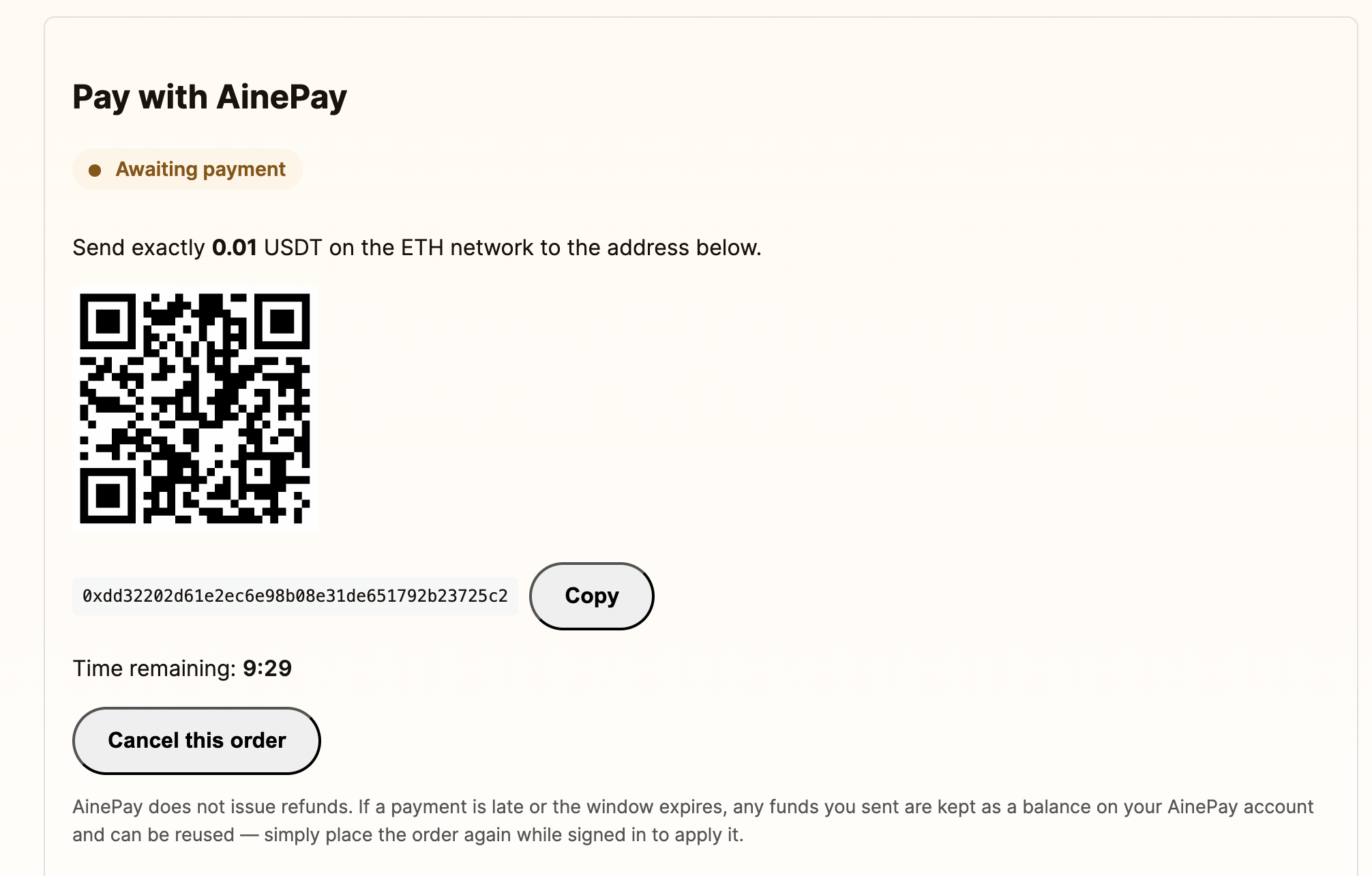
- QR code, copy-to-clipboard, countdown, and live status on the order page.
- Active order polling for final consistency; signed webhooks accelerate updates.
How payments are reused
AinePay does not issue automatic refunds or custody the underlying funds. If a
payment is late or the window expires, AinePay may record the amount as a
reusable ledger credit. A logged-in customer who places another order applies
that credit automatically. Guest orders are not linked across orders, so a
guest credit cannot be reused automatically.
External services
This plugin connects to the AinePay API to create orders, fetch supported coins,
and query order status. It is required for the plugin to function.
- What is sent: your API key (in a request header), an HMAC signature, a
timestamp, the order amount, the selected coin/chain, a site-namespaced order
identifier, and a pseudonymous user identifier derived as
sha256(site + “|” + customer id) for logged-in customers, or a
per-order key for guests. No email address or other personal data is sent. - When: when a customer places an AinePay order, when you save settings
(to load supported coins), and when order status is queried. - Endpoints:
https://api.ainepay.com. Additional HTTPS test hosts require an explicit developer allowlist filter. - AinePay also sends signed webhooks to
https://your-site/ainepay/notify.
Service provider: AinePay — https://ainepay.com
Terms: https://ainepay.com/en/terms — Privacy: https://ainepay.com/en/privacy
Usage
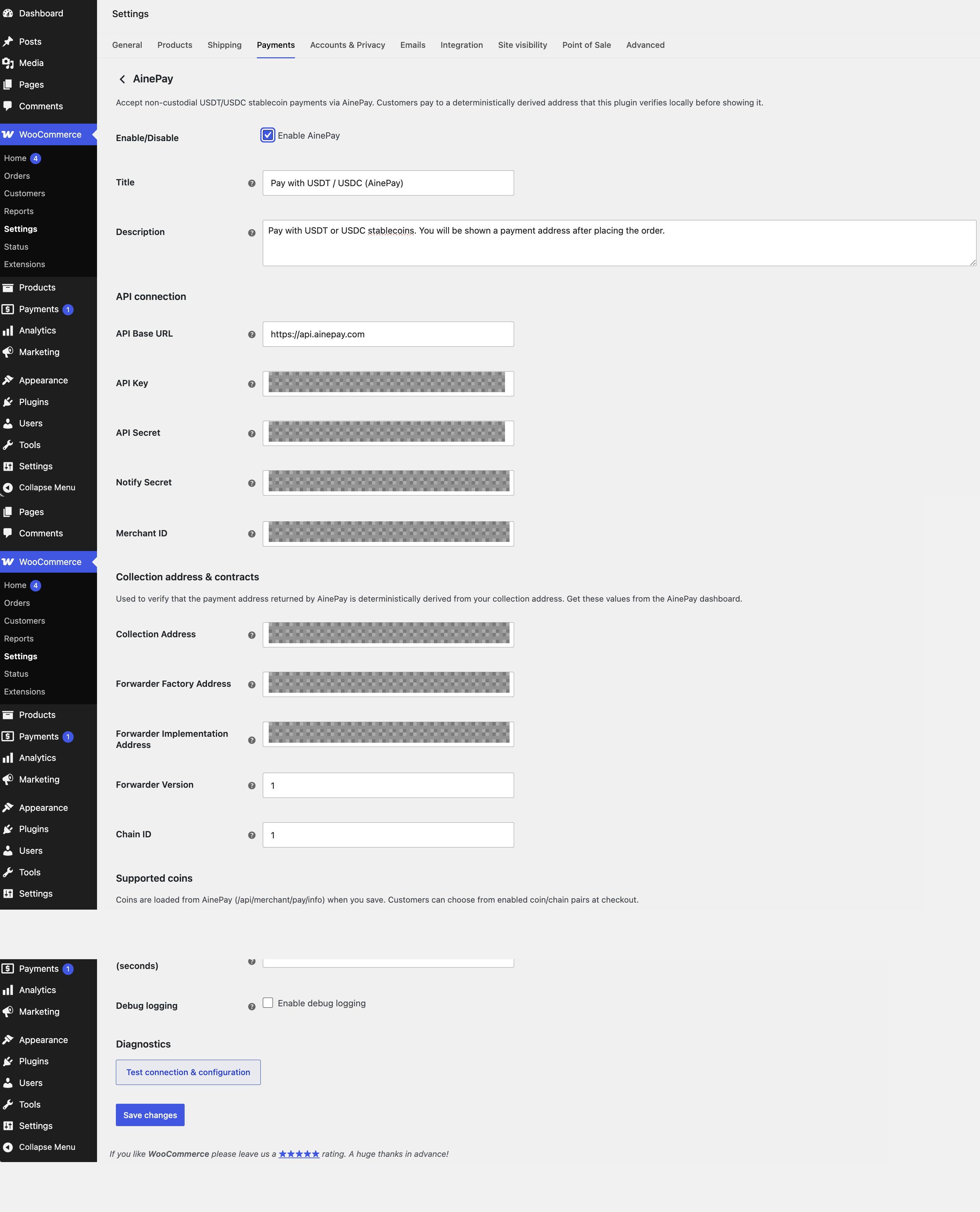
- Open WooCommerce > Settings > Payments > AinePay.
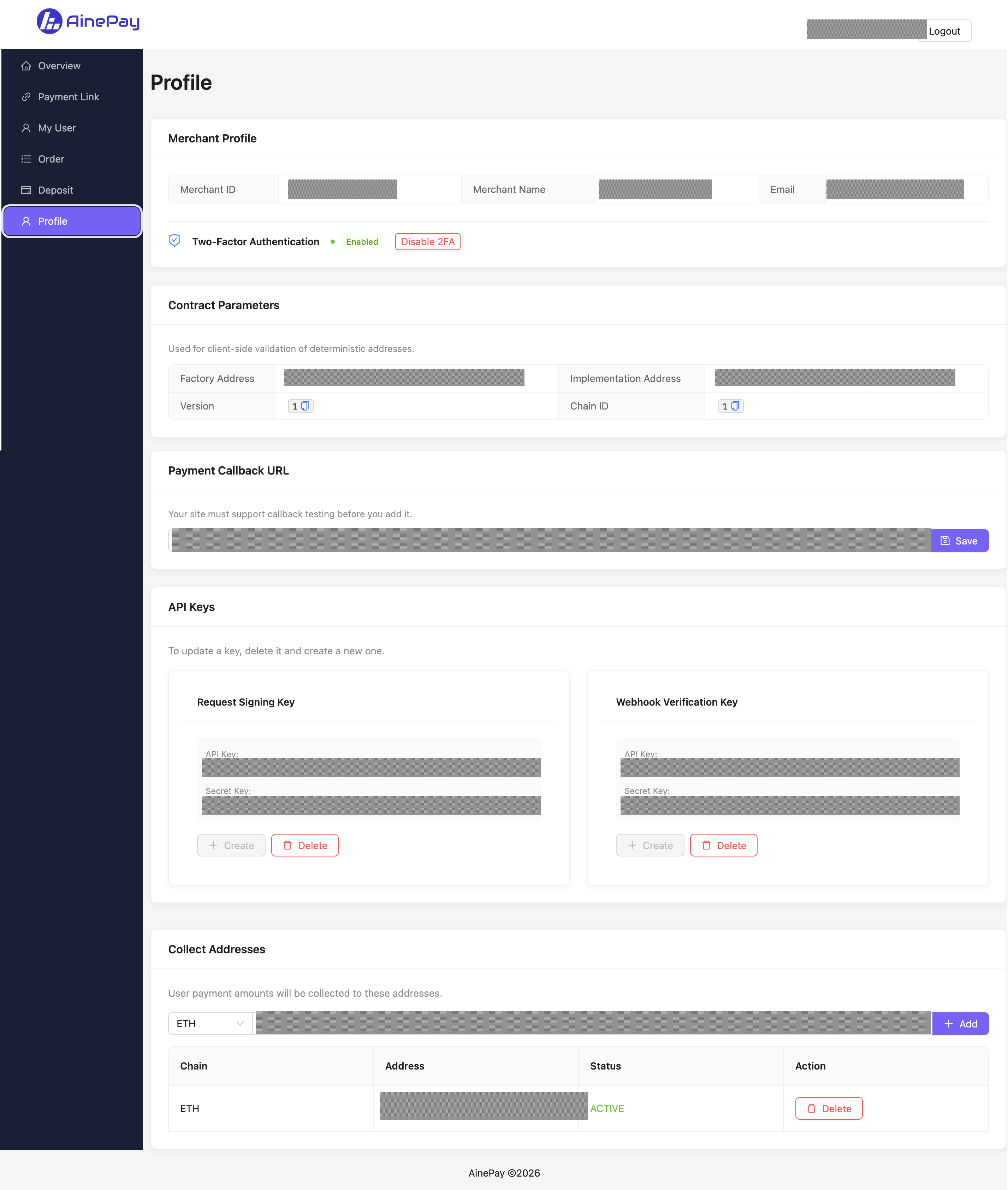
- Enter your AinePay API Key, API Secret, Notify Secret, Merchant ID, Collection Address, and forwarder contract parameters.
- Save the settings, then enable the supported coin/chain pairs you want to offer.
- Set the AinePay dashboard notification URL to your site base URL, for example
https://example.com. AinePay will callhttps://example.com/ainepay/notify. Webhook only accelerates updates; active polling guarantees final status. - Click “Test connection & configuration” to verify API reachability and local address verification.
- Customers select AinePay at checkout, choose a coin/chain, and place the order. The plugin verifies the payment address locally before showing the address, QR code, countdown, and live status.
- The plugin actively queries AinePay order status. Confirmed payments move the WooCommerce order to processing or completed; expired payments move it to failed.
Late payments are not refunded by AinePay. Signed-in customers can reuse their remaining balance on a later order because their identity is derived from their authenticated WordPress customer account. Guest orders use a per-order identity and cannot automatically reuse a balance; the customer should contact the store if they paid late.
Third-party fulfilment integrations
Third-party integrations must not fulfil AinePay orders based only on the
WooCommerce processing or completed status. Use the
ainepay_order_paid_backed action, or confirm
Ainepay_Order_Sync::is_paid_backed_order( $order ) returns true, before
shipping goods or granting access.
Support
This plugin is developed and maintained by AinePay (https://ainepay.com).
For help, questions, or to report an issue, contact support@ainepay.com or open
an issue at https://github.com/ainepay/ainepay-for-woocommerce/issues.
Sawir-shaashado
Rakibaad
- Upload the plugin to
/wp-content/plugins/ainepay-for-woocommerceor install it through the Plugins screen. - Activate the plugin.
- Go to WooCommerce > Settings > Payments > AinePay.
- Enter your API Key, API Secret, Notify Secret, Merchant ID and Collection Address (from your AinePay dashboard).
- Save to load the supported coins, then enable the coins you want to offer.
- In your AinePay dashboard, set the notification URL to your site base (AinePay appends
/ainepay/notify).
SBI
-
Which currencies are supported?
-
The store currency must be USD (or an equivalent treated 1:1 with the stablecoin amount) in this release.
-
Does AinePay hold my funds?
-
No. Payments go to an address deterministically derived from your own collection address; the smart contract enforces settlement to you.
-
What happens if a customer pays late?
-
AinePay does not custody the underlying funds. It may record the late amount as a reusable ledger credit. A logged-in customer can place the order again to apply that credit; guest orders are not linked across orders and cannot reuse it automatically, so the customer should contact the store. AinePay does not issue automatic refunds.
-
How do I refund an order?
-
Refunds are full-only and follow a two-step, WooCommerce-first procedure. First, open the order in WooCommerce and click Refund for the full amount; this creates the real refund object, updates your sales and stock reports, and marks the order refunded. Then issue the matching refund in the AinePay dashboard. Always do WooCommerce first: if you refund only in the AinePay dashboard, the plugin will reconcile the order status to refunded when it sees the authoritative REFUND, but that does not create a WooCommerce refund object, so your sales/net reports will not reflect it and stock is not returned. To self-heal such an order, click Refund for the full amount on the WooCommerce order page.
Dibu-eegisyo
Ma jiraan wax dibu-eegis ah oo ku saabsan kaabahan.
Ka-qaybgalayaasha & Horumariyayaasha
“AinePay for WooCommerce” waa softiweer il furan. Dadka soo socda ayaa wax ku biiriyay kaabahan.
Ka-qaybgalayaasha
Ku tarjun “AinePay for WooCommerce” luqaddaada.
Ma xiisaynaysaa horumarinta?
Baadh koodka, fiiri bakhaarka SVN, ama iska qor diiwaanka horumarinta adigoo adeegsanaya RSS.
Isbeddellada
0.1.0
- Initial release: inline payments, local CREATE2 address verification, classic + Blocks checkout, active order polling with webhook acceleration, HPOS compatibility.