

Sharraxaad
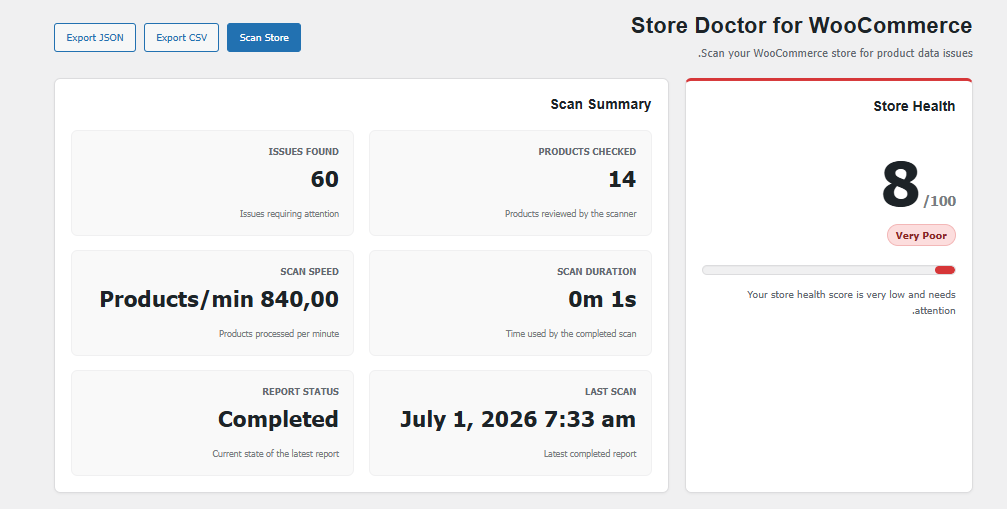
CatalogPulse for WooCommerce helps store managers find common product data issues before they affect customers.
Version 1.0 includes:
- Product health scanning.
- Store Health Score.
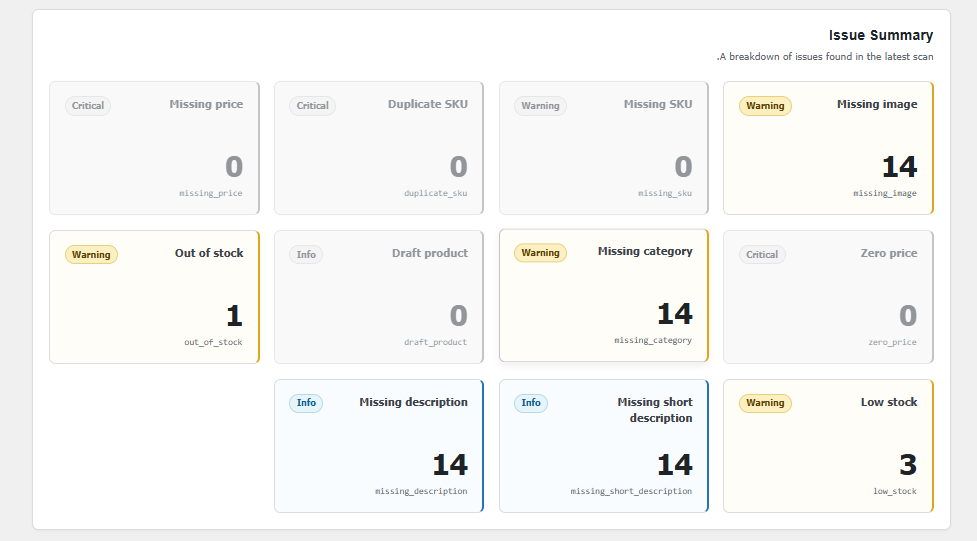
- Issue severity levels.
- Issue summary cards.
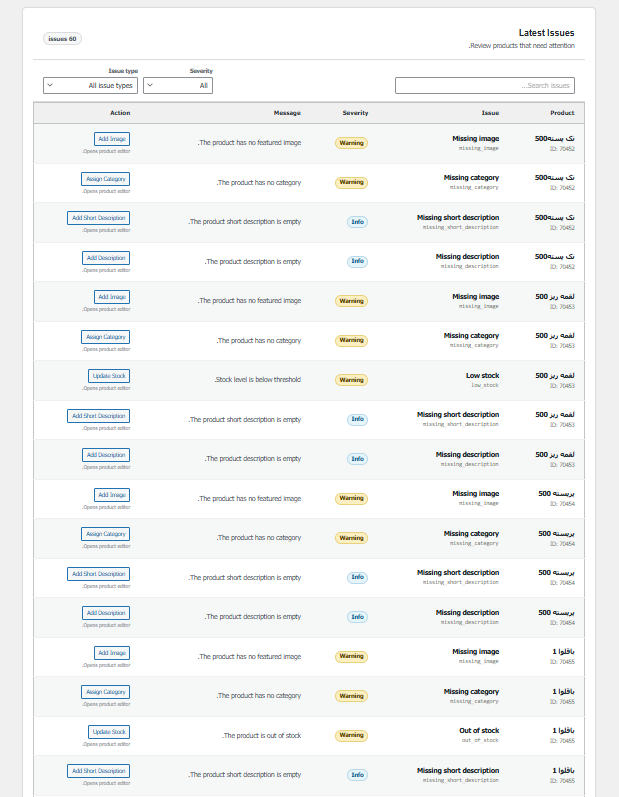
- Latest issues table.
- Client-side search and filters.
- Quick navigation to edit affected products.
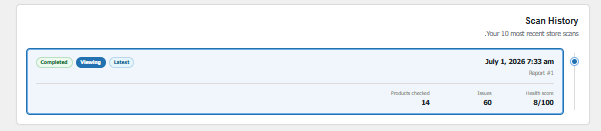
- Scan history.
- CSV and JSON export.
- Batch-based scanning for larger stores.
The plugin does not automatically modify product data in version 1.0. It reports issues and helps you navigate to the correct product editor screen.
Sawir-shaashado
Rakibaad
- Upload the
catalogpulse-for-woocommercedirectory to/wp-content/plugins/. - Make sure WooCommerce is installed and active.
- Activate CatalogPulse for WooCommerce through the WordPress Plugins screen.
- Open CatalogPulse from the WordPress administration menu.
SBI
-
Does this plugin change my products automatically?
-
No. Version 1.0 is scan, report, export, and quick navigation only.
-
Is WooCommerce required?
-
Yes. The plugin does not initialize its features unless WooCommerce is active.
-
Can I export the report?
-
Yes. Completed reports can be exported as CSV or JSON.
Dibu-eegisyo
Ma jiraan wax dibu-eegis ah oo ku saabsan kaabahan.
Ka-qaybgalayaasha & Horumariyayaasha
“CatalogPulse for WooCommerce” waa softiweer il furan. Dadka soo socda ayaa wax ku biiriyay kaabahan.
Ka-qaybgalayaasha
Ku tarjun “CatalogPulse for WooCommerce” luqaddaada.
Ma xiisaynaysaa horumarinta?
Baadh koodka, fiiri bakhaarka SVN, ama iska qor diiwaanka horumarinta adigoo adeegsanaya RSS.
Isbeddellada
1.0.0
- Initial public release.
- Added batch product scanning.
- Added health score and severity mapping.
- Added dashboard, issue summary, search, filters, history, and exports.