
Sharraxaad
This plugin integrates the ifthenpay payment gateway with Forminator to enable seamless payment collection directly from your forms. Payments are processed through a secure pay-by-link system, ensuring that no sensitive card or banking data is stored on your website. Customers can complete payments using their preferred method via a secure payment page. After submitting a form, users are redirected to ifthenpay’s secure hosted payment page to complete the transaction; ifthenpay then sends a server-side callback to update the payment status automatically.
In plain terms you get:
- One-time payments directly from your Forminator forms, via the ifthenpay field
- Payment amount automatically follows your form’s own total (e.g. Forminator Calculations)
- Merchant backoffice (basic sales) on web + mobile
- Secure automatic payment confirmations (no card numbers stored)
All settings are made in Forminator and in your ifthenpay Backoffice. The plugin is built so site owners can manage payments without needing deep technical knowledge.
Key Features
- Full integration with Forminator through its own ifthenpay form field
- Secure transactions
- Automatic payment confirmation
- Support for multiple payment methods (Multibanco, MB WAY, Payshop, Pix, Credit Card and more — whatever’s enabled on your Gateway Key)
- Payment methods catalog synced live from your ifthenpay account, with in-admin “Request Activation” for methods not yet enabled
- Secure full-page redirect to ifthenpay’s hosted payment page
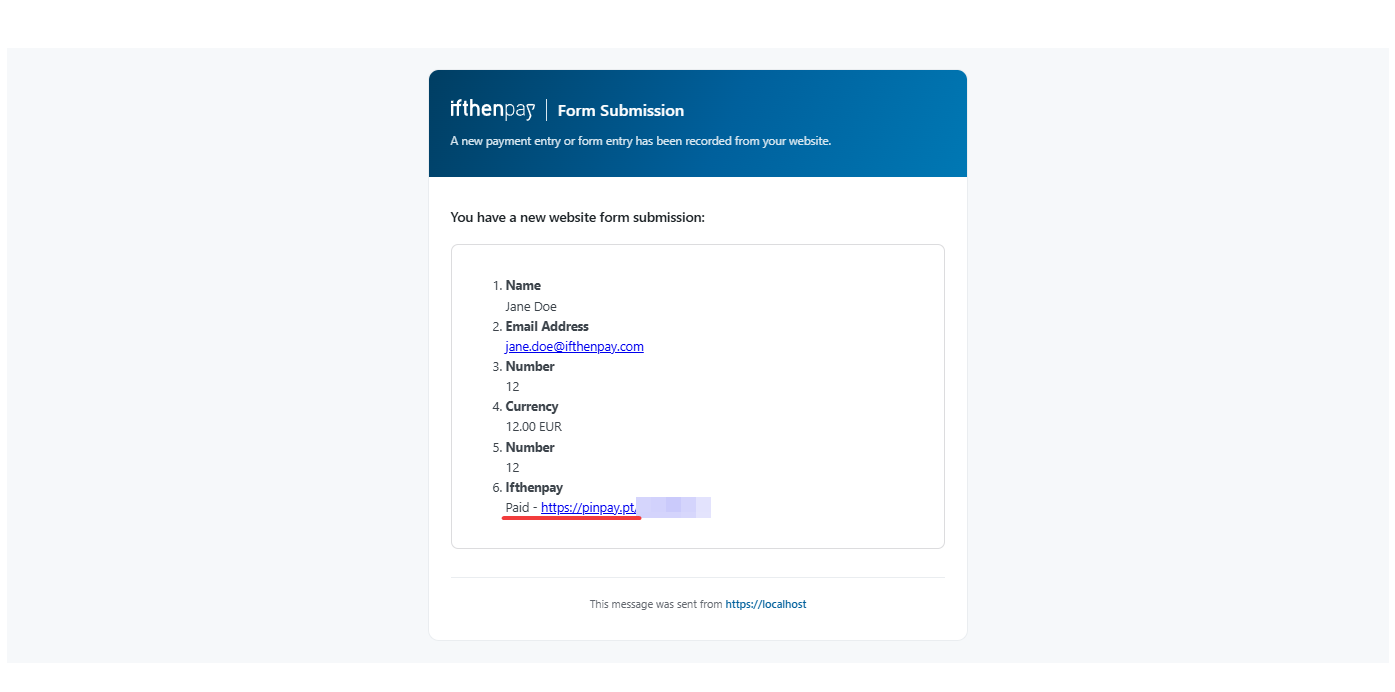
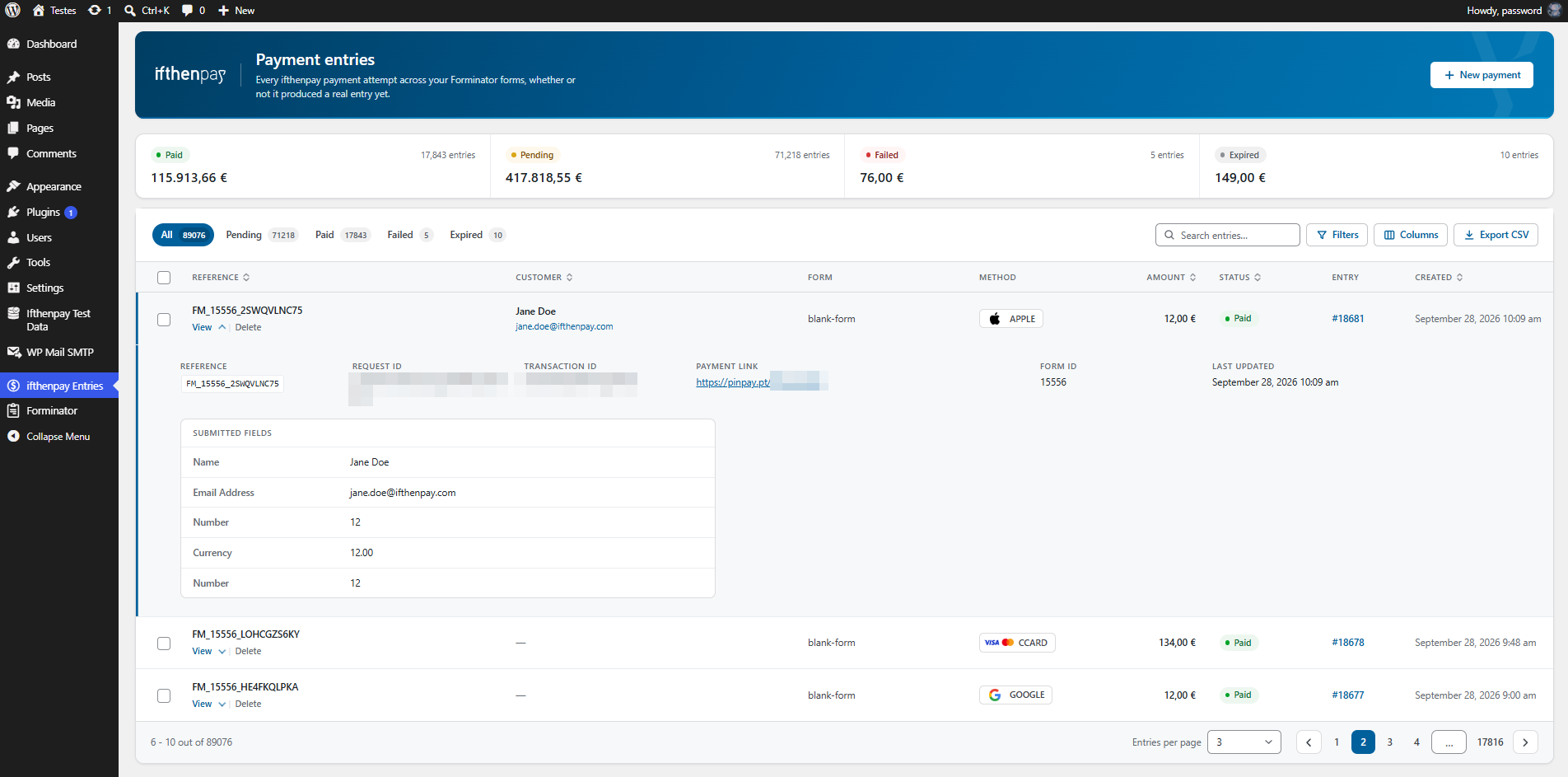
- Real-time payment status in Forminator entries
- Multi-language support (EN, ES, FR, PT)
- Security first (no card data stored)
Requirements
- An active ifthenpay merchant account — subscribe here to obtain your credentials.
- A Forminator Gateway Key (request this from ifthenpay support/helpdesk).
- The payment methods you want enabled on that Gateway Key (our helpdesk team will guide you).
- WordPress 6.4+ and PHP 7.4+, and Forminator installed and activated.
- HTTPS (SSL) enabled on your site.
External Services
This plugin integrates with the ifthenpay payment platform to process payments for Forminator submissions. ifthenpay is a third-party service that provides secure payment processing for local payment methods such as Multibanco, MB WAY, Payshop, and Pix, plus Credit Card and more, depending on what’s enabled on your account.
Forminator
- What it is and what it is used for: A form builder plugin used to create payment forms. This plugin extends its payment capabilities.
ifthenpay Backoffice & Integrations
- What it is and what it is used for: The ifthenpay Backoffice is the merchant dashboard used to manage integrations and payment configurations. The plugin uses the ifthenpay API to generate payment links and validate transactions.
- What data is sent and when:
- During setup: Backoffice Key and Gateway Key for authentication and configuration retrieval.
- During payment processing: Order reference ID, amount, description, enabled payment method accounts, success/error/cancel return URLs, language, and optionally the selected payment method position. No customer name, email, or form field data is included in this request.
- During webhook registration: the Gateway Key and this site’s callback URL, so ifthenpay can notify the site directly when a payment resolves.
- During payment method activation requests: when an admin requests activation of a new payment method from Forminator Settings Payments, an email is sent to ifthenpay support (suporte@ifthenpay.com) containing the Backoffice Key, Gateway Key, the requested payment method, the admin’s email address, site URL, site name, WordPress version, Forminator version, and plugin version.
- During callbacks: Payment status and payment method.
- End-User License Agreement (EULA): https://ifthenpay.com/eula/
- Privacy Policy: https://ifthenpay.com/politica-de-privacidade/
All network requests are performed server-side over HTTPS. Sensitive credentials are stored securely and are not publicly exposed. No raw card or bank details are stored.
Support
For assistance use the WordPress.org support forum: https://wordpress.org/support/plugin/ifthenpay-payments-for-forminator/
Pre-checks:
- Payment method enabled on Gateway Key AND mapped to Integration
- Running current recommended versions of WordPress, PHP, & Forminator
Commercial helpdesk available (no direct email required): https://helpdesk.ifthenpay.com/
- ifthenpay support: suporte@ifthenpay.com
- Forminator docs: https://wpmudev.com/docs/wpmu-dev-plugins/forminator/
Security
Found a security issue? Please report it privately to suporte@ifthenpay.com with “Security” in the subject, rather than in the public support forum. Include the plugin version, the steps to reproduce, and what an attacker could do. We’ll confirm we got your report and keep you posted until a fix ships. See SECURITY.md in the plugin folder for the full policy.
Sawir-shaashado





Rakibaad
- Install: Upload the plugin zip via
Plugins → Add New → Upload, or install from WordPress.org and Activate. - Credentials: Ensure your ifthenpay account has an active Forminator Gateway Key with the desired payment methods enabled.
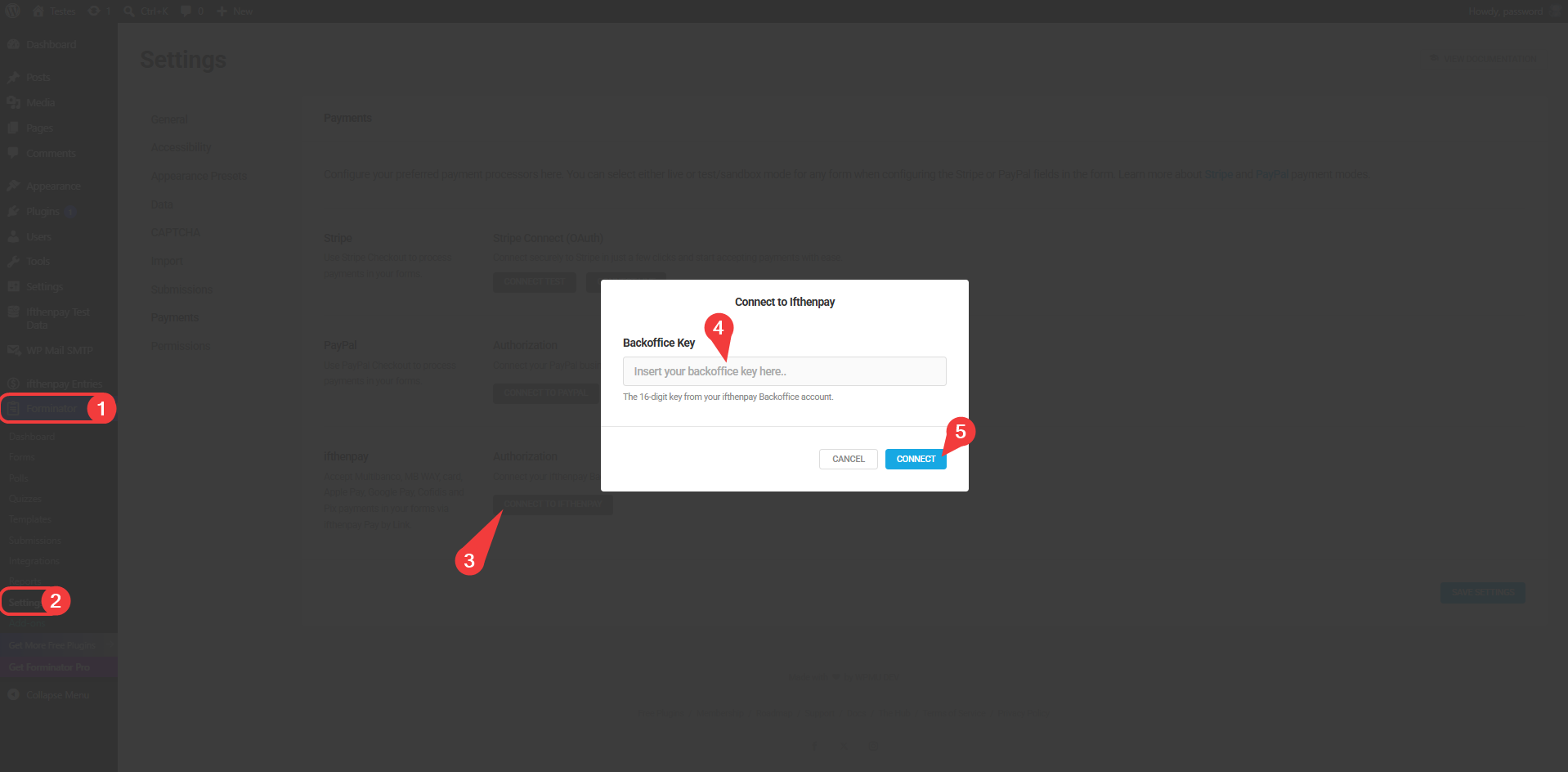
- Setup Part 1: Go to
Forminator → Settings → Paymentsand enter your Backoffice Key. - Setup Part 2: Once the Backoffice Key is connected you’ll see a button to go to the gateway key configuration — click it — select your Gateway Key of choice if you have more than one, enable your favorite methods, set a default payment method, a description for your payments, and an expiry (in days) for your pay-by-links. These settings apply globally, to every form.
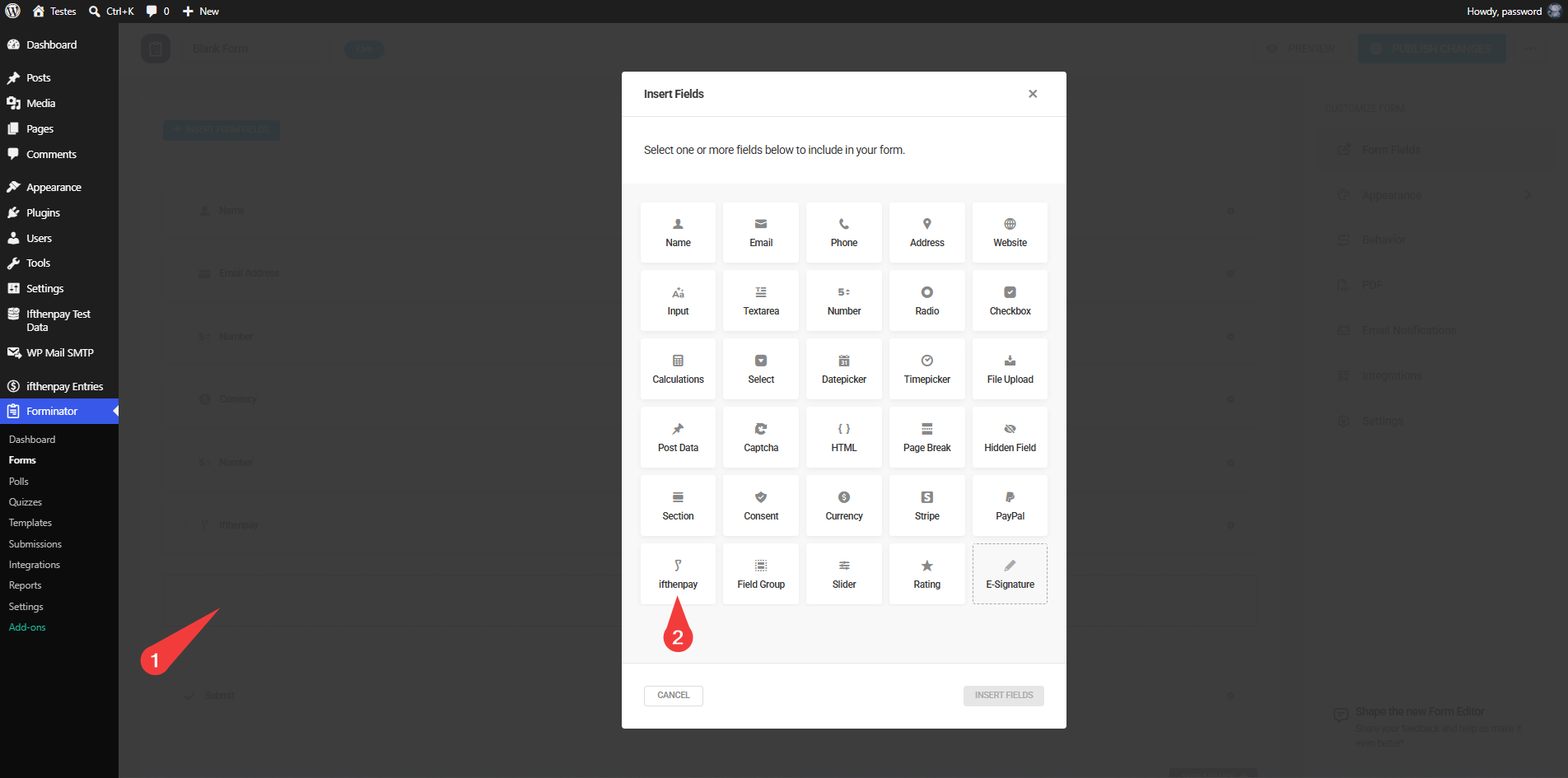
- Form config: Edit your form add the ifthenpay field. The payment methods, default method, description, and expiry were already configured in Step 4 — this step only adds the payment to this specific form.
SBI
-
Does this plugin require Forminator?
-
Yes. Forminator must be installed and active to use this plugin.
-
Does it support recurring payments?
-
No. This version supports only one-time payments via pay-by-link.
-
Are payment details stored?
-
No. The plugin does not store card numbers or full bank details. Only minimal references required for payment matching are kept.
-
Which payment methods are supported?
-
Any ifthenpay method attached to your Gateway Key (e.g. Multibanco, MB WAY, Payshop, Pix, Credit Card, and more).
-
How does the payment process work?
-
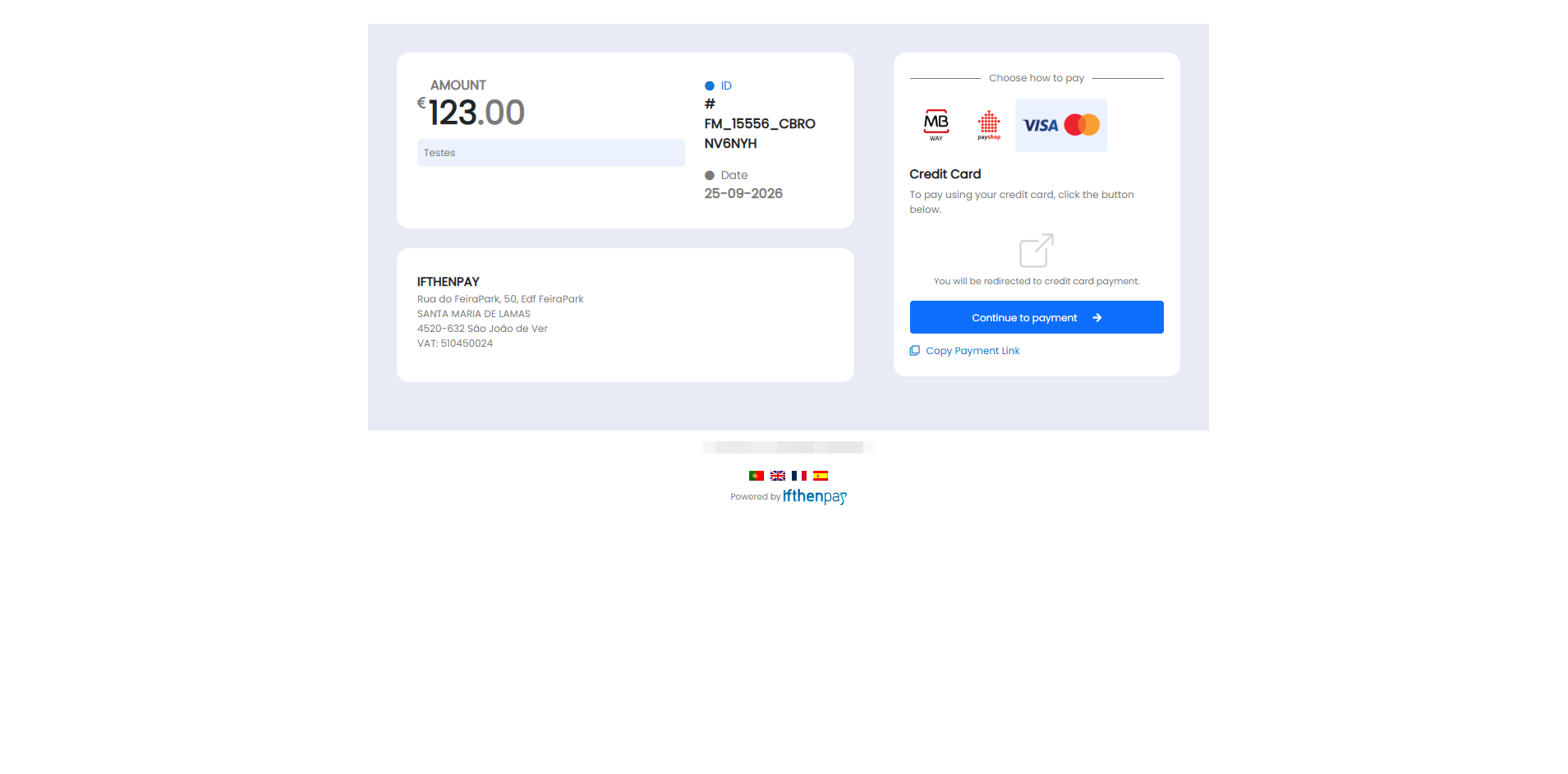
After form submission, users are redirected to a secure ifthenpay-hosted payment page. Once payment is completed, the status is updated automatically via callback and the user will be shown a Thank you confirmation.
-
What happens if a payment fails?
-
The entry is marked as Failed.
-
Is there a sandbox?
-
ifthenpay may provide test entities; if unavailable, use a low-value live test.
-
How secure is the integration?
-
Requests are encrypted over HTTPS; no sensitive payment data is stored.
-
Does ifthenpay’s addon for Forminator accept webhooks (callbacks)?
-
Yes! ifthenpay’s addon for Forminator accepts webhooks (callbacks).
Dibu-eegisyo
Ma jiraan wax dibu-eegis ah oo ku saabsan kaabahan.
Ka-qaybgalayaasha & Horumariyayaasha
“ifthenpay | Payments for Forminator” waa softiweer il furan. Dadka soo socda ayaa wax ku biiriyay kaabahan.
Ka-qaybgalayaasha
Ku tarjun “ifthenpay | Payments for Forminator” luqaddaada.
Ma xiisaynaysaa horumarinta?
Baadh koodka, fiiri bakhaarka SVN, ama iska qor diiwaanka horumarinta adigoo adeegsanaya RSS.
Isbeddellada
Releases that fix a security issue say so in their entry, prefixed with Security:.
1.0.0
- Initial public release: ifthenpay Pay by Link gateway for Forminator via the ifthenpay form field, webhook-confirmed payment status, ifthenpay Entries admin screen, configurable per-outcome confirmation behavior, and automatic expiry labeling of stale pending payments.