
Sharraxaad
Smart WordPress media library cleanup. Detect unused, orphaned & broken media safely with advanced live scanning.
The Intelligent Way to Clean & Optimize Your WordPress Media Library
Orphanix Media Cleanup is a powerful WordPress media management plugin designed to detect unused files, identify broken media references, and safely reclaim valuable server space.
Unlike basic cleanup tools, Orphanix performs both database-level analysis and live frontend verification — ensuring accurate detection without risking important content used by themes, page builders, or plugins.
Whether you manage a blog, WooCommerce store, agency website, or a large media-heavy platform, Orphanix helps you maintain a clean, optimized, and reliable media library.
Key Benefits
✔ Free up server storage by removing unused media
✔ Prevent broken images and layout issues
✔ Improve website performance and reliability
✔ Protect dynamically loaded media from accidental deletion
✔ Clean large media libraries safely and efficiently
Core Features
🔍 Media Library Scan
• Detect unused and orphaned media files
• Identify unattached media items
• Scan uploads directory for unmatched assets
• Filter by file type (images, videos, PDFs, documents)
🛠 Broken Media Detection
• Find missing image references in content
• Detect corrupted or unreachable media files
• Identify broken URLs affecting layout or SEO
🌐 Live Site Scan (Advanced)
• Scan actual frontend output
• Detect dynamically loaded images
• Verify usage across templates and builders
• Prevent accidental deletion of active media
⚡ Deep Compatibility Detection
• Analyze post content and metadata
• Scan custom fields (ACF supported)
• Detect WooCommerce product image usage
• Identify references in widgets and menus
🛡 Safe Trash & Restore System
• Move files to a secure plugin trash folder
• Restore deleted files anytime
• Permanent deletion only after confirmation
📊 Analytics & Reporting
• View scan summaries
• Track storage savings
• Review categorized results
• Monitor cleanup history
🚀 Performance Optimized
• Batch-based scanning engine
• Designed for large websites
• Memory-efficient processing
• No server overload during scans
Easy 3-Step Cleanup Process
- Run a Media Scan, Broken Media Scan, or Live Site Scan.
- Review detailed scan results and verify usage.
- Safely delete or restore files using the built-in trash system.
Simple. Safe. Accurate.
Why Choose Orphanix Media Cleanup?
• Dual Scan Engine (Database + Live Verification)
• Advanced builder compatibility detection
• Safe trash workflow before permanent deletion
• Designed for small blogs to large enterprise sites
• Clean interface with real-time scan tracking
Orphanix goes beyond simple “unused file detection” by validating real usage across your entire website.
Perfect For
• Bloggers and content creators
• WooCommerce store owners
• Agencies managing multiple sites
• Developers handling large media libraries
• Portfolio and media-rich websites
Privacy
Orphanix Media Cleanup runs entirely on your server.
No data is sent to external services.
No tracking. No telemetry.
Full control and privacy.
Sawir-shaashado
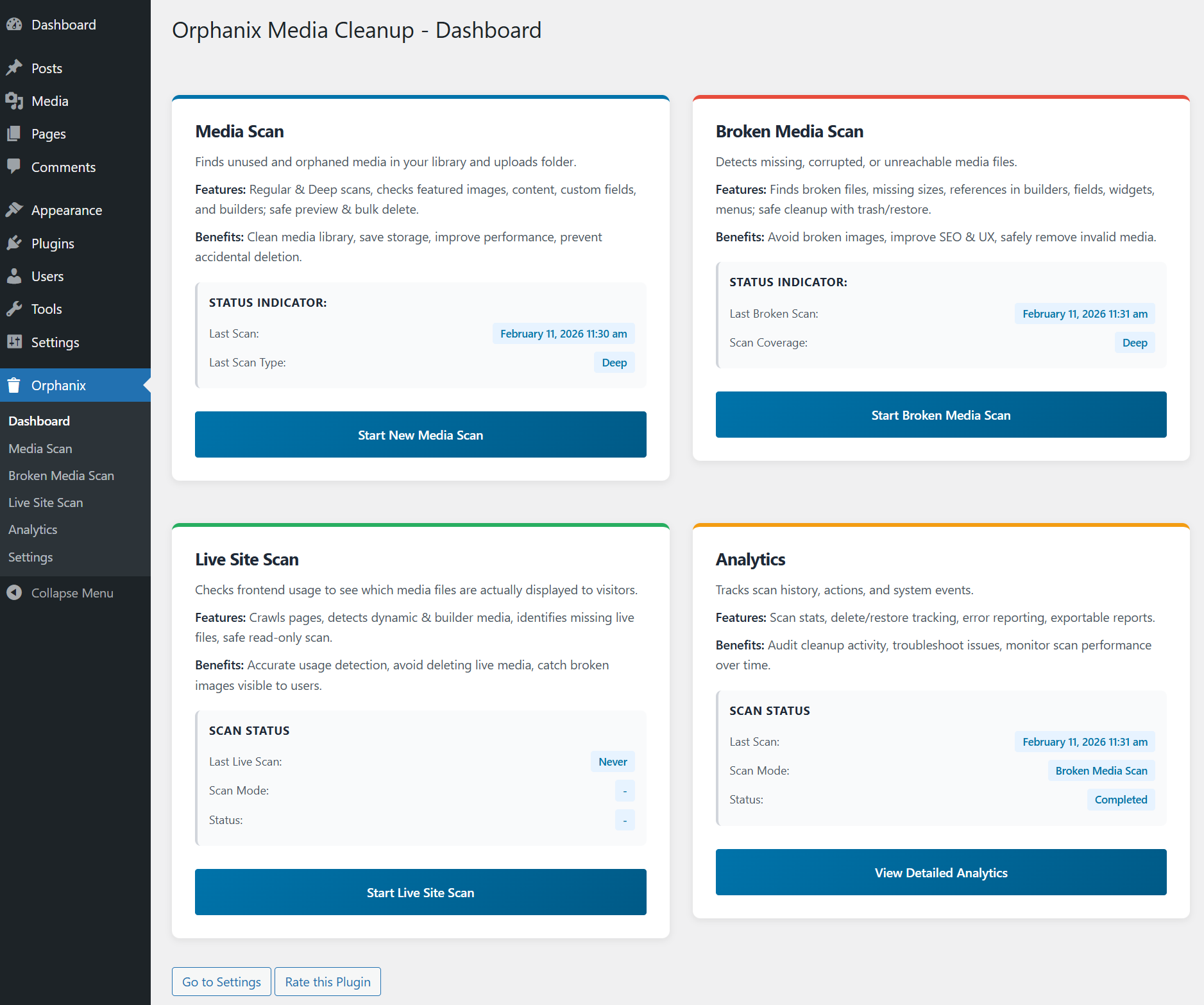
Orphanix Media Cleanup Dashboard – Overview of the media management panel with quick access to orphan file scans and cleanup tools.
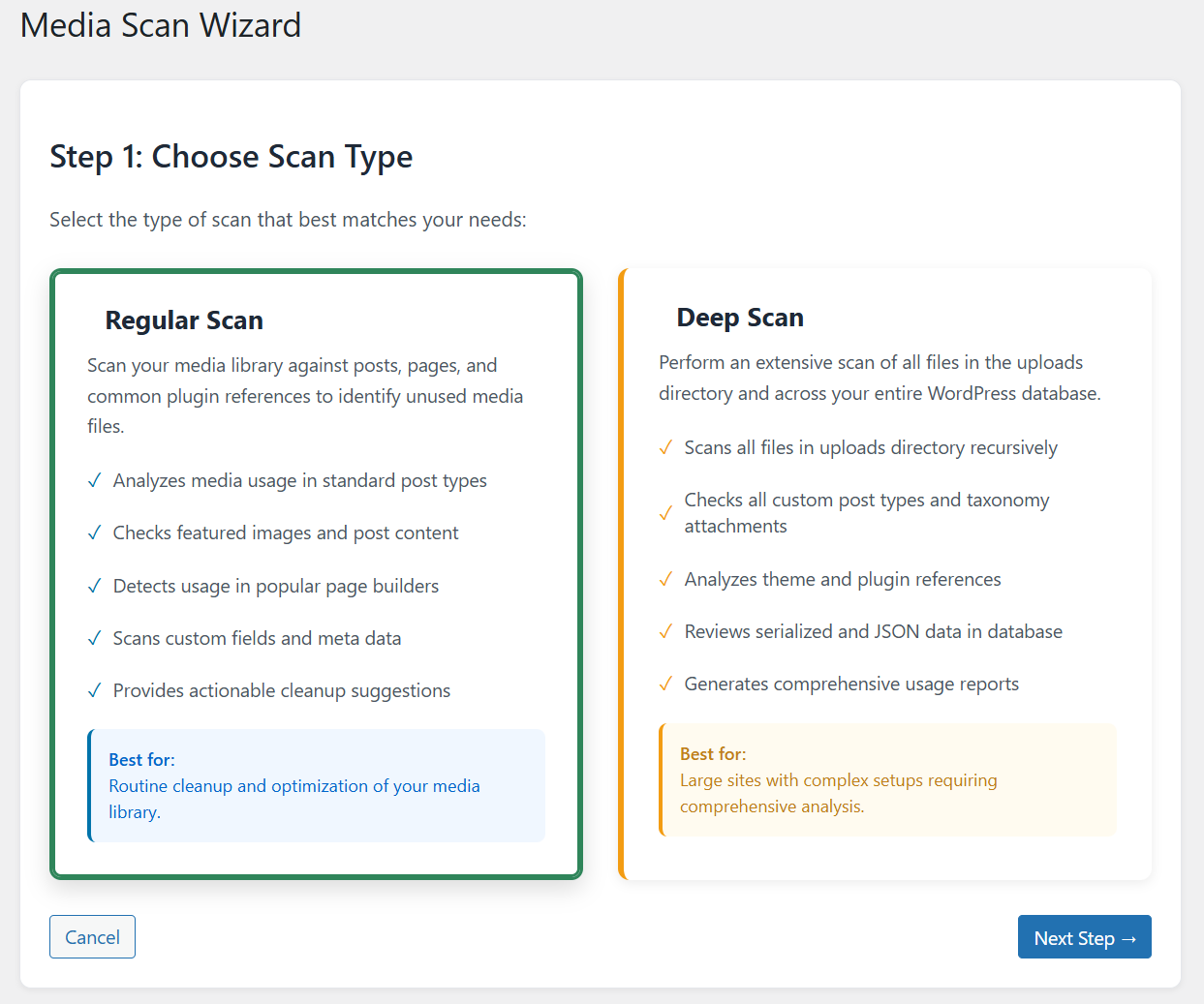
Media Scan Wizard – Step 1: Choose Scan Type for detecting unused media files, orphan attachments, or broken media references.
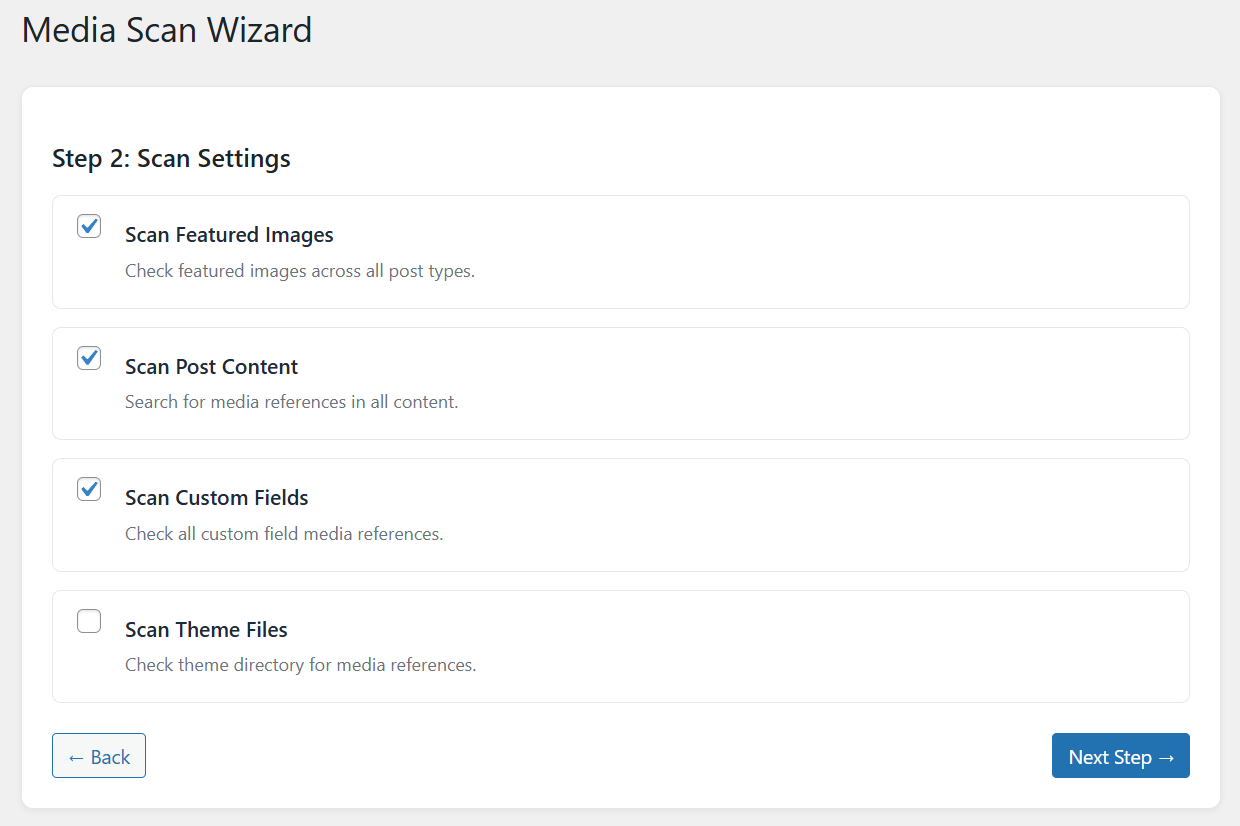
Media Scan Wizard – Step 2: Configure advanced scan settings including deep file usage detection and database analysis.
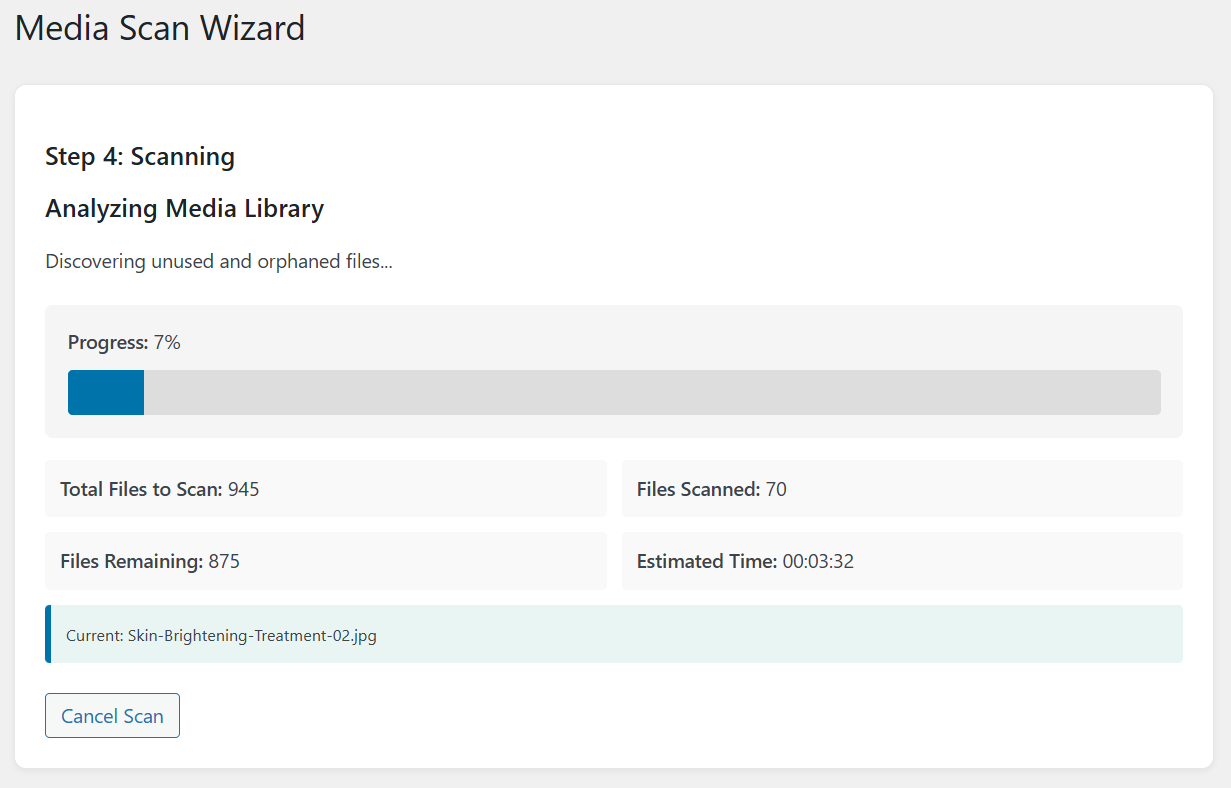
Media Scan Wizard – Step 4: Real-time scanning process with live progress indicators and background media analysis.
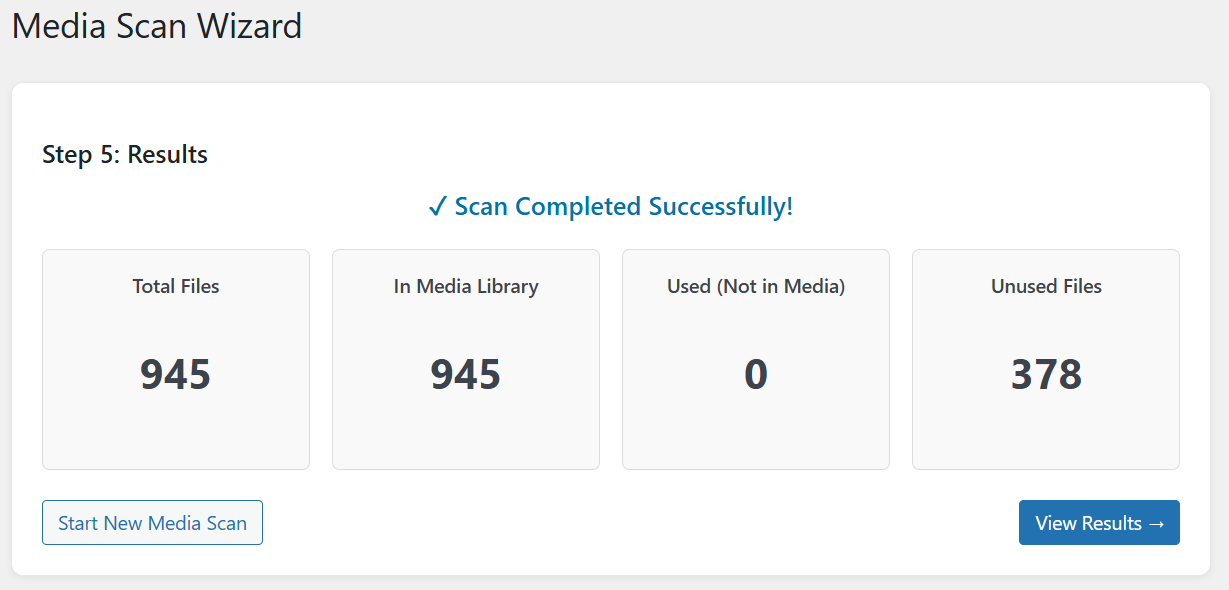
Media Scan Wizard – Step 5: Final scan results summary showing detected orphan files and unused media items.
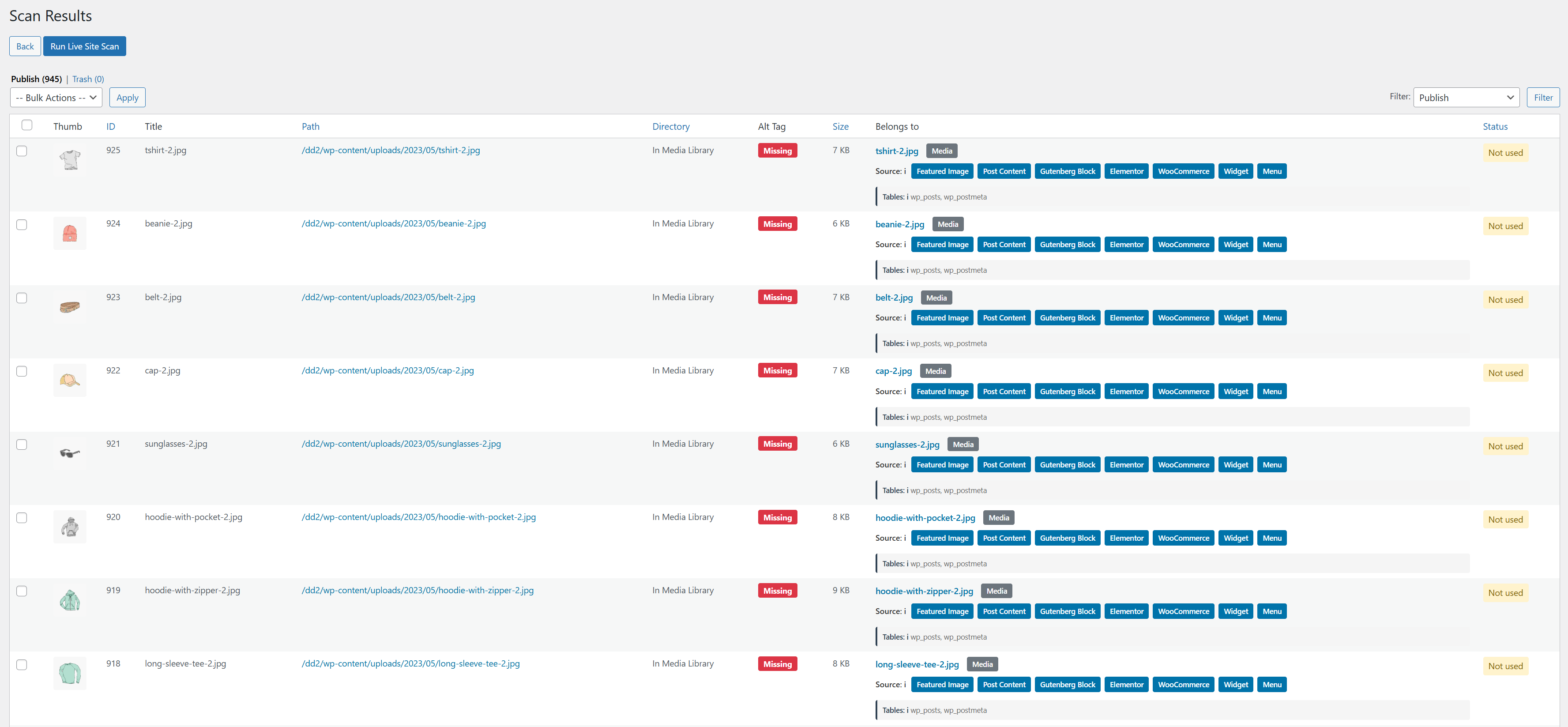
Detailed Scan Results – Complete list of unused media files with usage references and safe deletion options.
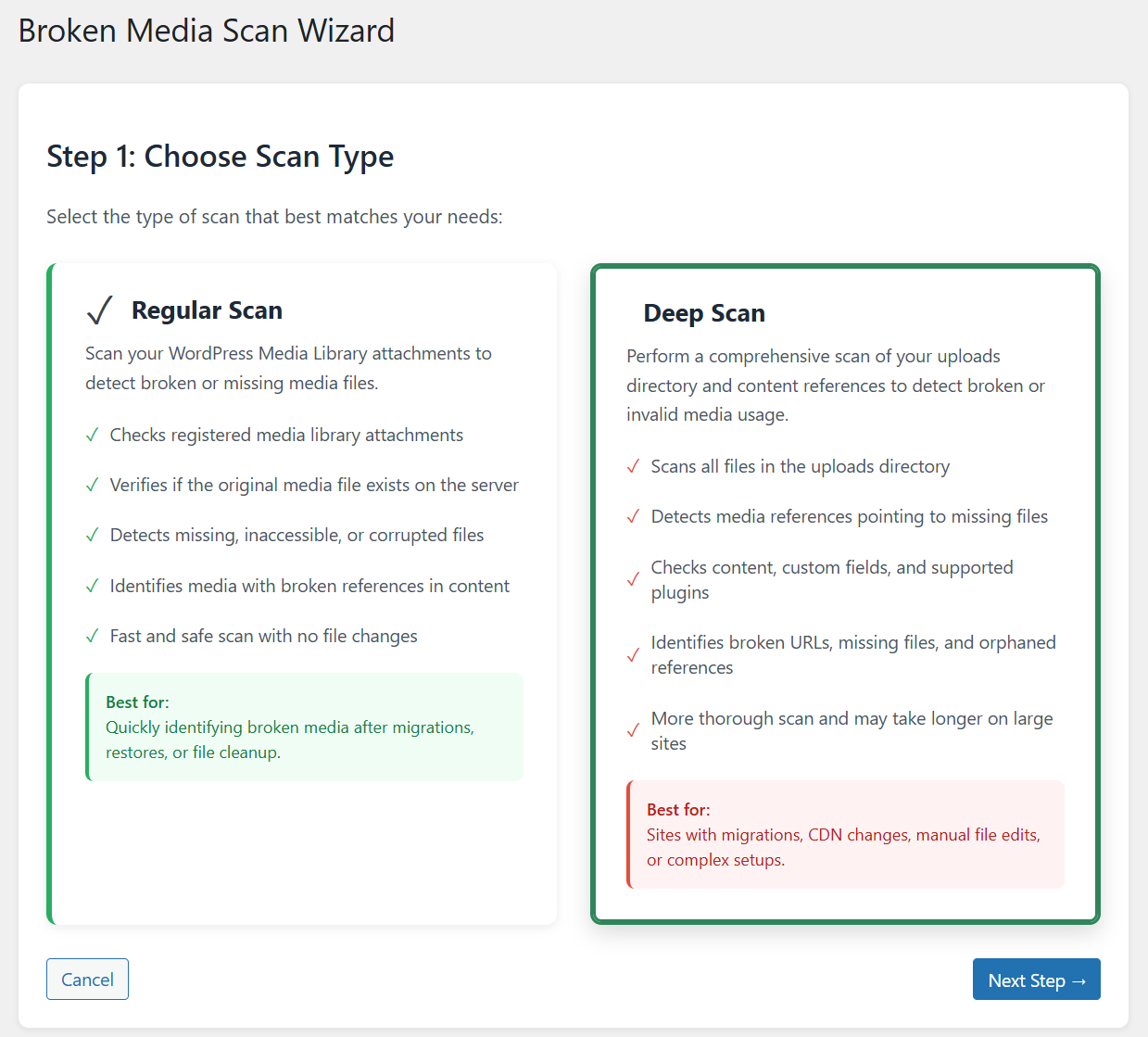
Broken Media Scan Wizard – Step 1: Select scan type to detect broken image links and missing attachments in WordPress.
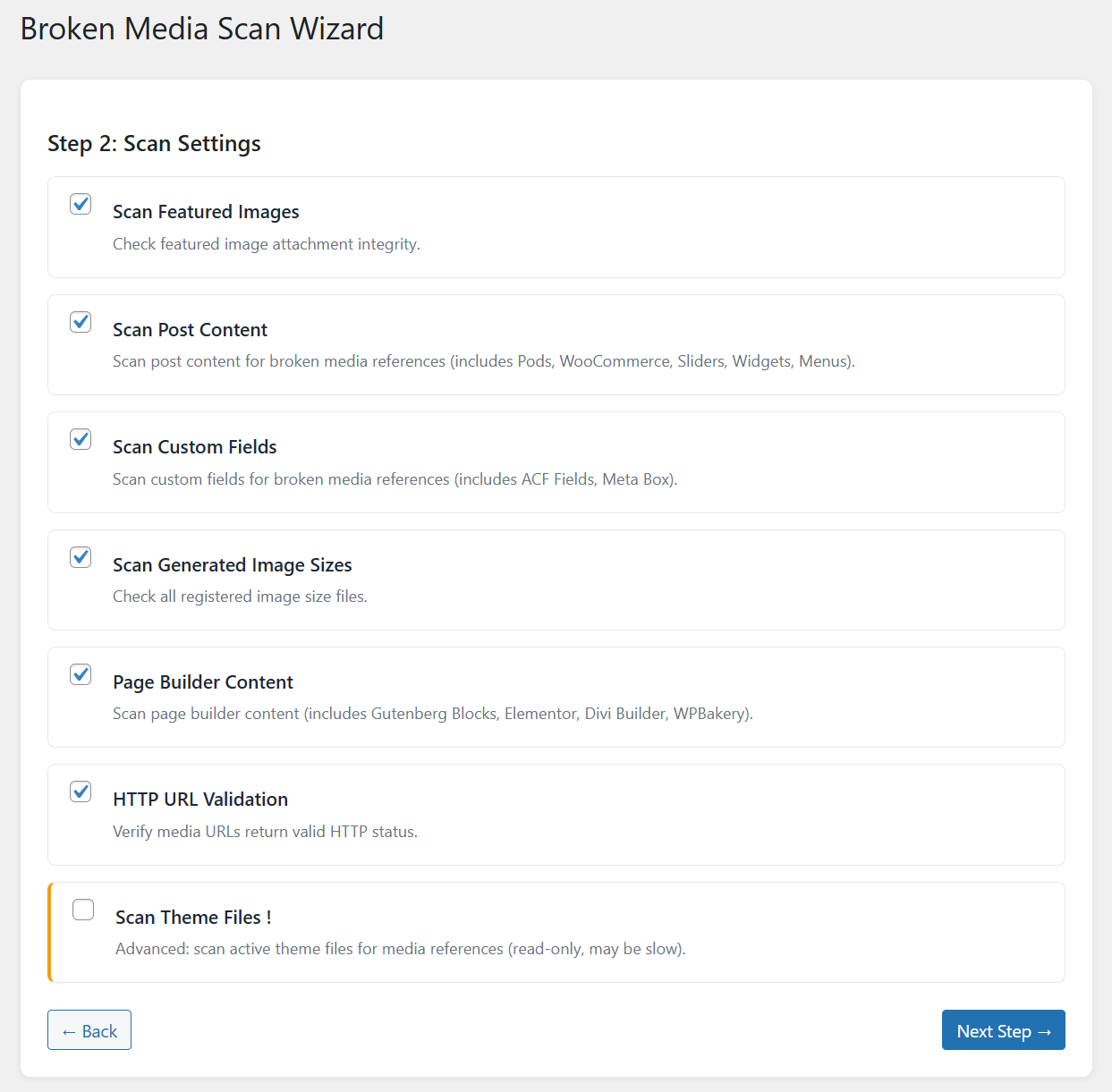
Broken Media Scan Wizard – Step 2: Configure broken media detection settings for accurate file validation.
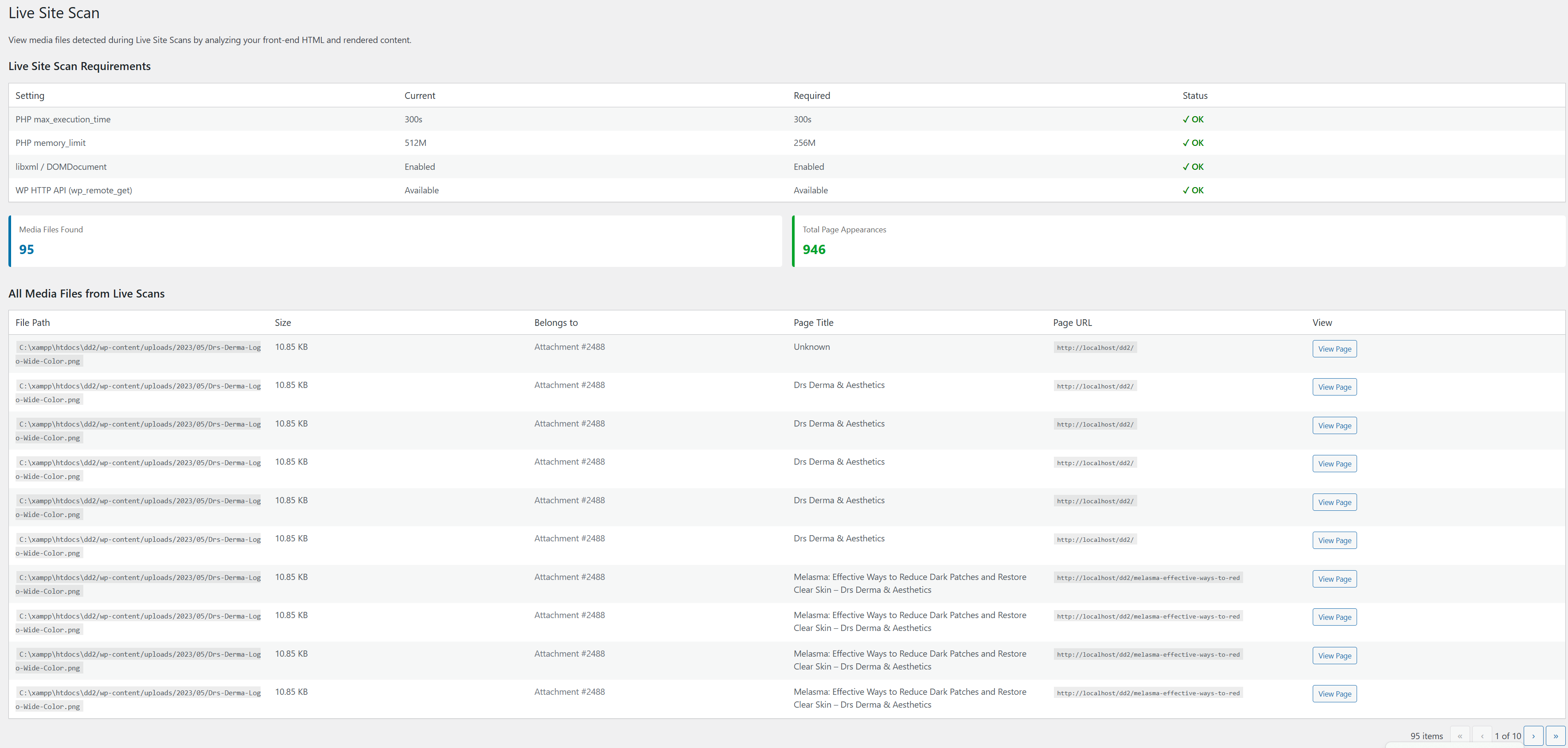
Live Site Scan – Perform secure media usage analysis on production WordPress environments.
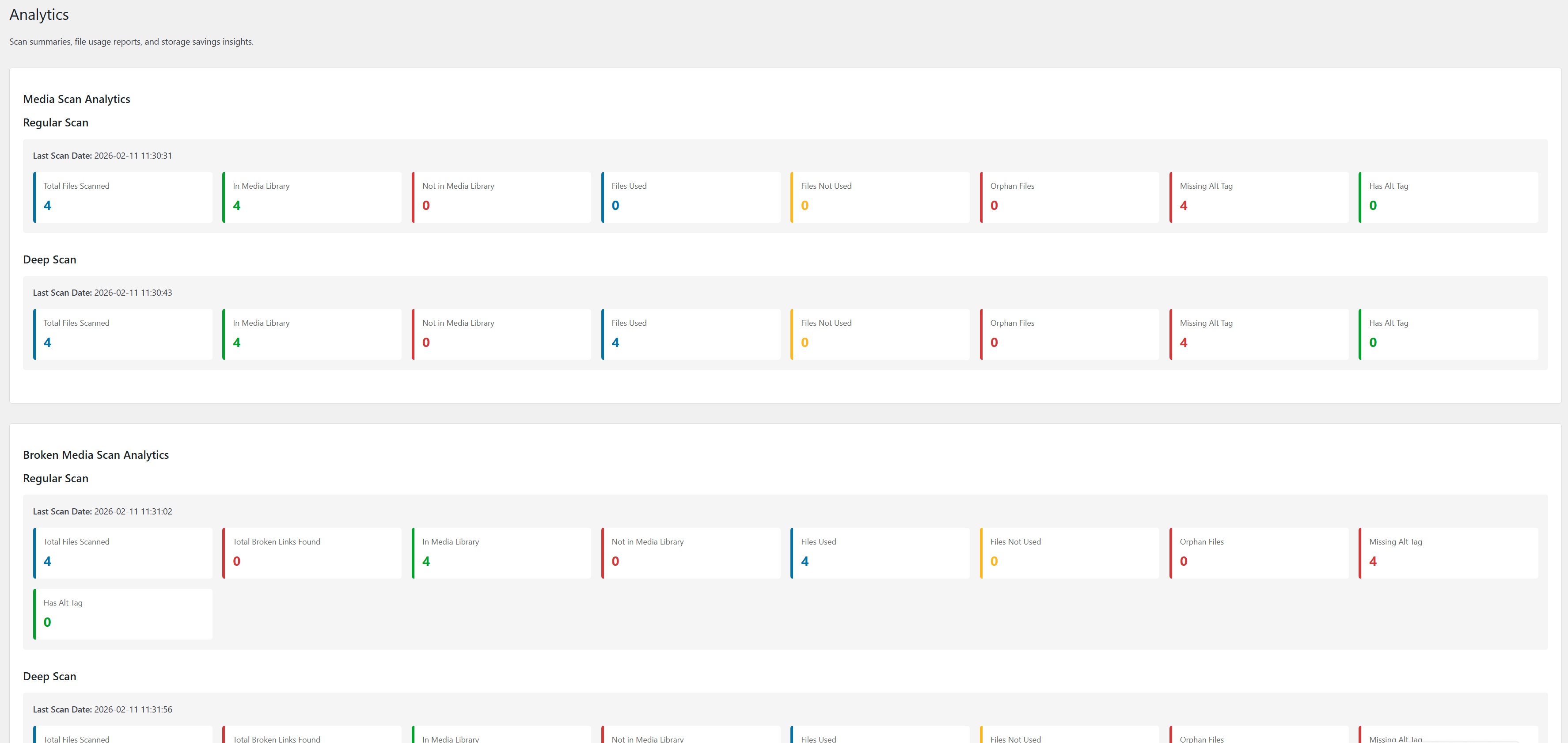
Analytics Dashboard – Scan summaries, file usage reports, media storage insights, and space savings visualization.
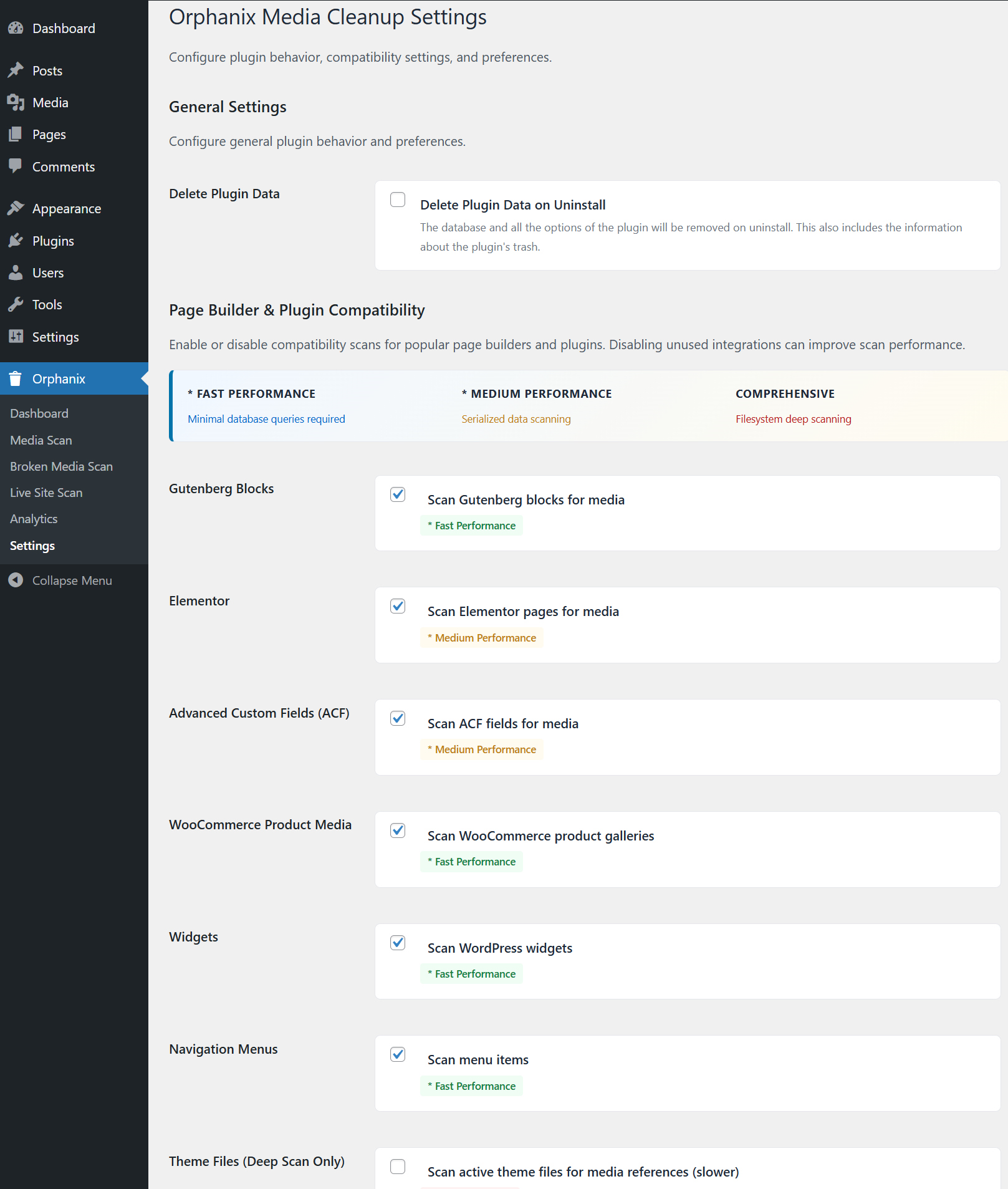
Orphanix Media Cleanup Settings – Configure scan behavior, safety options, and advanced cleanup controls.
Rakibaad
- Upload the
orphanix-media-cleanupfolder to/wp-content/plugins/ - Activate the plugin via the WordPress Plugins menu
- Navigate to Orphanix in your WordPress admin dashboard
- Run your first scan and clean safely
SBI
-
Is Orphanix Media Cleanup safe to use?
-
Yes. Files are first moved to a secure trash folder before permanent deletion.
-
What is an orphaned media file?
-
An orphaned media file exists in your uploads folder but is not used anywhere on your site.
-
What is the difference between unused and broken media?
-
Unused media is stored but not referenced. Broken media is referenced but the actual file is missing or inaccessible.
-
Does it delete image thumbnails as well?
-
Yes. All associated image sizes are removed when a media item is permanently deleted.
-
Will it work with Elementor or page builders?
-
Yes. It supports Gutenberg, Elementor, ACF, WooCommerce, widgets, menus, and theme file detection.
-
Can I restore deleted files?
-
Yes. Files moved to trash can be restored before final deletion.
-
Does it slow down my website?
-
No. The plugin uses a batch-based scanning system optimized for performance.
-
Is my data sent to external servers?
-
No. All processing runs locally on your server.
-
Can it handle large media libraries?
-
Yes. The scanning engine is optimized for high-volume sites.
-
Does it support custom post types?
-
Yes. Media references inside custom post types are detected.
-
What happens if I uninstall the plugin?
-
If delete-on-uninstall is enabled, plugin data will be removed. Media files are only deleted when you confirm deletion.
Dibu-eegisyo
Ma jiraan wax dibu-eegis ah oo ku saabsan kaabahan.
Ka-qaybgalayaasha & Horumariyayaasha
“Orphanix Media Cleanup” waa softiweer il furan. Dadka soo socda ayaa wax ku biiriyay kaabahan.
Ka-qaybgalayaasha
Ku tarjun “Orphanix Media Cleanup” luqaddaada.
Ma xiisaynaysaa horumarinta?
Baadh koodka, fiiri bakhaarka SVN, ama iska qor diiwaanka horumarinta adigoo adeegsanaya RSS.
Isbeddellada
1.0.0
- Initial stable release
- Media Scan, Broken Media Scan, Live Site Scan
- Safe trash and restore workflow
- Builder compatibility detection
- Bulk actions and filtering system