

Sharraxaad
Turn your WooCommerce store into a custom sign shop that sells around the clock.
Sign Customiser is the product customiser built for businesses that sell custom signs. Customers design their own LED neon sign, channel letter sign, lightbox, or metal, acrylic or wood sign right on your website. They see a realistic preview and the exact price as they type, then add the sign straight to the WooCommerce cart.
No back-and-forth emails. No manual quotes. No mock-ups to draw before a customer says yes. More than 700 sign businesses use Sign Customiser to sell custom signs online.
Why sign businesses choose Sign Customiser
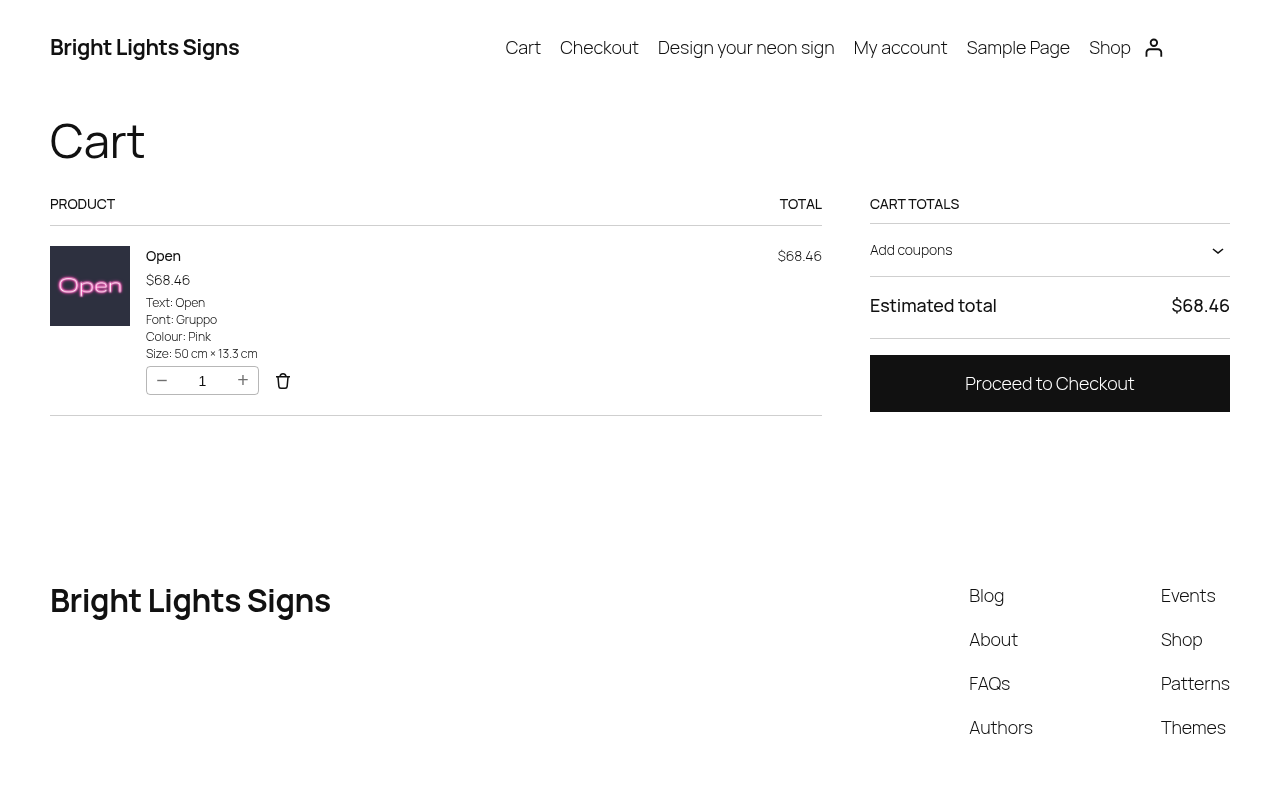
- Instant prices close more sales. The price updates as customers change the text, font, colour, size or options, so they can buy the moment they love their design.
- A preview that sells the sign. Customers see exactly what they will get before they pay, which builds confidence and cuts down on questions.
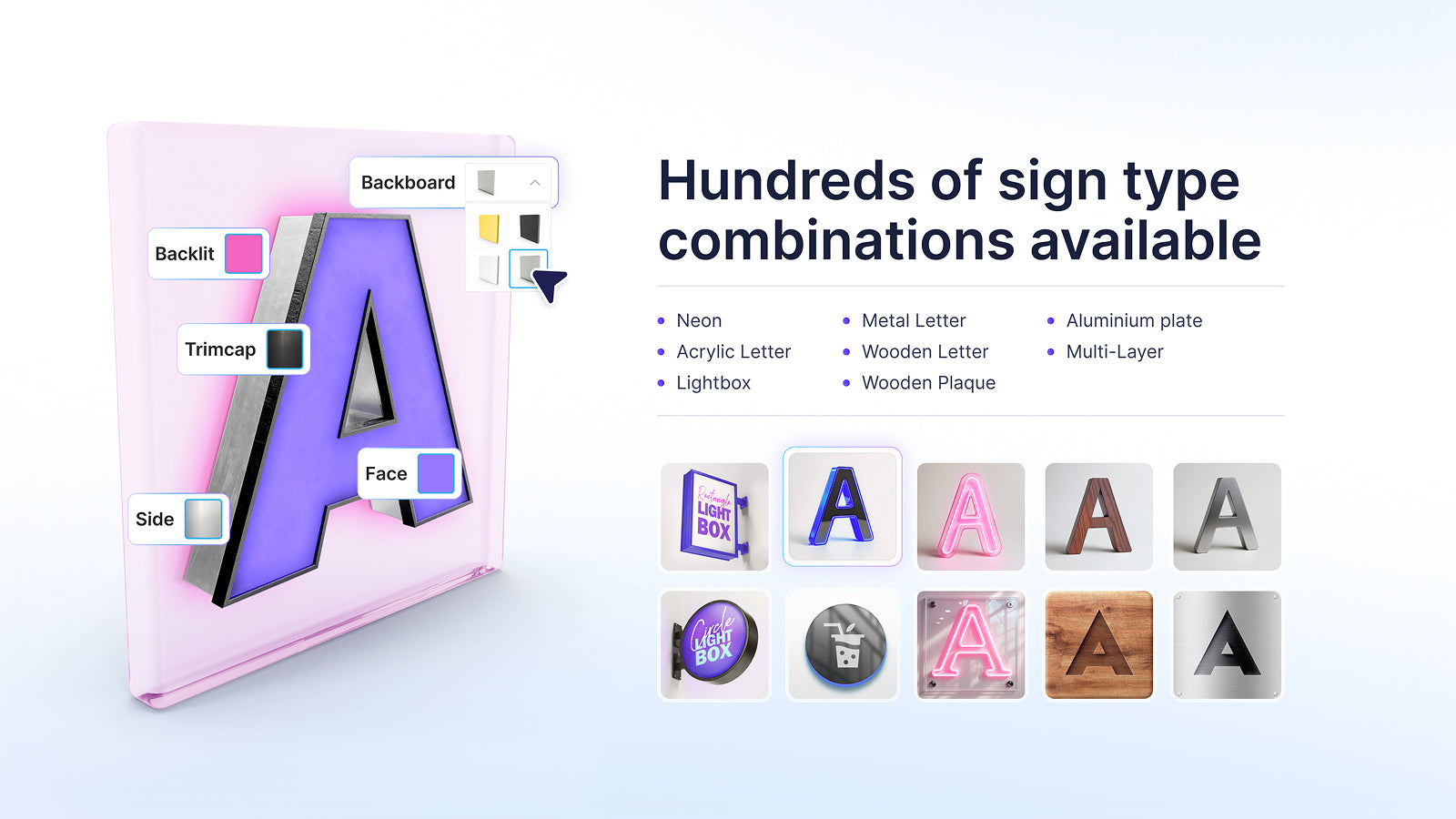
- Hundreds of sign type combinations. Neon, acrylic letters, metal letters, wood letters, wood plaques, lightboxes, aluminium plates and multi-layer signs, all from one customiser.
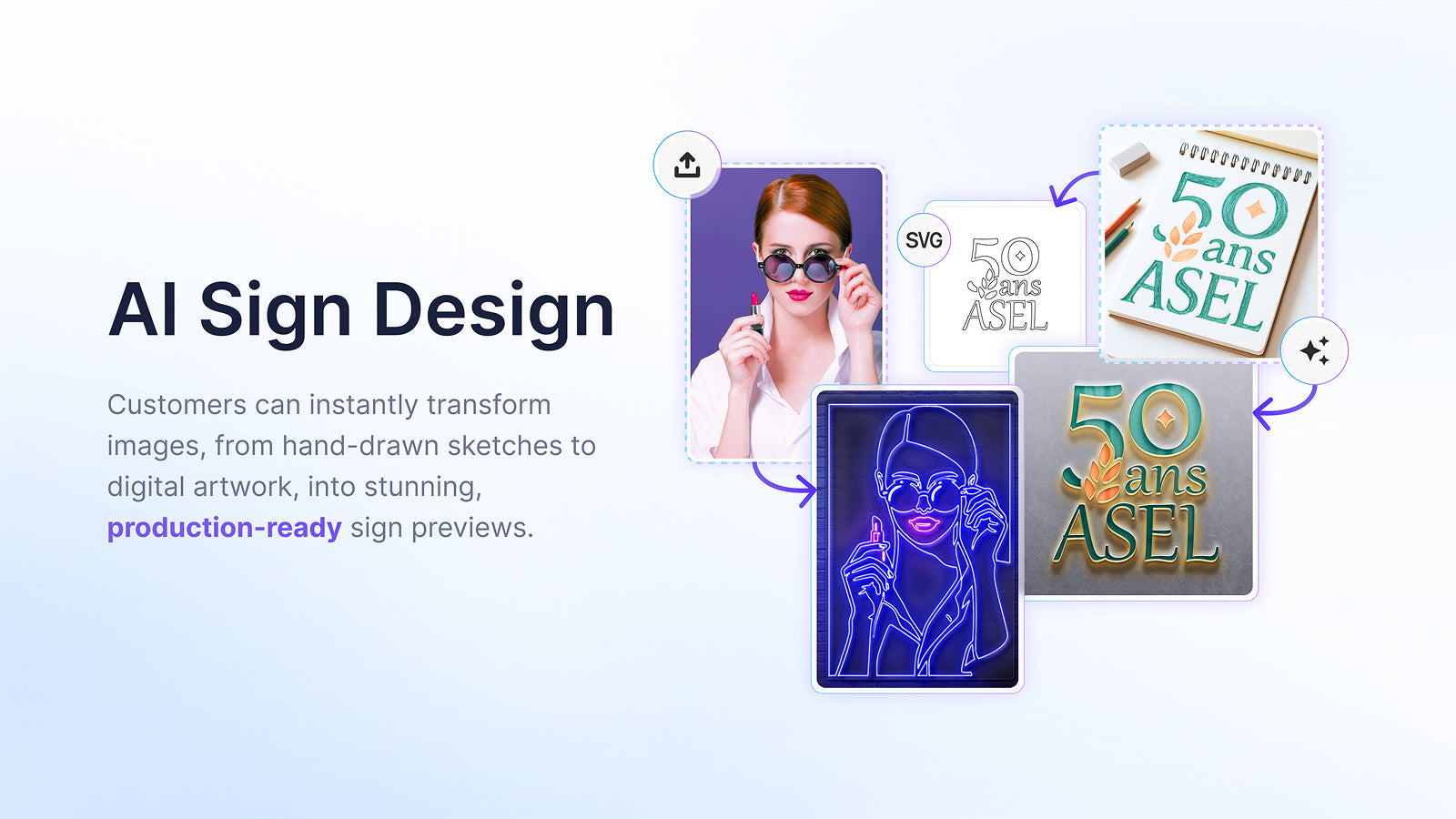
- AI sign design. Customers upload a logo, a photo or even a hand-drawn sketch, and Sign Customiser turns it into a production-ready sign preview. Sell logo signs without a designer in the loop.
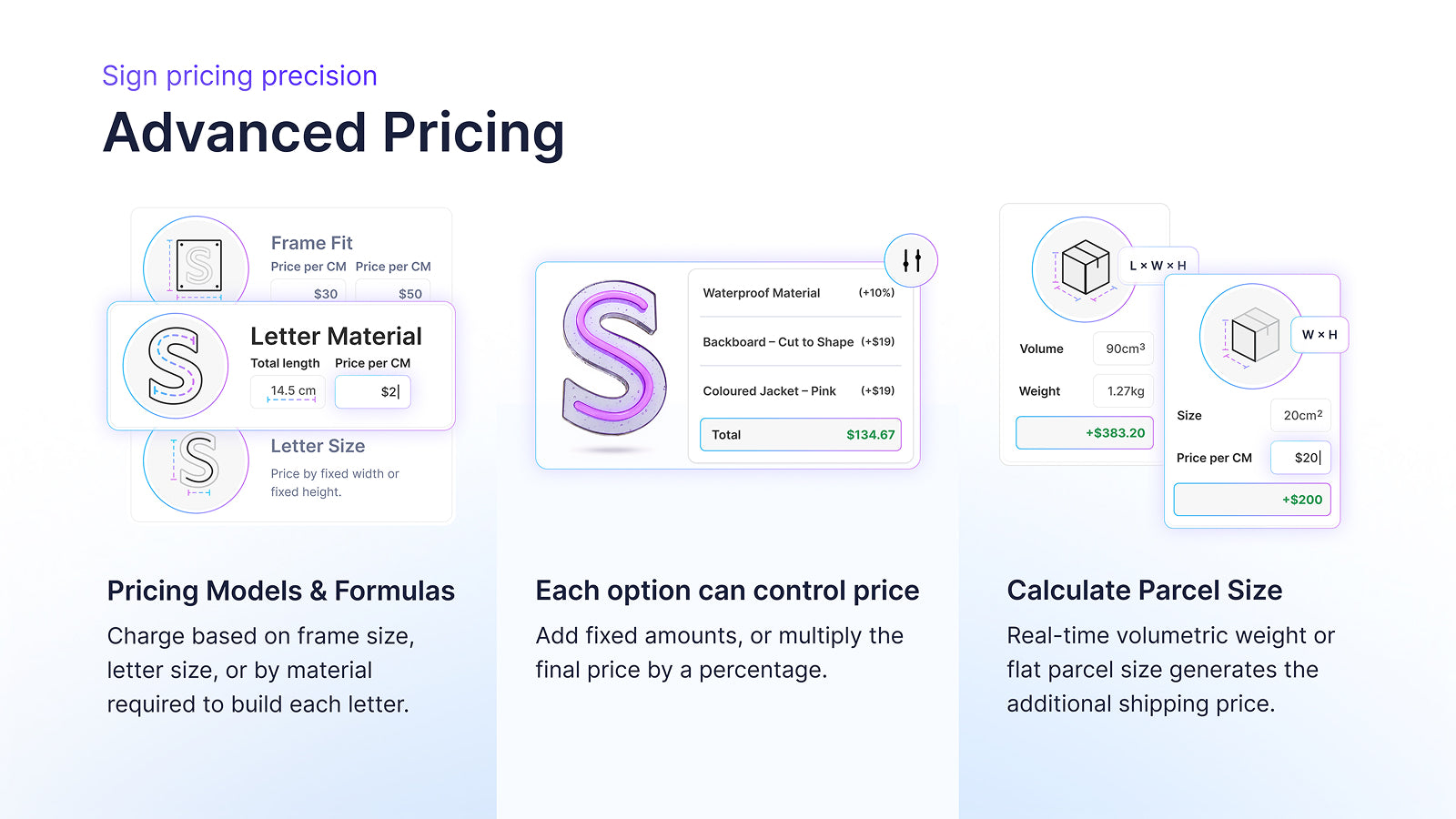
- Your pricing, your rules. Price by area (cm²), by volume (cm³) or by material length, with your own materials and options.
- Your brand, your fonts. Upload your own fonts or pick from the Google Fonts library.
- Orders that go straight to production. Every sign order sends an email with the preview, measurements, materials and SVG production files to you or your manufacturer. No redrawing, no guesswork.
- Quote Mode for bigger jobs. Let customers send their design for a quote, then reply with your price. It works on any WordPress site, with or without WooCommerce.
- Sell worldwide. Multi-language and multi-currency support.
Get started in minutes
- Install the plugin and create your Sign Customiser account. Every new store starts with a 7-day free trial.
- Go to Settings Sign Customiser and click Connect WooCommerce. Approve access once, and you’re connected. No API keys to copy.
- Add
[sign_customiser id="123"]to any page or post. Customers can start designing.
Sign types
Sign types include:
- Neon and flex LED neon signs
- Channel letter signs, with acrylic or metal letters
- Lightbox signs
- Braille signs
- Metal cut-out signs
- Stencils
- Wood letter signs
- Wood frame signs
- Aluminium plate signs
- Address sign numbers
External services
This plugin loads the customiser from the Sign Customiser service at web.signcustomiser.com and integrations.signcustomiser.com. You need a Sign Customiser account.
Data that the service receives:
- The design, options and contact details that a customer enters in the customiser.
- With WooCommerce, each new order. Sign Customiser creates an order only when the WooCommerce order contains a custom sign. The order data includes the customer’s email and shipping address.
- With WooCommerce and an Integration ID, UTM values and ad click IDs (gclid, gbraid, wbraid, fbclid) from the page address. The values stay in the browser’s session storage for the visit. The customiser can also read the gclid from the Google Ads cookie. Sign Customiser saves these values with quote requests.
Read the terms of service and the privacy policy.
Sawir-shaashado


Rakibaad
- Install and activate the plugin.
- Create a Sign Customiser account. Then create a customiser and note its customiser ID. You’ll find it in the Customiser ID column on the Customisers page.
- Add
[sign_customiser id="123"]to a page. Replace 123 with your customiser ID.
To sell with WooCommerce:
- In WordPress, go to Settings Sign Customiser and click Connect WooCommerce.
- In Sign Customiser, click Connect with one click.
- In WooCommerce, click Approve. You return to the plugin settings with your Integration ID saved.
Prefer to set it up by hand? Open Set up manually on the settings page, or follow the WooCommerce setup guide.
SBI
-
Which sign types can customers design?
-
Neon and flex LED neon, channel letters in acrylic or metal, lightboxes, braille, metal cut-outs, stencils, wood letters, wood frames, aluminium plates and address numbers. You choose which sign types and options each customiser offers.
-
How do I connect WooCommerce?
-
Go to Settings Sign Customiser and click Connect WooCommerce. Sign Customiser asks you to approve access in WooCommerce, the same way other WooCommerce apps connect. You don’t copy any API keys, and you can revoke access at any time under WooCommerce Settings Advanced REST API keys. Your site’s permalinks must not be set to Plain.
Read the full WooCommerce setup guide.
-
How much does Sign Customiser cost?
-
Plans cost from $29 to $299 a month. Your plan depends on your number of attributed orders in 30 days. An attributed order is an order on your store that contains at least one product that Sign Customiser created; other orders don’t count. Every plan includes every feature, and a yearly plan costs at least 20% less than twelve monthly payments. See pricing.
-
Is there a free trial?
-
Yes. New stores get a 7-day free trial with all features. You do not give a credit card to start.
-
Can I use Sign Customiser on WordPress without WooCommerce?
-
Yes. Add the shortcode to a page, then turn on Quote Mode for the customiser in Sign Customiser and select a quote form. Customers send you their selected options, preview images and form answers, and you reply with a price.
-
Can Sign Customiser send orders to my manufacturer?
-
Yes. When WooCommerce creates an order that contains a custom sign, Sign Customiser sends an order email for each customiser in that order. The email goes to the Receiver Email you set for the customiser. If that is empty, it goes to the manufacturer assigned to the customiser, and if there is no manufacturer, to the Store owner’s email address.
-
Where can I get help?
-
Read the help centre or contact us.
-
I connected this plugin with an API key. Must I change?
-
No. Your current setup continues to work. To change to the API integration, add your Integration ID and replace your old embed code with the shortcode. When you connect the API integration, Sign Customiser adds an order webhook to WooCommerce. While that webhook is active, the plugin does not send orders. Read Migrating from the legacy WordPress plugin.
Dibu-eegisyo


Ka-qaybgalayaasha & Horumariyayaasha
“Sign Customiser – Custom Sign Designer for WooCommerce” waa softiweer il furan. Dadka soo socda ayaa wax ku biiriyay kaabahan.
Ka-qaybgalayaasha
Ku tarjun “Sign Customiser – Custom Sign Designer for WooCommerce” luqaddaada.
Ma xiisaynaysaa horumarinta?
Baadh koodka, fiiri bakhaarka SVN, ama iska qor diiwaanka horumarinta adigoo adeegsanaya RSS.
Isbeddellada
1.7.2
- Connect WooCommerce with one click. You approve access in WooCommerce, and the plugin saves your Integration ID for you. You do not need to copy any API keys.
- The manual setup steps are still available under Set up manually.
1.7.1
- Refreshes the plugin directory listing and screenshots.
- Adds a Getting started guide to the settings page.
- Adds step-by-step WooCommerce setup to the settings page. One button creates a WooCommerce API key. Another opens the WooCommerce form in Sign Customiser with your site name and address filled in. You enter the Integration ID in the last step. When WooCommerce is active and the Integration ID is empty, the page tells you that customers cannot add signs to the cart.
- Moves the legacy API key settings to their own Legacy connection tab.
- The notice for sites that use an API key now says that the API key connection will stop working soon. “Remind me later” hides it for 7 days.
1.7.0
- Adds the [sign_customiser] shortcode.
- Adds the Integration ID setting for the WooCommerce API integration.
- WooCommerce is now optional. Without WooCommerce, the shortcode shows the customiser, and you can use Quote Mode.
- Tested with WordPress 7.1.
1.6.3
- Exposes the checkout URL so the “Buy it now” button can send shoppers to checkout.
1.6.2
- Refresh help links to the current docs site.
1.6.1
- Adds an information banner informing users of a better integration method.
1.6.0
- Adds support for API connections.
1.5.4
- Adds support for ai custom design flow.
1.5.3
- Only marks an order as sent if it has items.
1.5.2
- Adds more order hooks to account for different order completion scenarios.
1.5.1
- Fixes duplicate order emails coming through.
1.5.0
- Added a debug mode to help resolve performance issues.
1.4.1
- Fixes an issue where the customers last name did not appear in orders.
1.4.0
- The customiser will now display an error if you do not have an API key set, ensuring you do not miss out on any products or orders.
1.3.2
- Added support for WordPress subdirectory installations
1.3.1
- Ensure products generated by Sign Customiser in woocommerce are hidden in product catalogue and product page is set to noindex for search engines
1.3.0
- Added support for lightbox customisers.
1.2.1
- Proper metadata for product images is now generated when adding a sign to your cart. This fixes some issues with product images not displaying on product pages.
1.2.0
- Added support for uploading custom backboard background images
1.1.0
- Added support for syncing orders from Woocommerce to Sign Customiser.
1.0
- Initial support for syncing products from an embedded customiser to Woocommerce cart.