

Sharraxaad
Stop paying Vimeo to host videos on your own WordPress site.
VideoFlowEngine lets you upload, encode, and stream HLS video on WordPress using your own Cloudflare R2 storage — no per-view fees, no bandwidth caps, no vendor lock-in.
Drop videos into any page, post, or LMS lesson with a shortcode or Gutenberg block. Videos auto-encode to adaptive HLS (360p / 720p / 1080p) and stream instantly via Cloudflare CDN.
🎯 Built for:
- Course creators on LearnDash, Tutor LMS, LifterLMS, LearnPress — ditch Vimeo without rebuilding your lessons
- Membership sites that don’t want YouTube recommendations pulling members away
- Agencies managing video for multiple client sites
- SaaS / marketing sites that want branded, ad-free video players
🚀 What you get:
- Upload videos directly from the WordPress dashboard
- Automatic multi-resolution HLS encoding (360p / 720p / 1080p adaptive)
- Fast global delivery via Cloudflare CDN
- Drop into any page, post, or LMS lesson via shortcode or Gutenberg block
- Built-in analytics: views, watch time, drop-off — right inside WordPress
- No ads, no external branding, no platform recommendations
🔥 Features
- Direct-to-cloud uploads from the WordPress admin (no server transcoding)
- Adaptive HLS streaming — quality switches based on viewer’s connection
[vfhls_player id="123"]shortcode for single videos[vfhls_gallery columns="3"]shortcode for video grids- Gutenberg block for the modern editor
- Drag & drop upload with real-time encoding progress
- Built-in analytics dashboard (views, watch time, drop-off, device)
- Free tier — no credit card required
🎬 Hero Add-On — Instant-Play Premium Video
Your homepage hero video, course intro, or featured testimonial deserves to play instantly — no buffer wheel, no loading delay, no LCP penalty. Mark any one video as your Hero for adaptive HLS streaming optimised for one premium video on your site.
Use [vfhls_player id="123" hero] to embed. Switch which video is your Hero anytime from Settings.
- Instant playback — plays on first tap, no buffer wheel, even on mobile
- Faster page load — adaptive HLS, no full-file download before play starts
- Full HD 1080p for the hero video
- One-click switch — change which video is Hero anytime
Perfect for: homepage hero videos, course intro lessons, sales-page testimonials, product demo reels, agency client showcases.
🎓 Works with your LMS:
Drop the shortcode or block into any LMS lesson editor. Confirmed compatible via the WordPress block API:
- LearnDash — add videos to lessons, topics, quizzes
- Tutor LMS — lesson video blocks, course builder
- LifterLMS — lesson and course content
- LearnPress — lesson content
- Any LMS that accepts standard WordPress shortcodes or blocks
❓ Why not YouTube or Vimeo?
- No ads, no branding, no recommendations pulling viewers to competitors
- No per-view or bandwidth charges — you own the storage
- Private by default — unlike YouTube unlisted / Vimeo review links, HLS segments are served from your own storage
- Analytics inside WordPress — no separate dashboard, no third-party tracking
- Your content, your domain, your player — full brand control
🔐 Security & Privacy
- WordPress capability checks on every admin action
- Pre-signed upload URLs — video files never publicly exposed during upload
- No data leaves your site until the admin explicitly clicks “Connect”
- Visitor analytics are opt-in — disabled by default, toggled from Settings
- Viewer IP is used only for 1-hour view deduplication, not stored long-term
How it works:
- Install and activate the plugin
- Go to VideoFlowEngine Settings, click Connect to VideoFlowEngine, and review exactly which data will be sent before the free API key is provisioned (site URL, site name, admin email, WordPress/PHP/plugin versions)
- Upload videos from the VideoFlowEngine menu
- Videos are uploaded directly to cloud storage via pre-signed URLs, then encoded to HLS
- Paste the shortcode into any page, post, or LMS lesson — or use the Gutenberg block
External Services
This plugin connects to an external service (VideoFlowEngine API at api.videoflowengine.com) to process, store, and stream videos. This service is required for the plugin to function. No data is sent to the external service until the site admin explicitly clicks “Connect to VideoFlowEngine” on the Settings page and is shown which fields will be transmitted.
API endpoint: https://api.videoflowengine.com
Data sent to the service may include:
- Video files (uploaded directly to cloud storage via pre-signed URLs)
- Site URL, site name, admin email (for API key provisioning)
- WordPress version, PHP version, plugin version
- API key (for authentication)
- Playback analytics when enabled (view counts, watch time, playback quality, viewer IP for deduplication — opt-in, disabled by default)
Service Provider: VideoFlowEngine
Website: https://videoflowengine.com
API: https://api.videoflowengine.com
Terms of Service: https://videoflowengine.com/terms
Privacy Policy: https://videoflowengine.com/privacy
Third Party Libraries
This plugin includes the following third-party library:
- hls.js — HLS video playback in browsers
Included file: assets/js/hls.min.js (minified production build)
Source code: https://github.com/video-dev/hls.js
License: Apache License 2.0 (GPL-compatible)
The minified file was obtained from the official hls.js GitHub releases. The full unminified source code is publicly available at the repository linked above.
Privacy
This plugin sends video-related data to an external server for processing. No personal user data is intentionally collected or stored beyond what is needed to operate the service. No data is sent until the site admin explicitly connects via the Settings page.
Admin data (sent on connect):
- Site URL, site name, admin email
- WordPress version, PHP version, plugin version
Video data (sent on upload):
- Video files (uploaded directly to cloud storage)
- API key (for authentication)
Visitor analytics (opt-in only):
Visitor playback analytics are disabled by default and must be explicitly enabled by the site admin via a checkbox during initial connection or in Settings. When enabled, the following data is collected when visitors watch videos:
- View events (play, pause, heartbeat, ended)
- Watch time, playback position, video quality
- Visitor IP address (used solely for view deduplication within a 1-hour window, not stored long-term)
No visitor tracking occurs when analytics are disabled. The admin can enable or disable analytics at any time from VideoFlowEngine Settings.
Analytics data is estimated based on player events and may not be 100% accurate.
For full details, see the Privacy Policy.
Sawir-shaashado
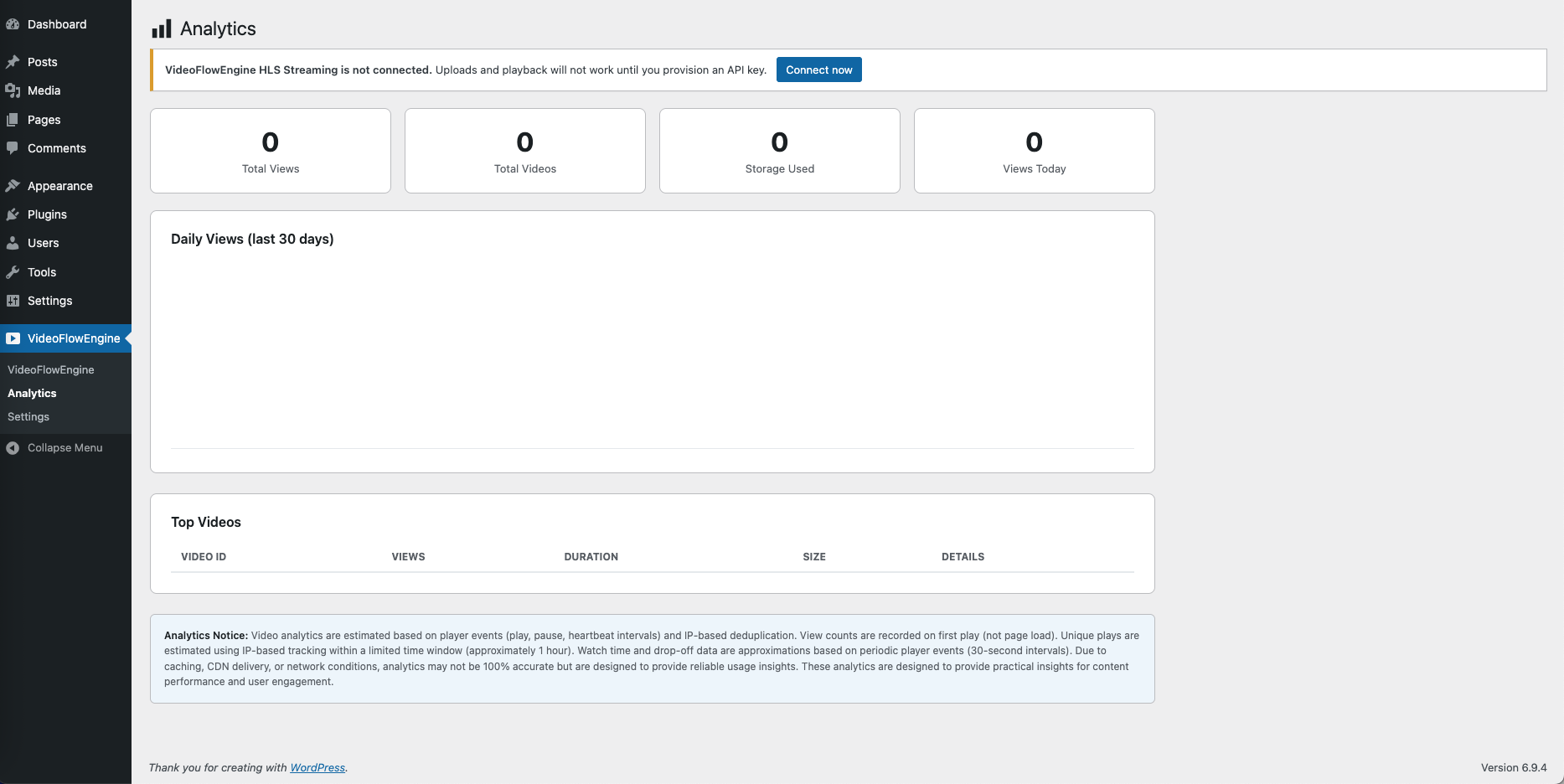
Built-in analytics dashboard — views, watch time, drop-off, right inside WordPress 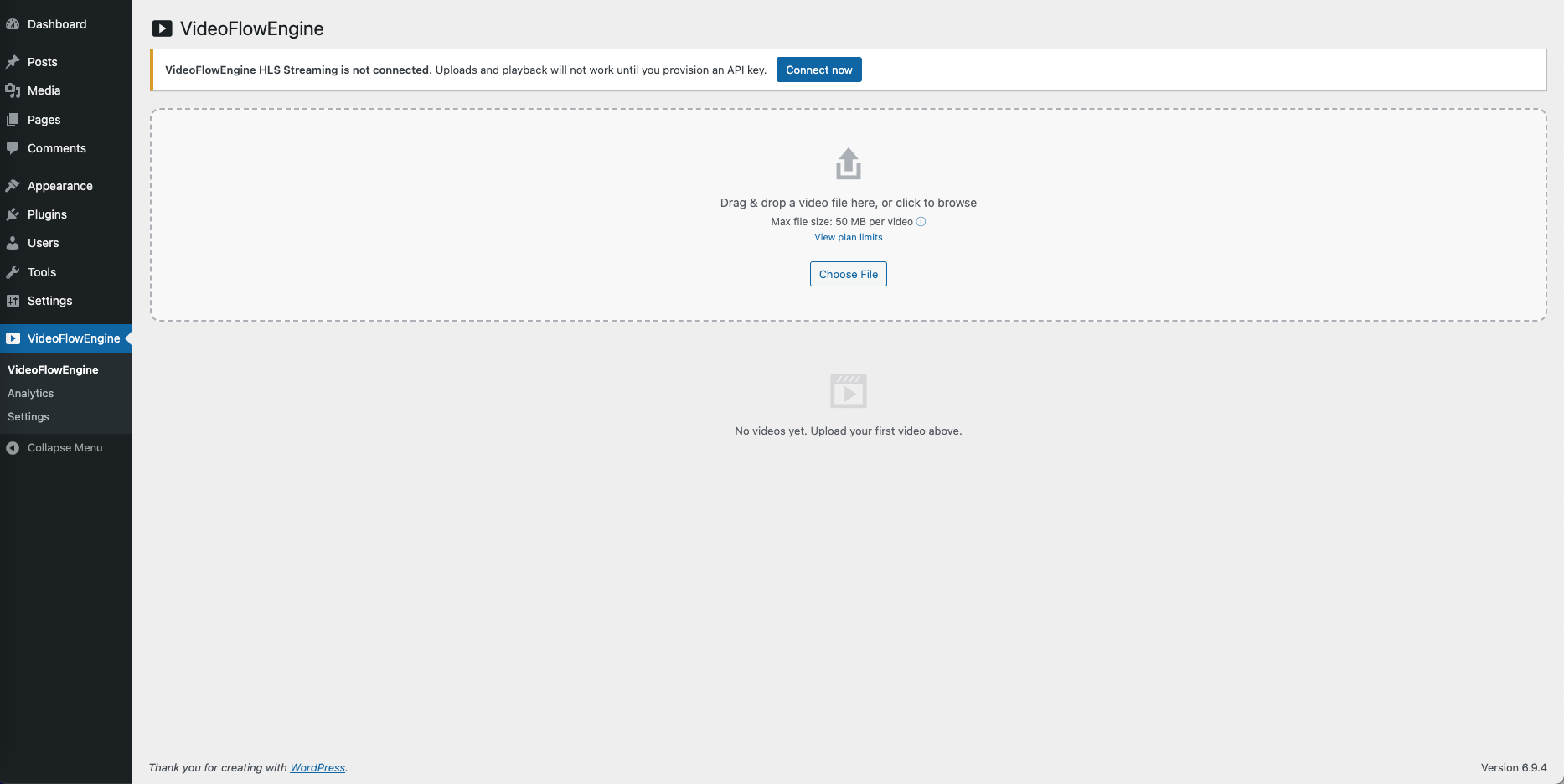
Drag & drop video upload from the WordPress dashboard 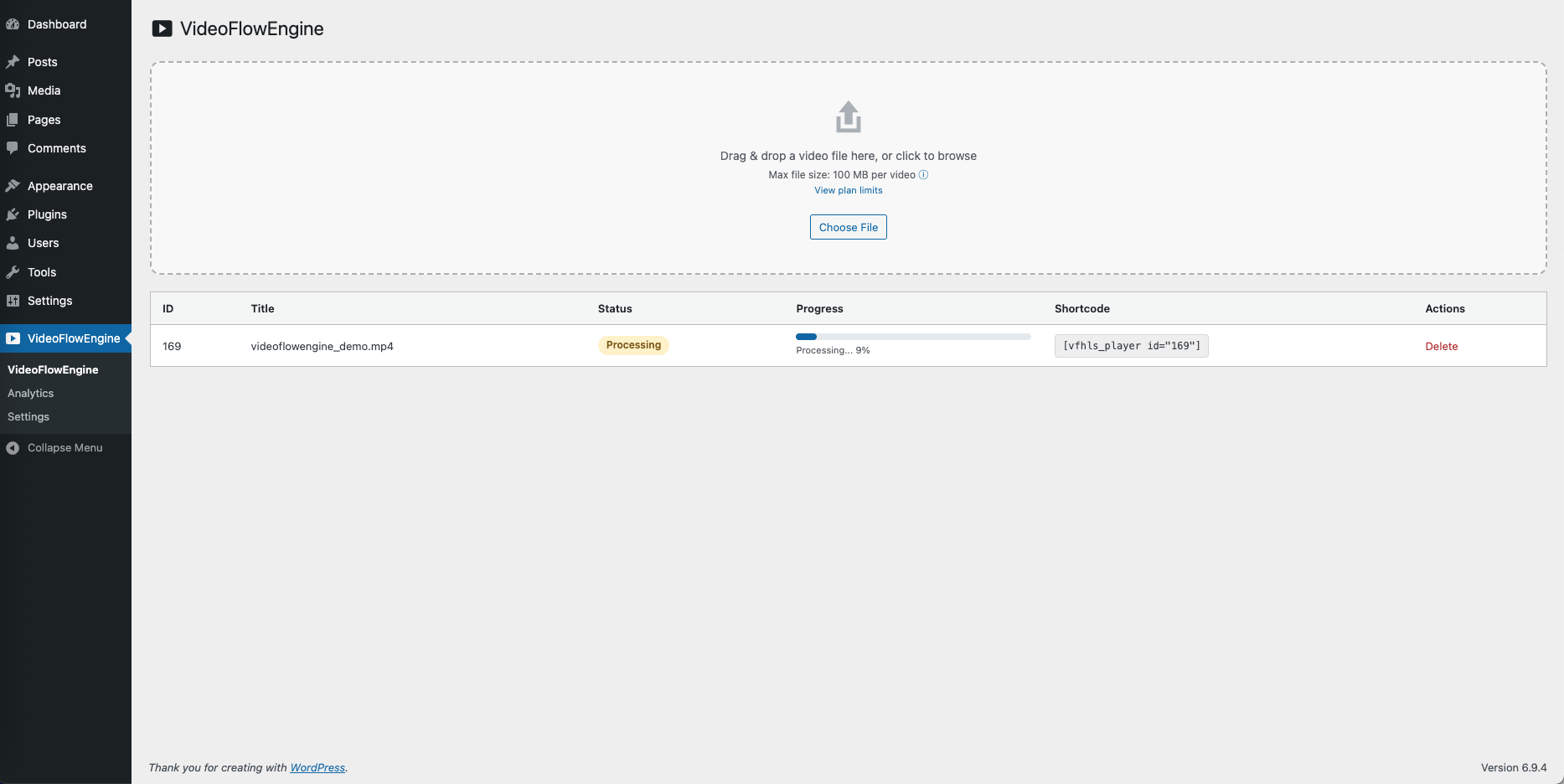
Real-time multi-resolution HLS encoding progress 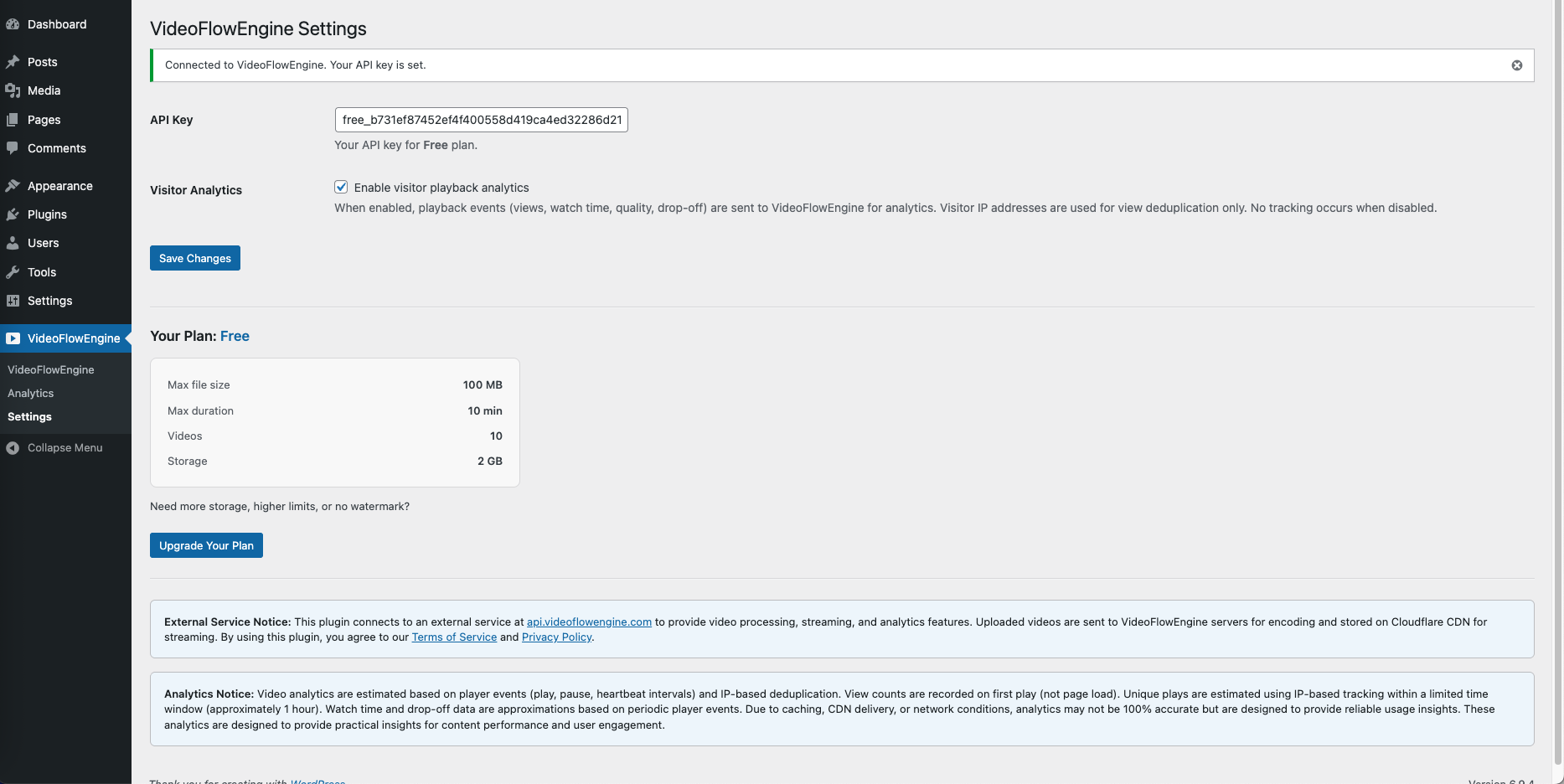
HLS video player embedded via shortcode or block 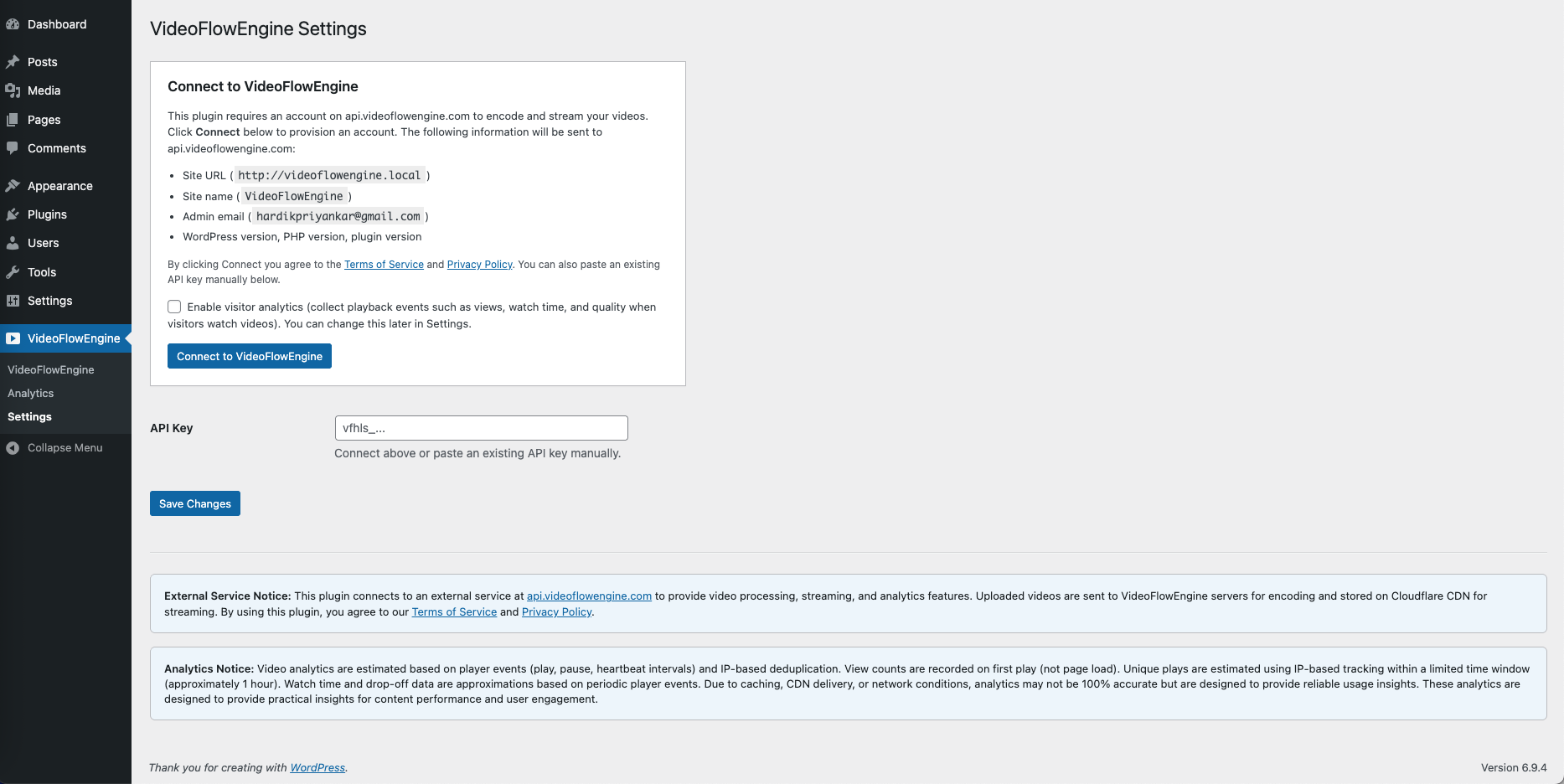
One-click Connect — provision a free API key without a signup form
Rakibaad
- Upload the
videoflowengine-hls-streamingfolder to/wp-content/plugins/, or install via the WordPress plugin directory - Activate the plugin through the Plugins screen in WordPress
- Go to VideoFlowEngine Settings and click Connect to VideoFlowEngine. A consent screen lists exactly which data is sent to api.videoflowengine.com (site URL, site name, admin email, WordPress/PHP/plugin versions)
- After connecting, go to the VideoFlowEngine menu to upload your first video
SBI
-
Is this a real Vimeo alternative?
-
Yes. VideoFlowEngine replaces the core Vimeo workflow (host + encode + embed + analytics) with your own Cloudflare R2 storage and WordPress-native embeds. There’s no per-view fee, no monthly bandwidth cap, and no external player branding.
-
Will this work with LearnDash / Tutor LMS / LifterLMS?
-
Yes — any LMS that accepts standard WordPress shortcodes or Gutenberg blocks can embed VideoFlowEngine videos in lessons. Add the
[vfhls_player id="123"]shortcode or the VideoFlowEngine block to a lesson’s content, same as you would with any WordPress embed. -
Do I need to set up Cloudflare R2 myself?
-
No. VideoFlowEngine provides the storage and CDN as part of the service. The free tier lets you test without any external setup.
-
Can I migrate existing videos from Vimeo / YouTube?
-
Yes, by re-uploading. Direct import is not currently built in — download your source files from Vimeo / YouTube, then upload them to VideoFlowEngine. For bulk migrations, see the migration guide on our website.
-
Do I need an API key?
-
Yes. After activation, go to VideoFlowEngine Settings and click Connect to VideoFlowEngine to provision a free API key.
-
Does this work without signup?
-
Yes. Clicking “Connect to VideoFlowEngine” provisions a free account automatically — no form, no credit card, no separate signup. You’ll see exactly what data is sent before connecting.
-
What video formats are supported?
-
MP4, MOV, AVI, MKV, WebM, and most other common formats. Videos are transcoded to HLS regardless of source format.
-
Where are videos processed and stored?
-
Videos are processed on VideoFlowEngine’s external servers and delivered via Cloudflare CDN. Full details in the External Services section below.
-
Is my data safe?
-
Yes. All admin actions use WordPress capability checks. Uploads use signed URLs so files are never publicly exposed. No data leaves your site until you explicitly click Connect. Visitor analytics are opt-in and can be disabled any time from Settings.
-
Does this work in Elementor, Beaver Builder, Bricks, or other page builders?
-
Yes. Any builder that accepts shortcodes or Gutenberg blocks will render the VideoFlowEngine player.
-
What is the Hero add-on?
-
The Hero add-on lets you mark any one video on your site as the “hero” — it streams instantly with no buffer wheel and no page-load penalty, ideal for homepage hero videos, course intros, sales-page testimonials, and product demos. Activate it from VideoFlowEngine Settings, then use the
[vfhls_player id="123" hero]shortcode to embed the hero player. -
Can I have a homepage hero video that autoplays?
-
Yes — that’s exactly what the Hero add-on is built for. Mark a video as your Hero, embed it with
[vfhls_player id="123" hero]on your homepage, and the hero player UI handles autoplay-friendly playback (with browser autoplay rules respected — muted-autoplay-then-unmute is supported). -
Can I switch which video is my hero later?
-
Yes. Go to VideoFlowEngine Settings Hero card Change video. The new pick re-encodes to the hero stream in a few minutes; the old one reverts to your plan’s defaults.
Dibu-eegisyo
Ma jiraan wax dibu-eegis ah oo ku saabsan kaabahan.
Ka-qaybgalayaasha & Horumariyayaasha
“VideoFlowEngine HLS Streaming” waa softiweer il furan. Dadka soo socda ayaa wax ku biiriyay kaabahan.
Ka-qaybgalayaasha
Ku tarjun “VideoFlowEngine HLS Streaming” luqaddaada.
Ma xiisaynaysaa horumarinta?
Baadh koodka, fiiri bakhaarka SVN, ama iska qor diiwaanka horumarinta adigoo adeegsanaya RSS.
Isbeddellada
1.0.1
- New: Hero add-on for instant-play premium video on one featured video
- New: First-ready toast — encourages copying the shortcode to a page after the first encode completes
- New: Plan unsubscribe button in Settings (Starter / Pro)
- Improvement: Hero shortcode column auto-shows the [vfhls_player id=”X” hero] variant for the assigned hero video
- Improvement: Inline status messages in the Hero video-chooser modal (replaces native browser dialogs)
- Improvement: Readme now documents the Hero add-on with FAQs (homepage hero, course intro, switching the hero video)
- Fix: Stripe checkout buttons no longer redirect the current tab when opening the new tab (window.open + ‘noopener’ returns null on success)
- Fix: Plugin reactivation now correctly records the analytics consent answer + audit log row (previously prior consent state silently carried over)
- Fix: Removed redundant analytics line from upgrade pages (kept only differentiating tier benefits)
- Security: Added capability check to the review-prompt dismissal AJAX
1.0.0
- Initial release
- Video upload with direct-to-CDN transfer
- Multi-resolution HLS encoding (360p, 720p, 1080p adaptive streaming)
- Admin interface with drag & drop upload
- Real-time encoding progress
- Shortcode player and gallery with analytics tracking
- Built-in analytics page (views, watch time, drop-off)
- Visitor analytics opt-in with admin toggle
- View count deduplication (IP-based, 1 hour window)
- API key authentication with free tier