

Sharraxaad
XO Security is a plugin to enhance login related security.
This plugin does not write to .htaccess file. Besides Apache, LiteSpeed, Nginx and IIS also work.
Functions
- Record login log.
- Limit login attempts.
- Add Captcha to the login form and comment form.
- Change the URL of the login page.
- Enable two-factor authentication (2FA) for login.
- Login Alert.
- Disable login by mail address.
- Disable login by user name.
- Change login error message.
- Disable XML-RPC and XML-RPC Pingback.
- Disable REST API.
- Disable author archive page.
- Remove comment author class of comments list.
- Remove the username from the oEmbed response data.
- WooCommerce login page protection.
- Anti-spam comment.
- Hide WordPress version information.
- Edit the author slug.
- Disable RSS and Atom feeds.
- Activate maintenance mode.
- Delete the readme.html file.
WordPress multisite considerations
If you set the login page separately for the main site and the subsite, you will not be able to use the password loss function of the subsite. We recommend that you set the login page to be common to all sites.
Sawir-shaashado
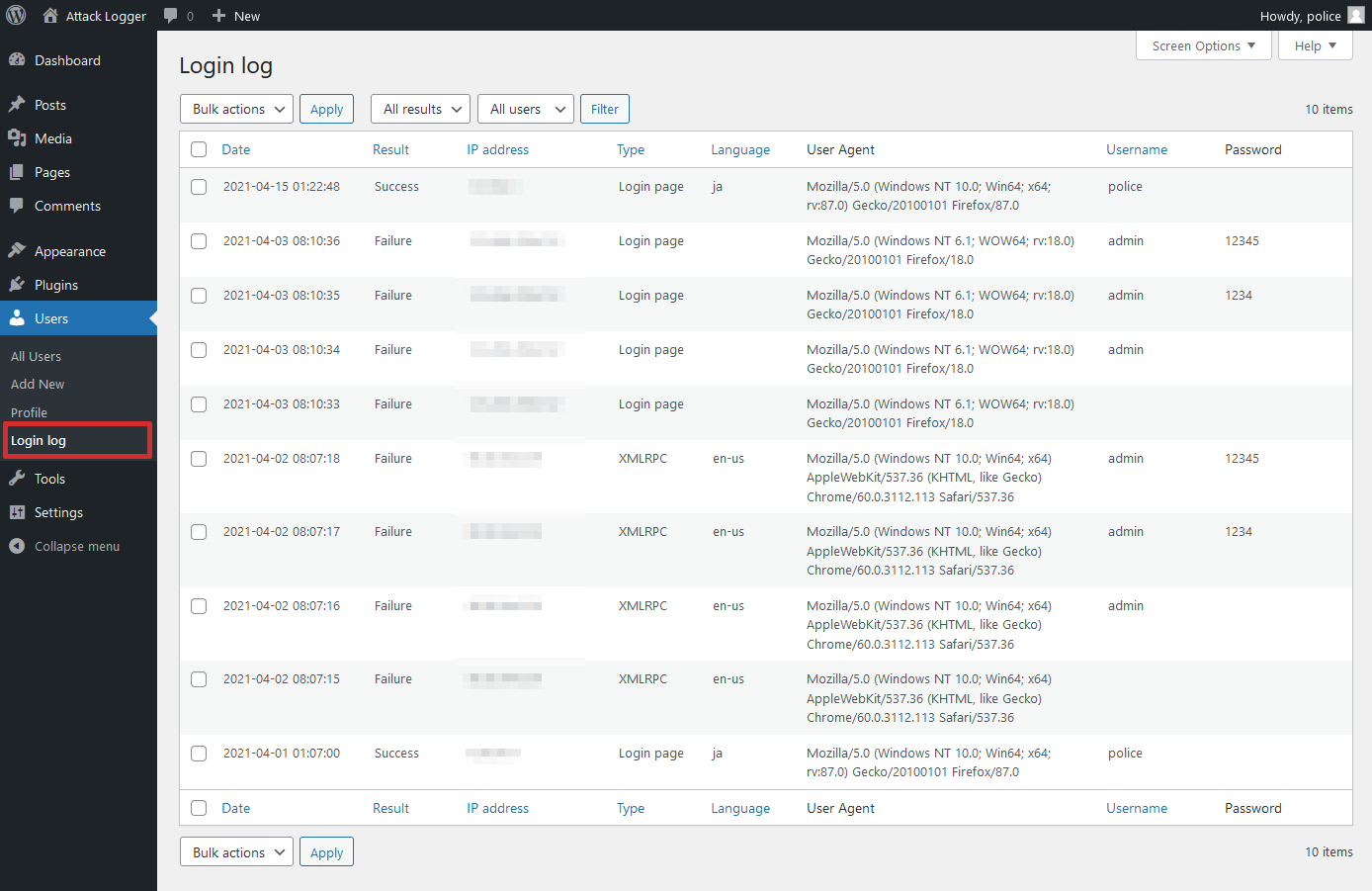

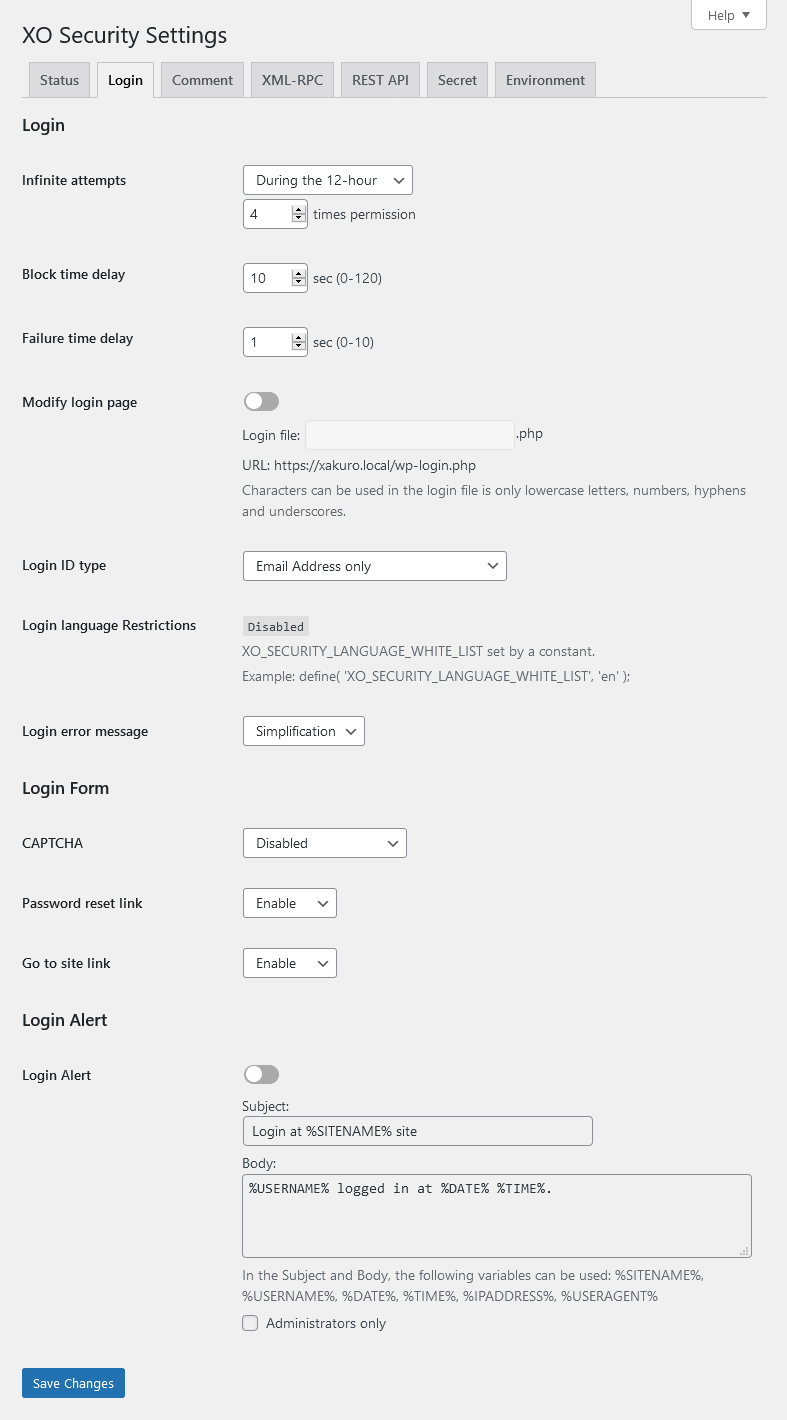

Rakibaad
- Upload the
XO-Securityfolder to the/wp-content/plugins/directory. - Activate the plugin through the Plugins menu in WordPress.
- Go to “Settings” -> “XO Security” and customize behaviour as needed.
SBI
-
Login page is not displayed.
-
Please initialize the settings.
- In wp_options table, the value of the option_name field (column) is to remove the record of “xo_security_options”.
- If you have set the login page, please delete the file.
-
The CAPTCHA is not displayed.
-
Please install mbstring and GD module.
Dibu-eegisyo


Ka-qaybgalayaasha & Horumariyayaasha
“XO Security” waa softiweer il furan. Dadka soo socda ayaa wax ku biiriyay kaabahan.
Ka-qaybgalayaasha
“XO Security” waxaa lagu tarjumay 1 luqad. Way ku mahadsan yihiin turjumaannada ka-qaybqaadashadooda.
Ku tarjun “XO Security” luqaddaada.
Ma xiisaynaysaa horumarinta?
Baadh koodka, fiiri bakhaarka SVN, ama iska qor diiwaanka horumarinta adigoo adeegsanaya RSS.
Isbeddellada
3.11.0
- Fixed a vulnerability that allowed two-factor authentication to be bypass.
- Update minimum WordPress version to 6.0.
- Update minimum PHP version to 7.2.
3.10.9
- Supported WordPress 7.0.
3.10.8
- Fixed a bug that sometimes prevented access to the login page.
3.10.7
- Fixed a mistake in version 3.10.6.
3.10.6
- Fixed an issue where the URL in the email sent when resetting a password was incorrect when changing the login page.
3.10.5
- Supported WordPress 6.9.
- Fixed a bug that sometimes prevented access to the login page.
3.10.4
- Supported WordPress 6.6.
3.10.3
- Supported CAPTCHA for login form using ajax.
3.10.2
- Fixed a mistake in version 3.10.1.
3.10.1
- Fixed a bug that sometimes prevented login with two-factor authentication.
- Enhanced the judgment of comment bots.
3.10.0
- Added option to change author base.
- Added option to select CAPTCHA type.
- Enhanced the judgment of comment bots.